Getting s tarted
Adjusting portrait format
The m onitor can be rotated from horizontal format (la ndscape mode) into
vertical format (portrait mode).
► Grasp the monitor with both hands on the right and left edge of the casing, tilt the monitor
backwards, move it into th e highest p osition an d turn it clockwise un til it is in the portrait po sition.
For y ou to be able to display the screen conten ts in portrait mode, your graphics card
will also need to support this function or yo u will need to use special software.
In the OSD menu you have the option of s witching the O SD manually
from landscape mode to portrait mod e (see "
Changing the monitor
settings usi ng the OSD me nu", Page 24 ).
To reset the monitor to landscape mode, the monitor should be turned anti-clockwise.
The OSD display can be reset again in th e O SD menu.
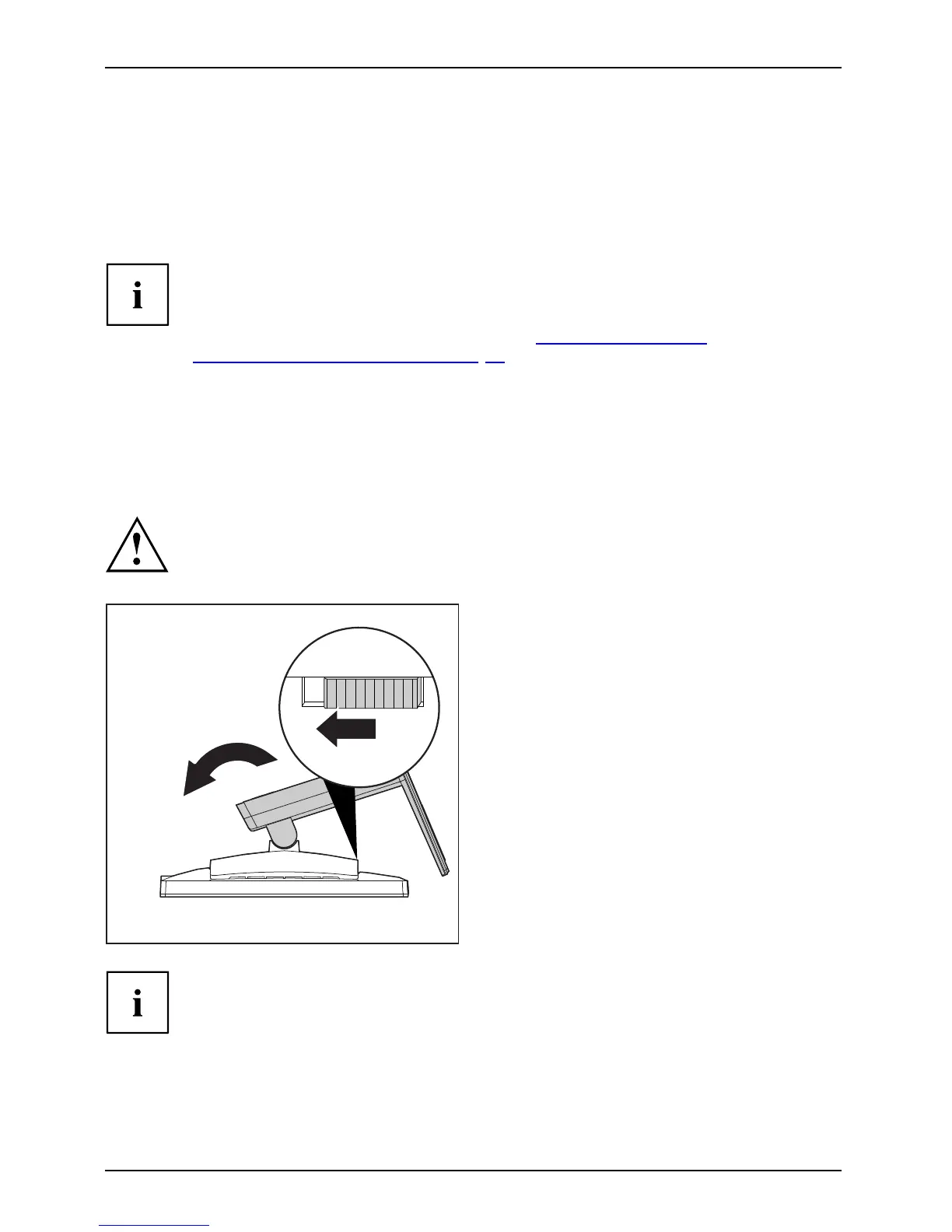
Removing monitor base
Before you can use a swivel arm or a similar accessory, you must remove the monitor b ase .
The display surface is susceptible to scratching!
1
2
► Switch off the monitor and pull the power
plug out of the power socket.
► Lay the monito
r on its face on a soft surface.
► Disconnect all cables.
► Release the b
ase stand by moving the slider
in the direct
ion o f the arrow ( 1) and hold it
while liftin
g the complete base stand up (2).
You can now mount a swivel arm or a
similar accessory in accordance with VESA
FPMPMI using a hole spacing of 100 mm.
For instructions on how to mount the s wivel arm or a similar accessory, please
see the documentation for the swivel arm or similar accessory.
16 Fujitsu











 To Next Page