Operation
Changing the monitor settings
When putting the monitor into operation for the first time, the scree n d isplay should
be optimally adapt ed to the display adapter used.
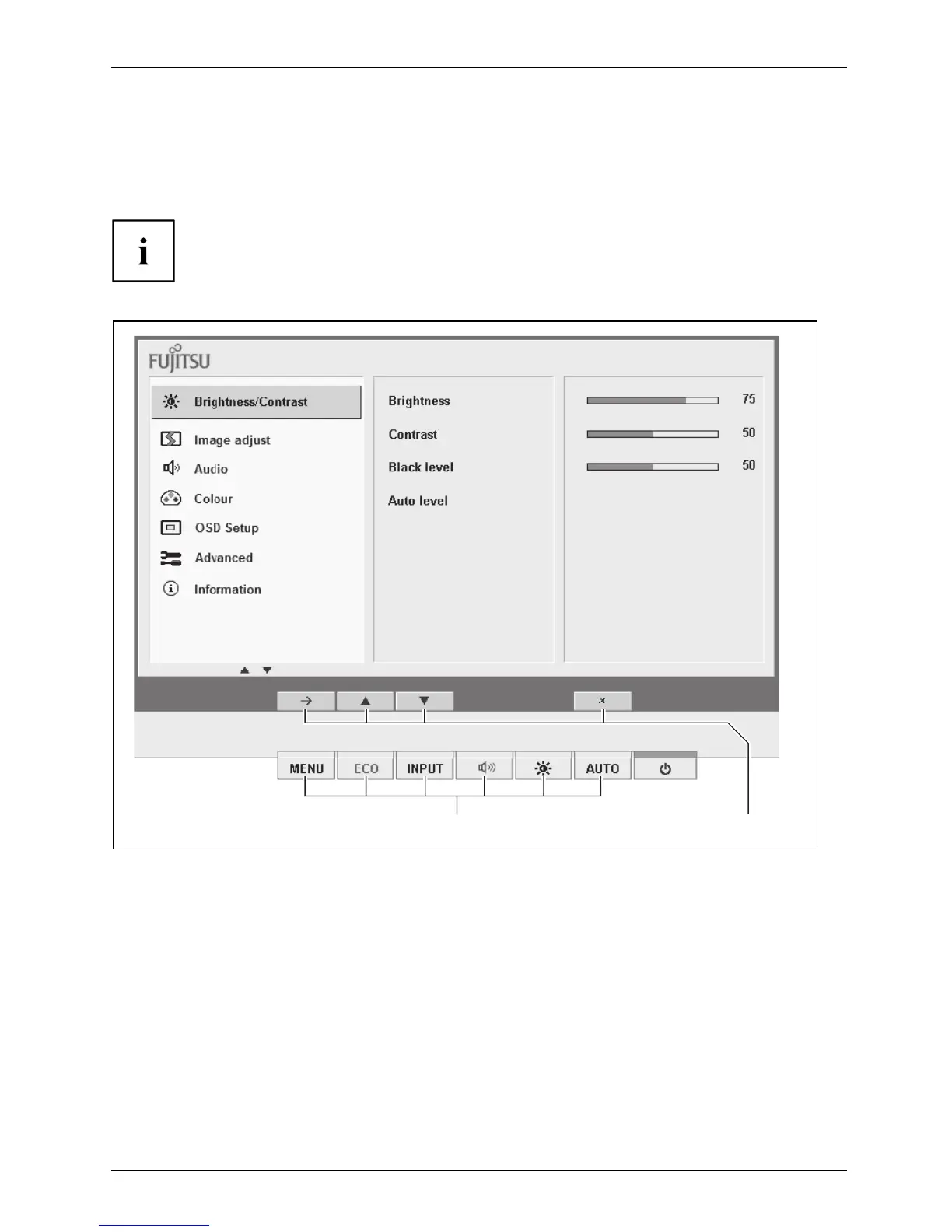
The buttons of the control panel have two functions. When the OSD menu
(On-Screen Display) is active, the curre nt meaning of the buttons is shown
directly over the buttons on the edge of the screen.
The display over the button s varies depending on the sub-menu cho sen.
12
1 = Buttons of the control pan el 2 = Current button function
Fujitsu 21











 To Next Page