EasyManua.ls Logo

Fujitsu CELSIUS H910 - User Manual

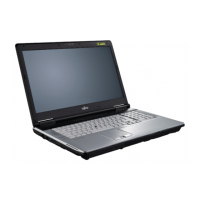
Fujitsu CELSIUS H910
101 pages
Print Icon
To Next Page IconTo Next Page
Loading...
System
Operating Manual
CELSIUS H910

Table of Contents

Questions and Answers

  • H
    Heather MeyerSep 8, 2025
    What to do for keyboard error using external keyboard on Fujitsu Notebook computer?
    • R
      Richard ScottSep 8, 2025
      If you are using an external keyboard with your Fujitsu Notebook computer and encounter a keyboard error, check the connection and reboot the notebook.
  • T
    Terri VelasquezAug 23, 2025
    What to do if the external monitor remains blank when connected to Fujitsu Notebook computer?
    • J
      Jordan NguyenAug 23, 2025
      If the external monitor remains blank when connected to your Fujitsu Notebook computer, first ensure the monitor is switched on. If power saving is activated, press any key. Adjust the monitor's brightness if it's set too low. If the screen output is set to the notebook's LCD screen, press the key combination to switch the screen output. Finally, check the power and data cables for proper connection.
  • R
    rittereugeneAug 25, 2025
    What to do if Fujitsu CELSIUS H910 Notebook computer stops working?
    • J
      Justin JonesAug 25, 2025
      If your Fujitsu Notebook computer stops working, it might be in energy-saving mode; try leaving that mode. An application program may have caused the malfunction, so close the program or restart the notebook. If the battery is dead, charge it, insert a charged battery, or connect the mains adapter.
  • D
    Dustin WilliamsAug 26, 2025
    Why does the printer not print from my Fujitsu CELSIUS H910 Notebook computer?
    • E
      edwardturnerAug 27, 2025
      If the printer does not print from your Fujitsu Notebook computer, ensure the printer is switched on and ready. Check the data cable connecting the notebook to the printer is properly connected. Also, verify that the correct printer driver is loaded.
  • A
    Aaron WardAug 27, 2025
    How to improve LCD screen readability on Fujitsu CELSIUS H910 Notebook computer?
    • D
      David MitchellAug 27, 2025
      If the LCD screen on your Fujitsu Notebook computer is difficult to read, it might be due to reflected glare. Turn the notebook or alter the tilt of the LCD screen. You can also increase the screen's brightness.
  • A
    Alexander PerrySep 22, 2025
    How to fix Extended memory failed error on Fujitsu CELSIUS H910 Notebook computer?
    • W
      wallacestephanieSep 22, 2025
      Check whether the additional memory module has been inserted correctly in your Fujitsu Notebook computer.
  • C
    Cynthia SmithSep 16, 2025
    How to resolve 'Failure Fixed Disk n' error on Fujitsu CELSIUS H910 Notebook computer?
    • R
      Ryan RamirezSep 16, 2025
      If you encounter a 'Failure Fixed Disk n' error on your Fujitsu Notebook computer, start the BIOS Setup (Primary Master submenu) and select the correct settings.
  • C
    collinszacharySep 18, 2025
    What to do if I see a 'Stuck key' message on Fujitsu CELSIUS H910?
    • N
      Nicole CoxSep 18, 2025
      If you see a 'Stuck key' message on your Fujitsu Notebook computer, ensure that no key is pressed.
  • M
    Meagan CoffeySep 7, 2025
    How to correct date and time on Fujitsu CELSIUS H910 Notebook computer?
    • J
      Jade WalkerSep 7, 2025
      To correct the date or time on your Fujitsu Notebook computer, use the BIOS-Setup-Utility to set the date and time in the main menu.
  • L
    louis84Sep 4, 2025
    Why keyboard types only numbers on Fujitsu CELSIUS H910 Notebook computer?
    • J
      Joel KelleySep 4, 2025
      If certain characters are entered on the keyboard of your Fujitsu Notebook computer and only numerals are written, the virtual numeric keypad is activated. Press the Num key to deactivate it.

Fujitsu CELSIUS H910 Specifications

General IconGeneral
RAMUp to 32 GB DDR3
Display1920 x 1080 resolution
Operating SystemWindows 7 Professional
BatteryLi-ion
PortsVGA
WirelessWi-Fi 802.11 a/b/g/n, Bluetooth