Removing and inst alling components
during servicing
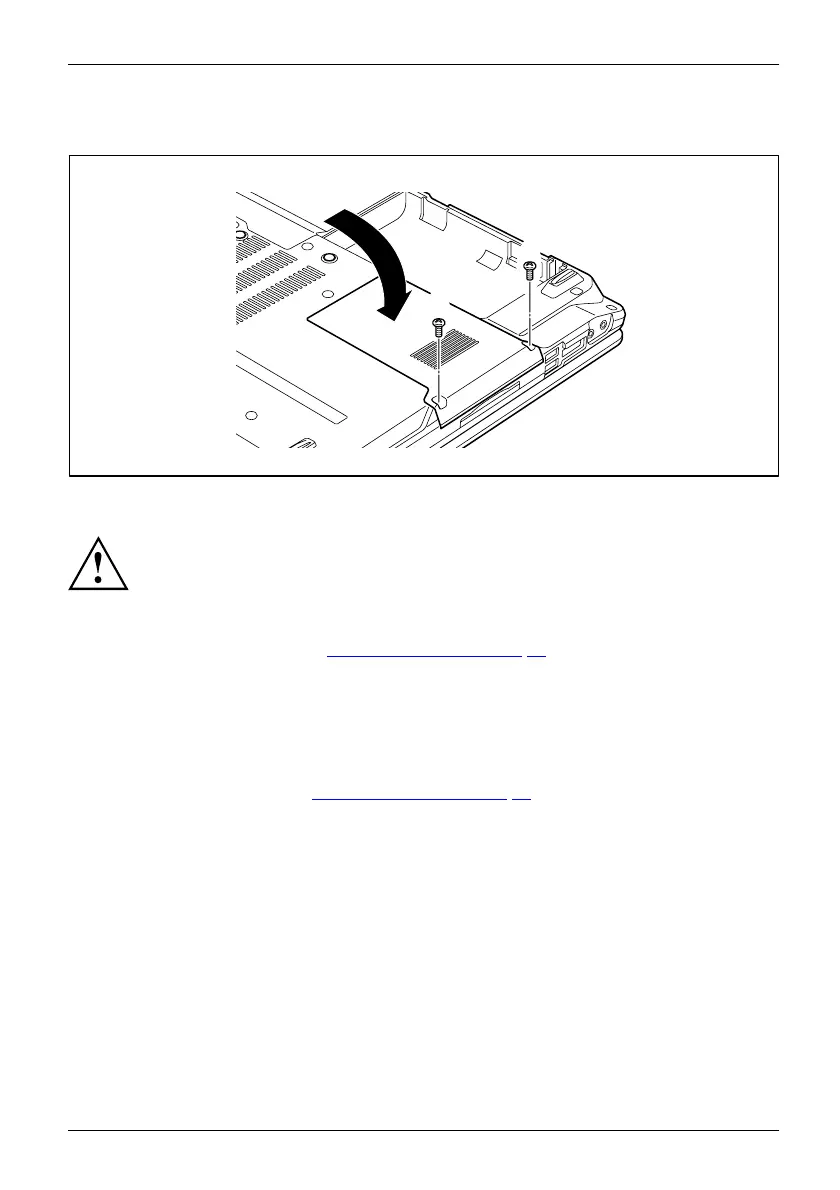
Attaching the cover
2
2
1
► Place the cover in the correct mou nting position (1).
If you remove more than one component at the same time, keep the screws for the
individual components separately from each other and make su re that you use th e
correct screw s. If you install the wrong screws, components may be damaged.
► Tighten the screw s (2).
► Insert the ba
ttery (see C hapter "Inst alling a battery", Page 32).
Finishing component removal
After you have removed or changed the system components as you required, please
prepare your device for operation again as follows:
► Install the battery again (see "
Installing a battery", Page 32).
► Turn the n
otebook the right way up again and place it on a flat surface.
► Reconnect the cables that yo u disconnected before.
Fujitsu Technology Solutions 73


 To Next Page