Removing and inst alling components
during servicing
Removing and installing the sec
ondharddisk
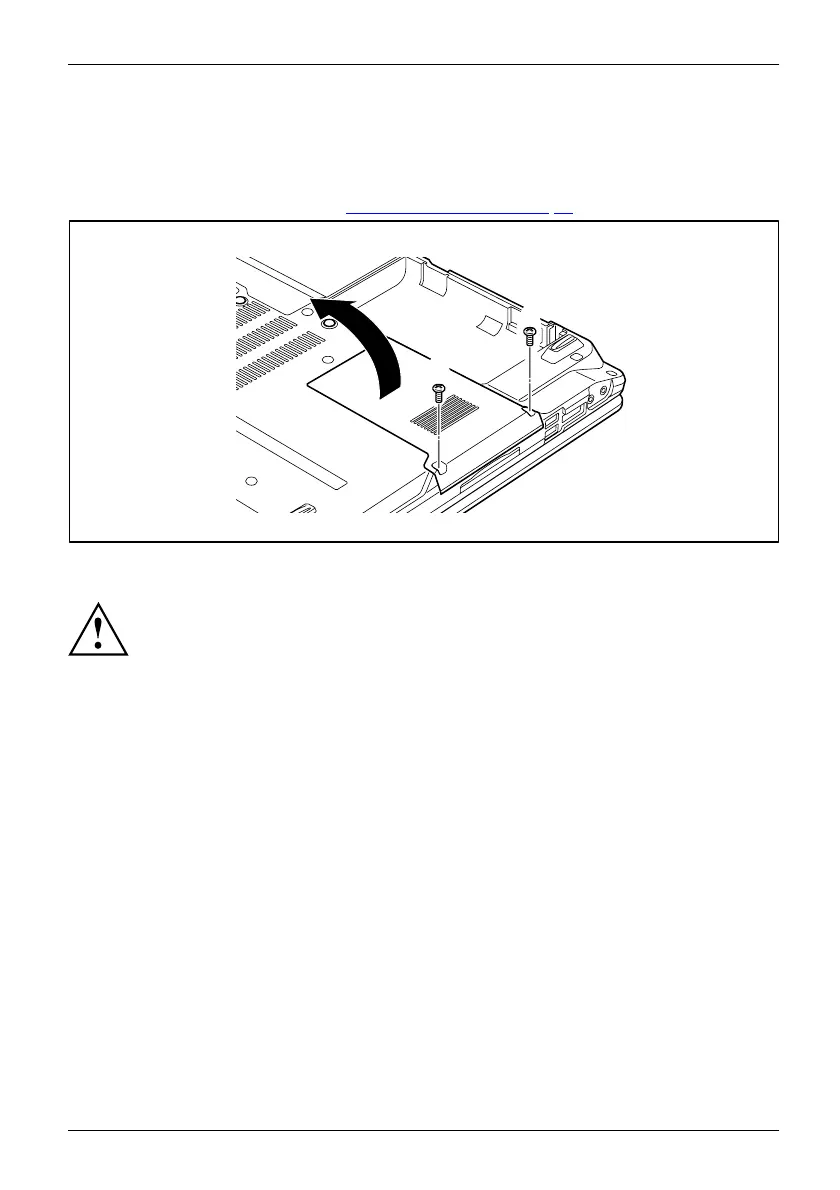
Removing a cover
► Remove the battery (see Chapter "Removing a battery", Page 31).
2
1
1
► Remove the screws (1).
Keep the screws in a safe place. If you are re moving more than one component at
the same time, store the screws for the individual components separately from each
other. If you install the wrong screws, components may be damaged.
► Lift the cover off the notebook (2).
Fujitsu Technology Solutions 71


 To Next Page