Working with the noteboo k
Working with the notebook
Notebook,operat i onNotebook
This chapter describes the basics for operating your n otebook. Please read the chapter
entitled "
Connecting external devices", Page 58 for instructions on how to connect
devices such as a mouse and a printer to the notebook.
Please refer to the notes in "Important notes", Page 12.
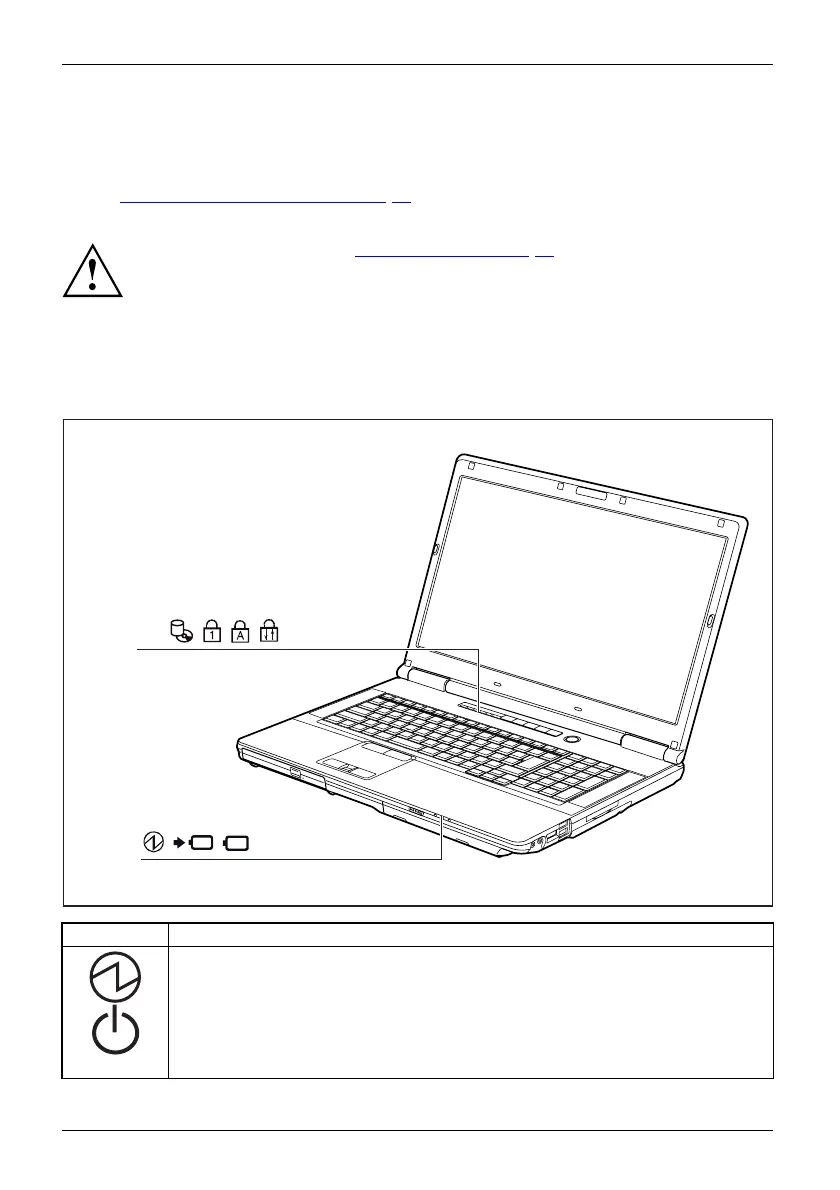
Status indicators
Statusindicator panel
The status indicators provide information about the status of the power supply,
the drives and the keyboard functions.
E
Indicator Description
Power-on ind icato r
Powe
r-onindicator
Indi
cator
• The indicator is illuminated: The notebook is sw itched on.
•Theindicatorflashes (1 second on/1 second off): The notebook is in power
saving mode.
• The indicator is not illuminated: The notebook is switched off or is in
Save-to-Disk mode.
18 Fujitsu Technology Solutions


 To Next Page