Removing and installing com ponents
during servicing
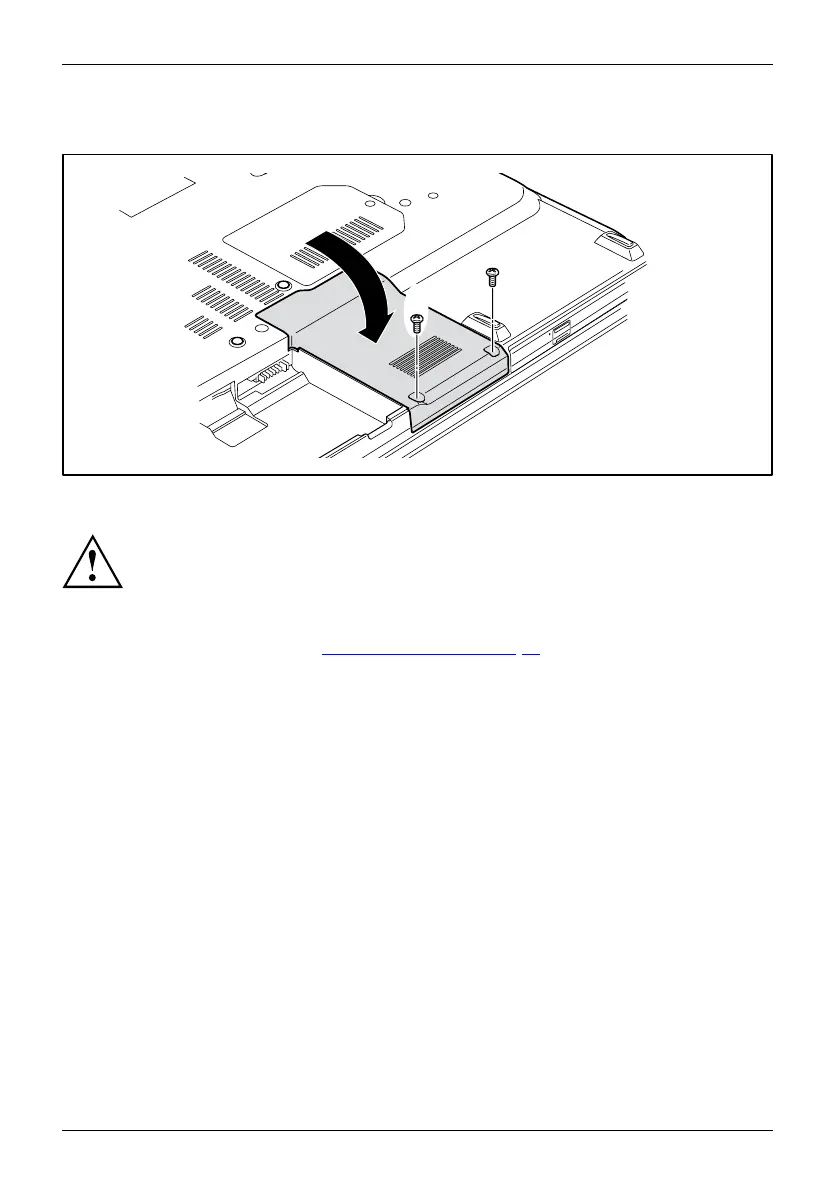
Attaching the cover
2
2
1
► Place the cover in the correct mounting position (1).
If you remove m ore than one component at the same time, keep the screws for the
individual components separately fro m each other and make sure that you use the
correct screws. If you install the w rong screws, components m ay be damaged.
► Tighten the s crews (2).
► Insert the battery (see Chapter "
Installing a battery", Page 32).
70 Fujitsu Technology Solutions


 To Next Page