Working with the notebook
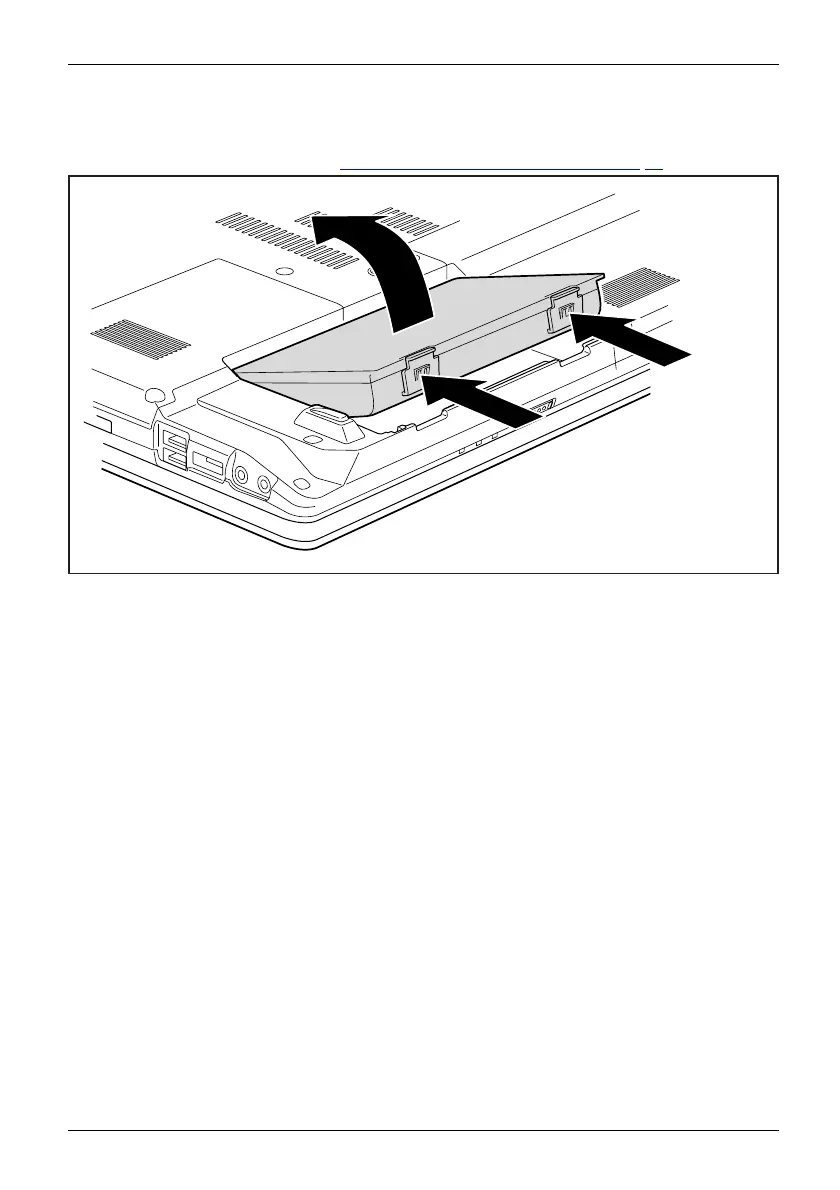
Removing a battery
► Prepare for removal, see chapte r "Preparing to remove components", Page 6 5.
1
1
2
► Press the two unlocking levers (1).
► Remov e the battery fr om the battery compartment (2).
Fujitsu Technology Solutions 31


 To Next Page