Working with the noteboo k
Combination Description
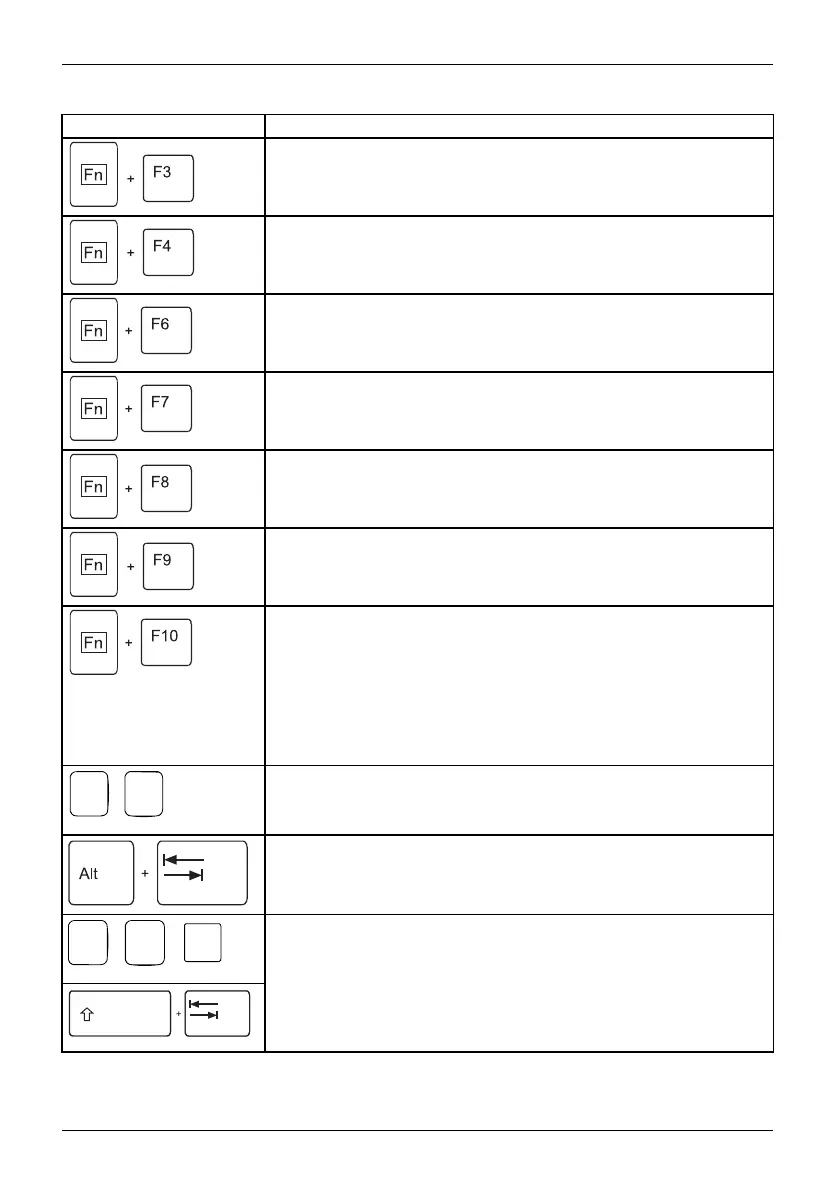
Enable/disable loudspeakers
Fn+F3Lo udspeakersLoudspeakers
This key combination switches y
our notebook’s loudspeakers off
and on.
Switching the touchpad on/of
f
Fn+F4TouchpadLoudspeakers
This key combination enables
and disables the touchpad.
Decrease screen brightness
Fn+F6Scr eenbrightness
This key combination decreases the brightness of the screen.
Increase screen b rightness
Fn+F7Scr eenbrightness
This key combination increases the brightness of the screen.
Decrease volume
Fn+F8Vo lume
This key combination reduces th e volume of the integrated
loudspeakers.
Volume increase
Fn+F9Vo lume
This key c ombination raise s the volume of the integrated
loudspeakers.
Togg le output screen
Fn+F10Toggleoutput
screen
If an external monitor is connected, the monitor on which the outp ut is
to be displayed can be selected with this key combination.
Youcanopttouse:
• just the notebook’s LCD screen
• just the external monitor
• both the LCD screen and the external monitor
+
Ctrl
C
Halt current operation
Ctrl+C
This key combination can be use d to halt an operation in stantly
without clearing the keyboard buffer.
Switch be
tween open applications
With this
key c ombination you can switch between several op en
applica
tions.
Alt+Tab
AltCtrl
Del
++
Windows Security/Task Ma na ger
This key combination o pens the Windows Security/Task Manager
window.
Ctrl+Alt+Del
Back tab
This key c ombination moves the cursor back to the previous tabular
stop.
Shi
ft+Tab
Bac
ktab
24 Fujitsu Technology Solutions



 To Next Page