Working with the notebook
1
2
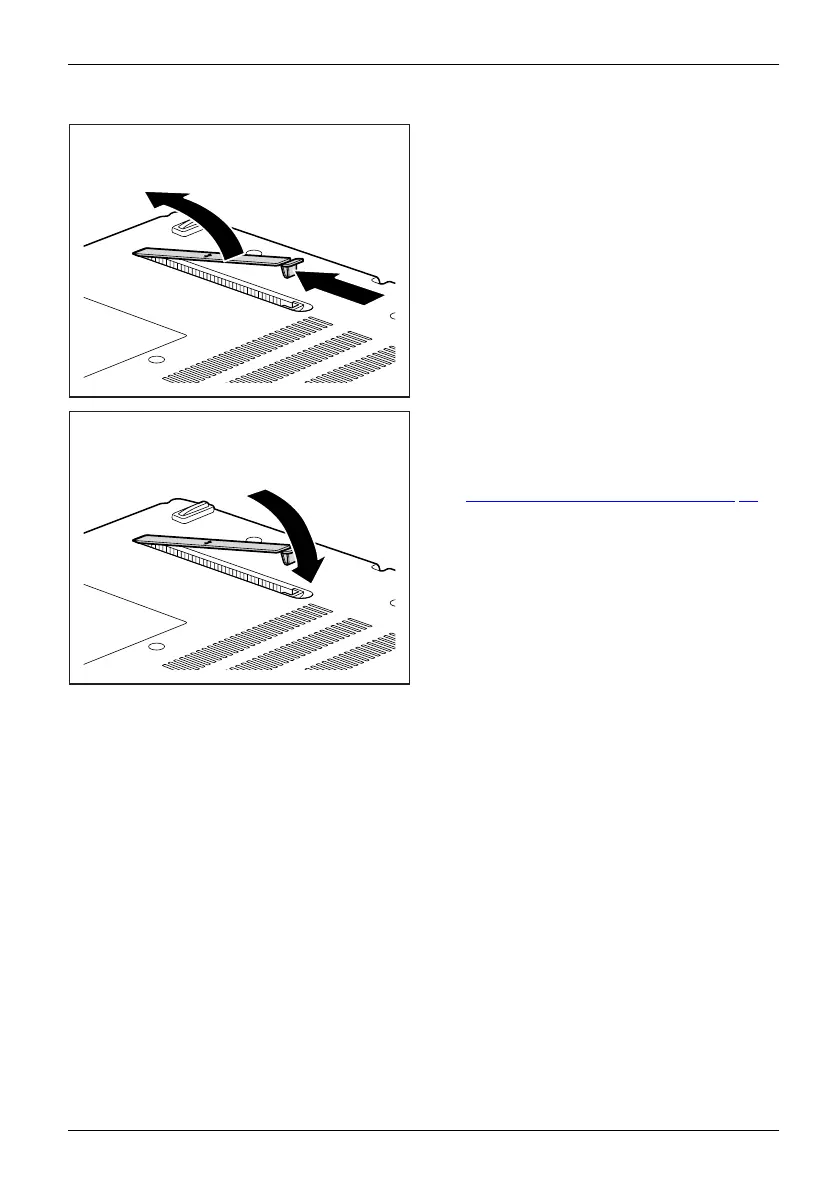
► Press and hold the lock of the ventilation
slot cover (1) and remove it from its s lot (2).
► Clean the dust chamber.
1
► Insert the ventilation slot cove r into the
slot (1) at an angle as shown, and ensure
that you feel it click into place.
► Complete the removal, see chapter
"
Finishing component rem oval", Page 73.
Fujitsu Technology Solutions 35


 To Next Page