fi-5120C / fi-5220C Image Scanner Operator Guide
TROUBLE SHOOTING
CONTENTS MAP
TOP
APPENDIX1Beforeusingthe[Scan]orthe[Sendto]button(1)
1
2 3
By setting the link of the application software to the [Scan] or [Send to] button, you can launch the linked application by simply
pushing the button.
For Windows 98, Windows Me, Windows 2000, Windows XP
1. Select [Start]-[Control Panel].
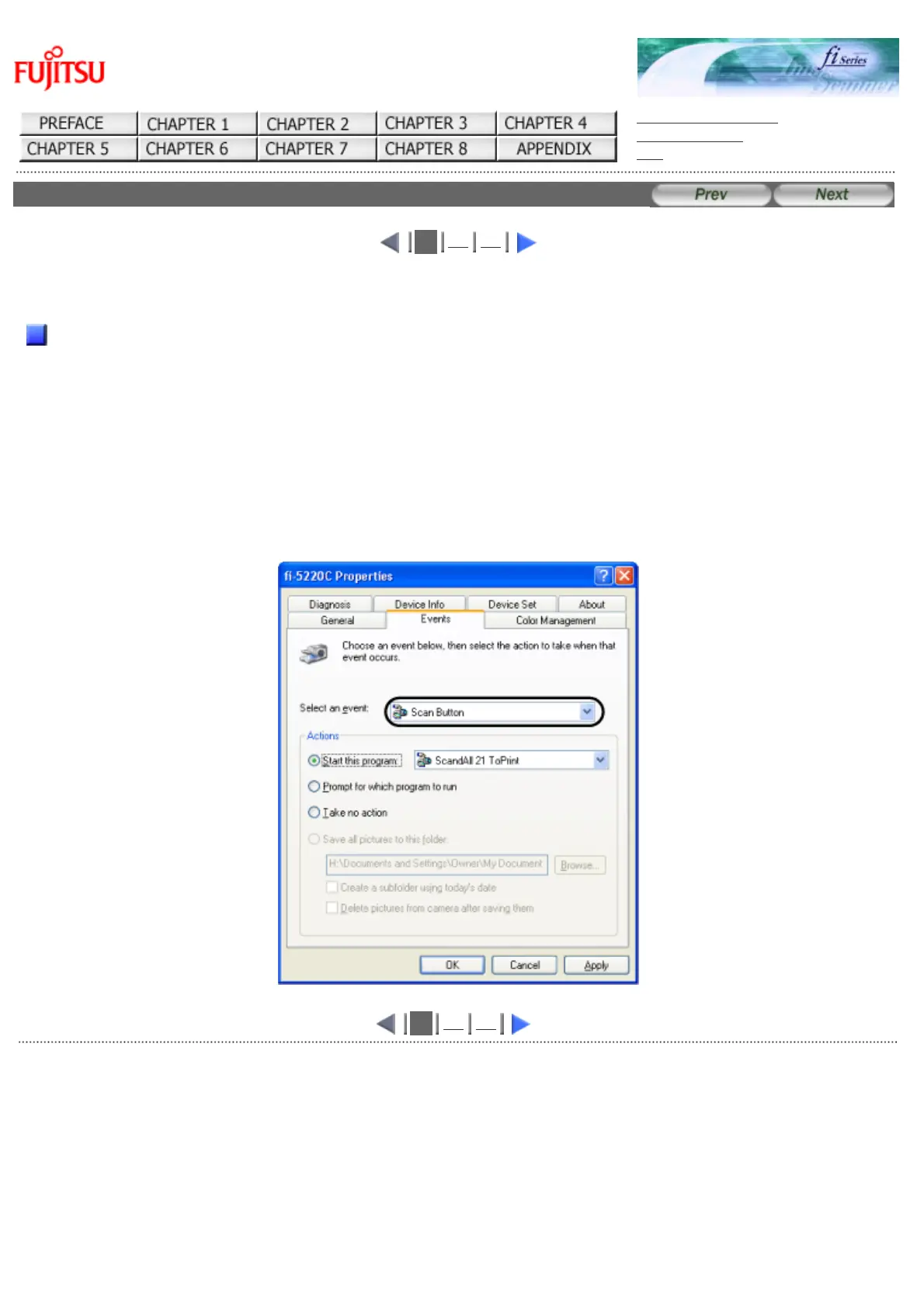
2. Select [Scanners and Cameras]-[Properties].
3. Select the [Events] tab.
4. Select an Event. For Windows XP, select the event for starting up any application from the [Select
an event] menu.
1
2 3
AllRightsReservedCopyright2006©PFULIMITED
file://///Hd-htgle21/Manual/fi-5120C5220C-lynx2/OG/R03/contents/EN/App/cApdx0101.htm2006/08/2916:02:11












 To Next Page