fi-5120C / fi-5220C Image Scanner Operator Guide
TROUBLE SHOOTING
CONTENTS MAP
TOP
3.10Correctingskeweddocuments(1)
1
2
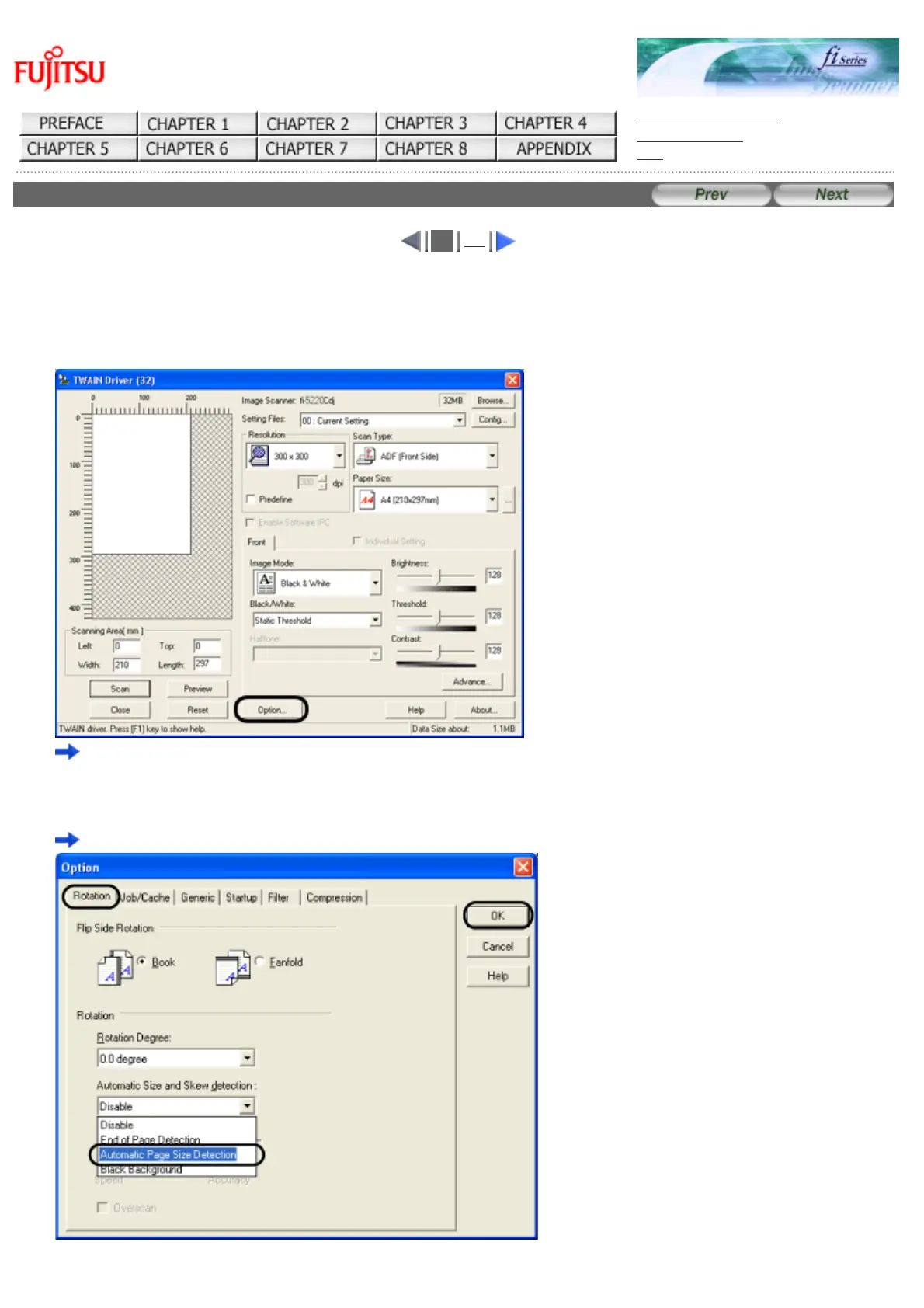
You can set the scanner so that skew of documents are detected and corrected automatically when skewed documents are fed
into the ADF. Change the setting in the [TWAIN Driver] dialog box to enable this function. The following shows the procedure
for changing the setting in the dialogbox:
1. Click [Option] button in the [TWAIN Driver] dialogbox.
The [Option] dialog box appears.
2. Click the [Rotation] tab.
Select the [Automatic page size detection ] from the [Automatic Size and Skew Detection] menu.
file://///Hd-htgle21/Manual/fi-5120C5220C-lynx2/OG/R03/contents/EN/03/c031001.htm(1/2)2006/08/2916:00:54












 To Next Page