4.2 Replacing the Pad ASSY
fi-5530C2 Image Scanner Operator’s Guide 101
REPLACING CONSUMABLES
4
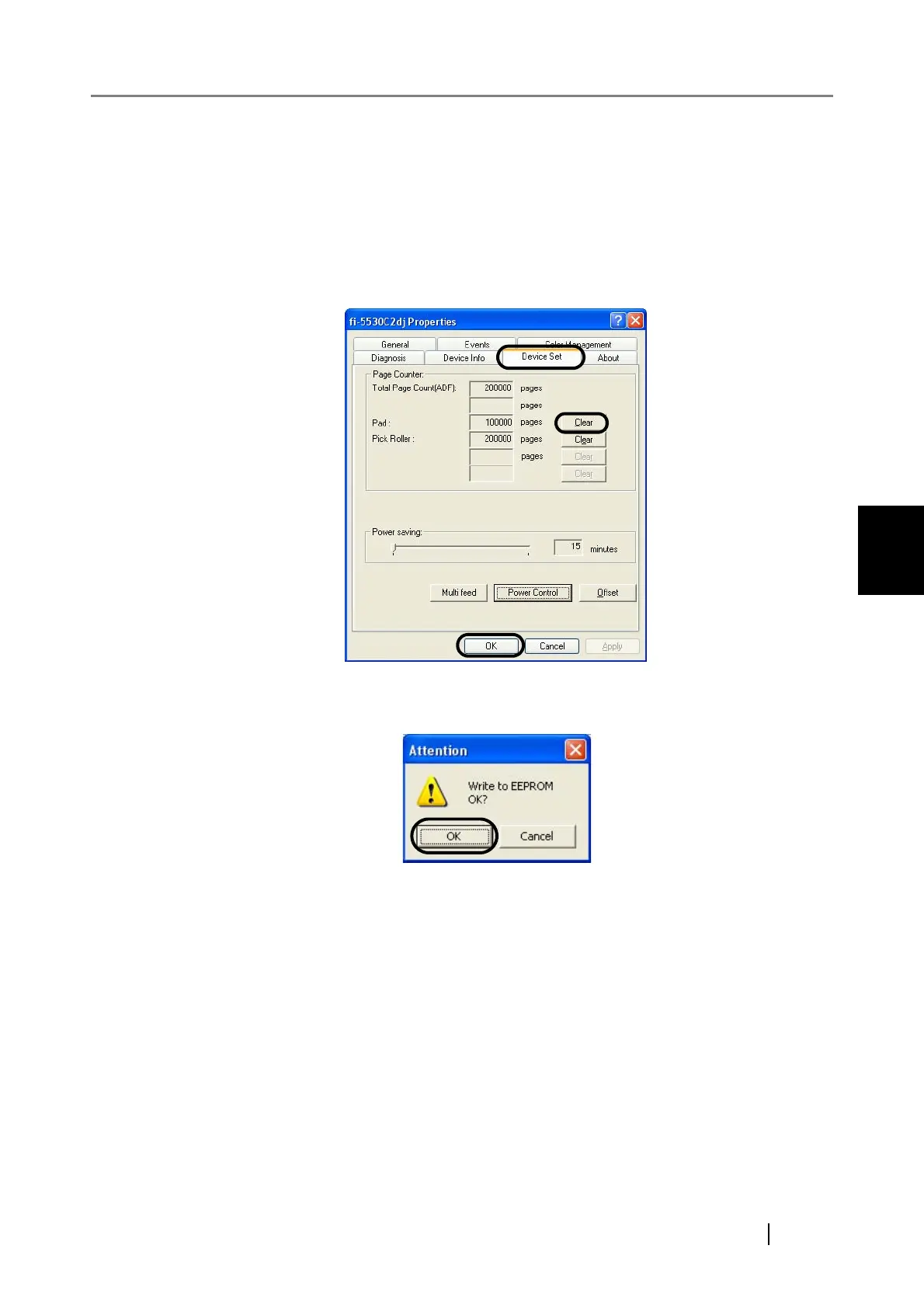
6. Reset the pad counter.
1) Check that the scanner is connected to your personal computer and turn on the
scanner.
2) Open [Scanners and Cameras] from the control panel on your computer.
3) Select [Properties] of [fi-5530C2dj].
⇒ The [fi-5530C2dj Properties] dialog box appears.
4) Select the [Device Set] tab.
⇒ The following dialog box appears.
5) Click the [Clear] button of [Pad] under [Page Counter], and then the [OK] button.
⇒ The following message appears.
Click the [OK] button.
The Pad counter is reset to "0".












 To Next Page