2.10 To Output Multi-Images
fi-5530C2 Image Scanner Operator’s Guide 75
SCANNING VARIOUS TYPES OF DOCUMENTS
2
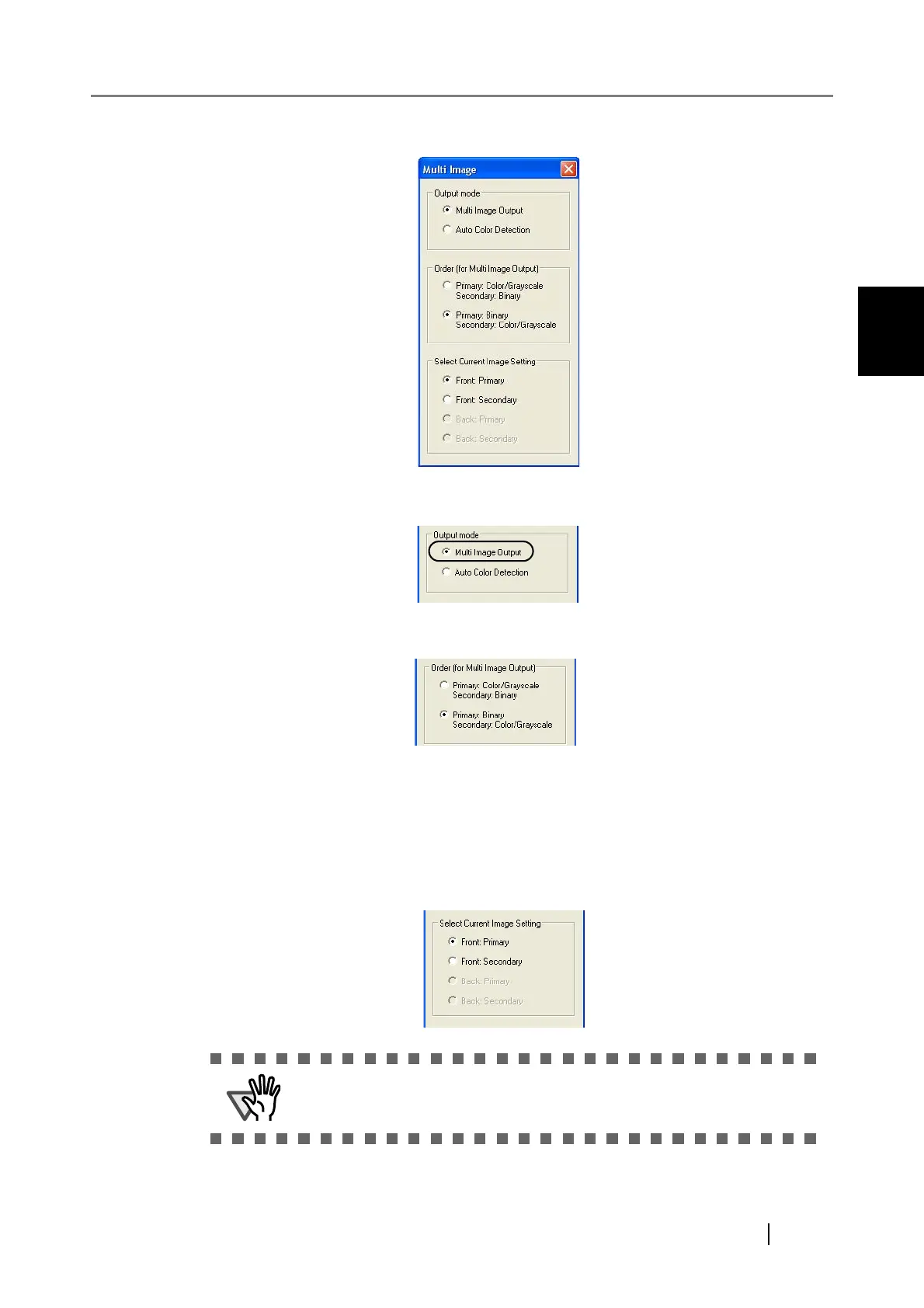
⇒ The [Multi Image] dialog box appears.
3. Select [Multi Image Output] under [Output mode].
4. Select the order to output multi-images under [Order (for Multi Image Output)].
Primary: Color/Grayscale - Secondary: Binary
First, a Color or Grayscale image is output, and then a Black-and-White image.
Primary: Binary - Secondary: Color/Grayscale
First, a Black-and-White image is output, and then a Color or Grayscale image.
5. Under [Select Current Image Setting], select a side, and then configure settings for
each side in the [TWAIN Driver] dialog box.
ATTENTION
When scanning in duplex mode, the same [Image Mode] must be selected
for both the front and back sides.












 To Next Page