Index
Chapter 8 Operational Settings
Appendix
Glossary
Introduction
Contents
TOP
161
How to Load
Documents
How to Use
the Operator
Panel
Various Ways
to Scan
Daily Care
Troubleshooting
Replacing
Consumables
Scanner
Overview
Operational
Settings
Setting Automatic Detection for Color/
Monochrome [Auto color Detection]
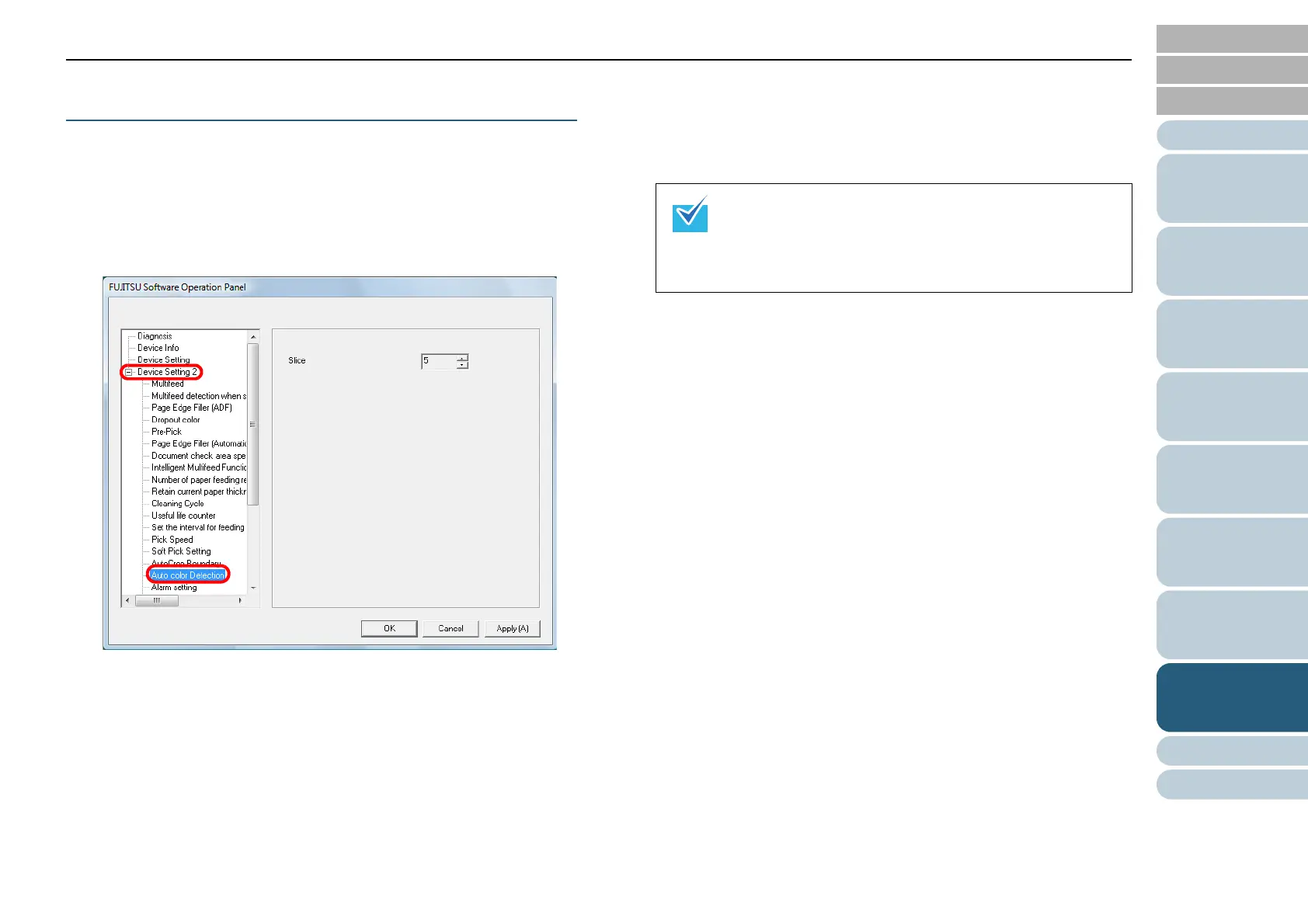
Specify the slice level for Auto Color Detection.
1 Start up the Software Operation Panel.
Refer to "8.1 Starting Up the Software Operation Panel" (page 132).
2 From the listing on the left, select [Device Setting 2]
[Auto color Detection].
3 Select the slice value.
You can select the Slice value from 1 to 255.
Increase the value when black & white documents are recognized as
color documents. Decrease the value when color documents are
recognized as black & white documents.
For information on how to configure the automatic
color/monochrome detection, refer to the scanner
driver's Help.
This setting does NOT appear when Kofax VRS
(optional) is used.



 To Next Page