General Description
1-10 C156-E205-01EN
1.3 System Configuration
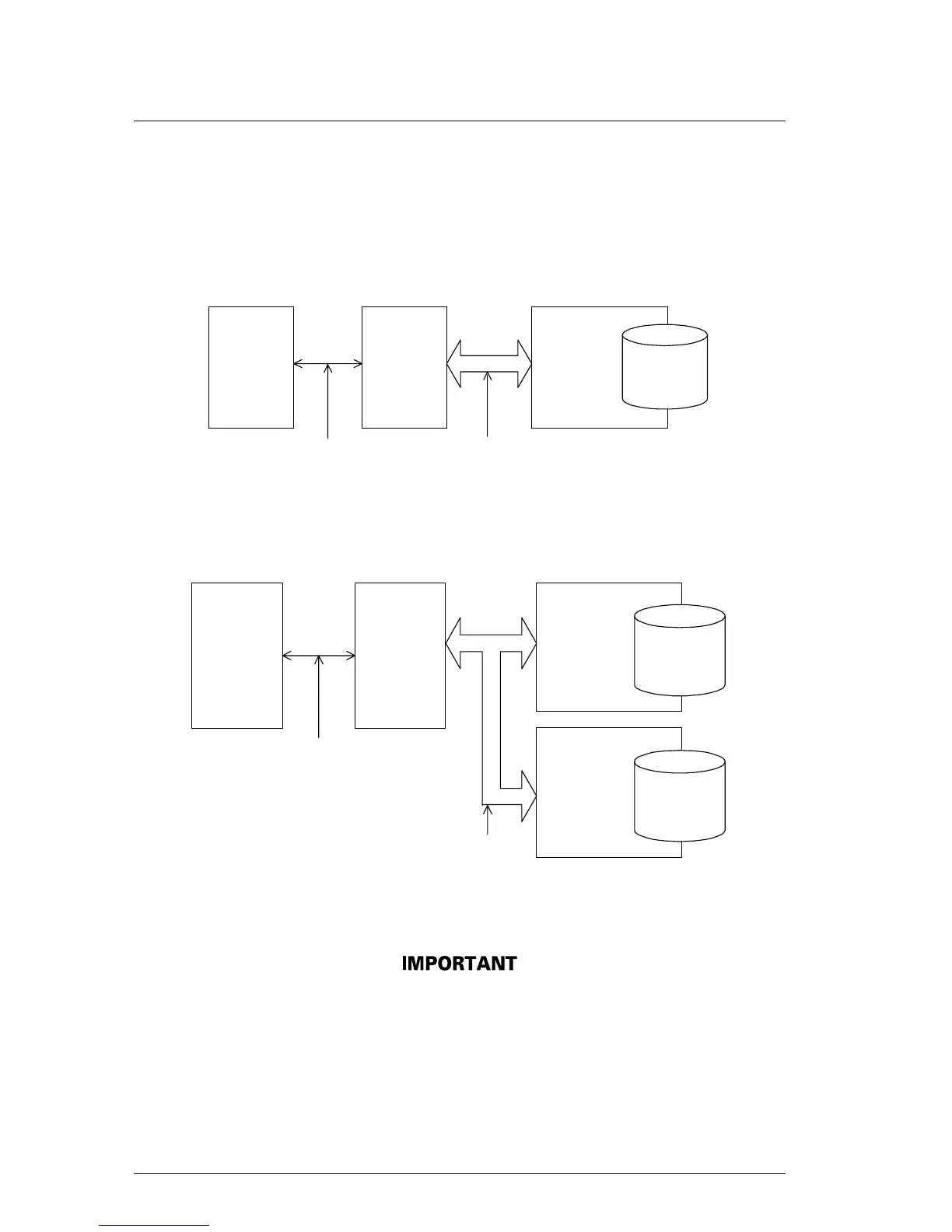
Figures 1.5 and 1.6 show the PC AT interface system configuration. The interface
can be directly connected to the 40-pin AT-compatible IDE interface.
Host system
HA
(
Host adapter)
ODD
T bus
(Host interface)
IDE interface
Figure 1.5 System configuration with one optical disk drive
Host system
HA
(Host adapter)
ODD
AT bus
(Host interface)
IDE interface
ODD
Figure 1.6 System configuration with two optical disk drives
The PC AT interface will not meet the specification if two optical
disk drives not conforming to the ATA are connected.
The host adapter (HA) consists of an address decoder, driver, and
receiver. ATA stands for AT Attachment. This drive supports the
ATA interface.


 To Next Page