158
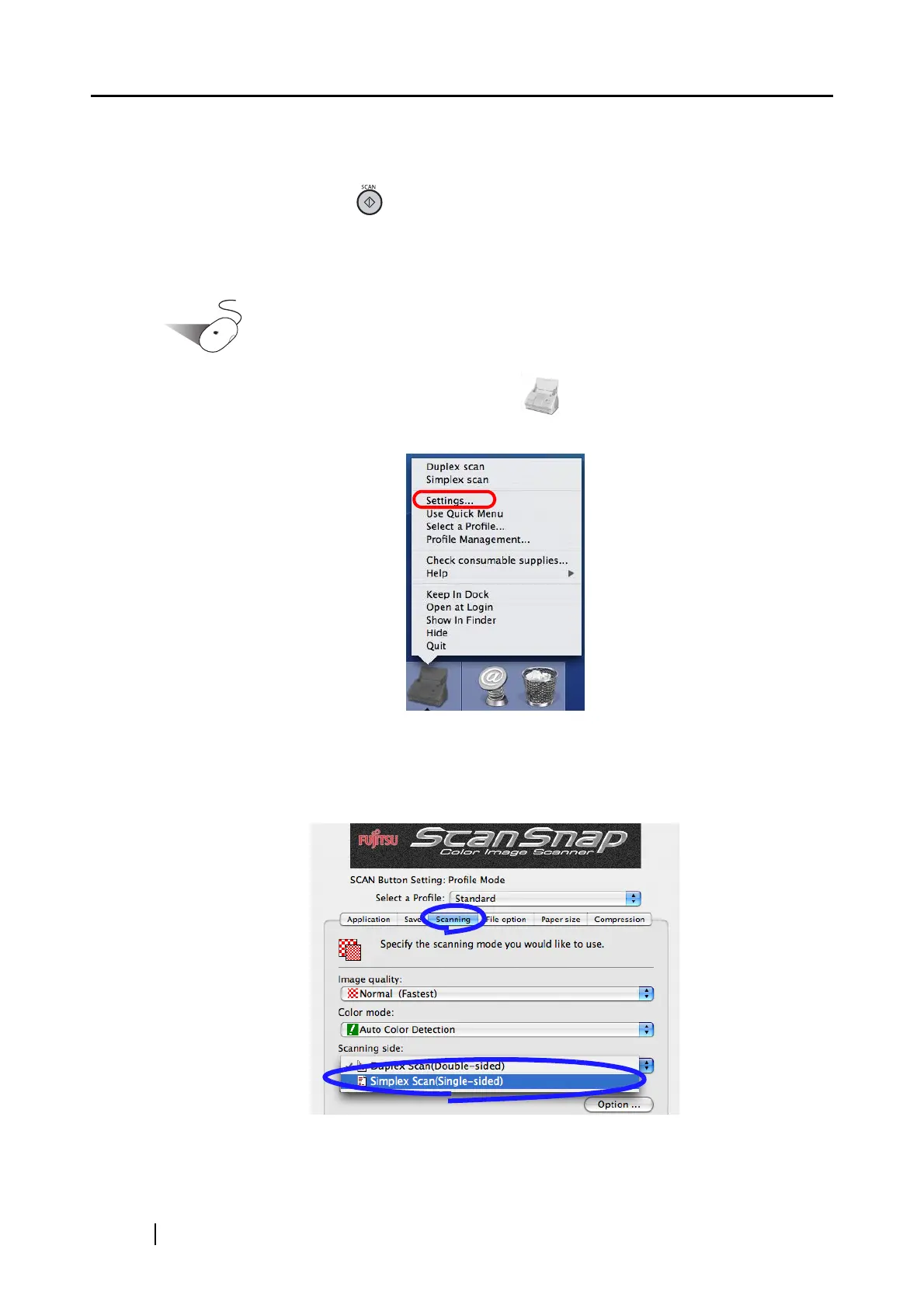
■ Scanning only one side of a document
Pressing the [SCAN] button on the ScanSnap starts scanning documents in "Duplex Scan"
mode by default. If you want to change the [SCAN] button setting to "Simplex Scan" mode, follow
the procedure below.
Operation
1. Click and hold the ScanSnap Manager icon , and select [Settings] from the dis-
played menu.
⇒ The "ScanSnap Manager - Scan and Save Settings" window appears.
2. On the [Scanning] tab, select "Simplex Scan (Single-sided)" from the [Scanning side]
pop-up menu.
3. Click the [Apply] button.



 To Next Page
 Loading...













