Working with the Tab let PC
Delete functions are not supported by the stylus.
Action Mouse
Stylus
Selecting menu
items
Click with the left mouse button. Tap on the menu entry with the tip of
the stylus.
Starting program s Double-click with the left mouse
button.
Tap on the program symbol twice in
rapid succession using the stylus tip.
Moving an ob ject
or w indow
Drag with the left mouse bu
tton
pressed.
Place the stylus tip directly on th e
object or window. Keep the stylus tip
held against the screen. Drag the
desired object or window.
Opening a c ontext
menu
Click with the right mou
se button.
Tap on the desired element with the
stylus and keep the stylus pressed
against the screen.
Moving t he cursor Move the mouse
Place the tip of the st
ylus directly on
the screen.
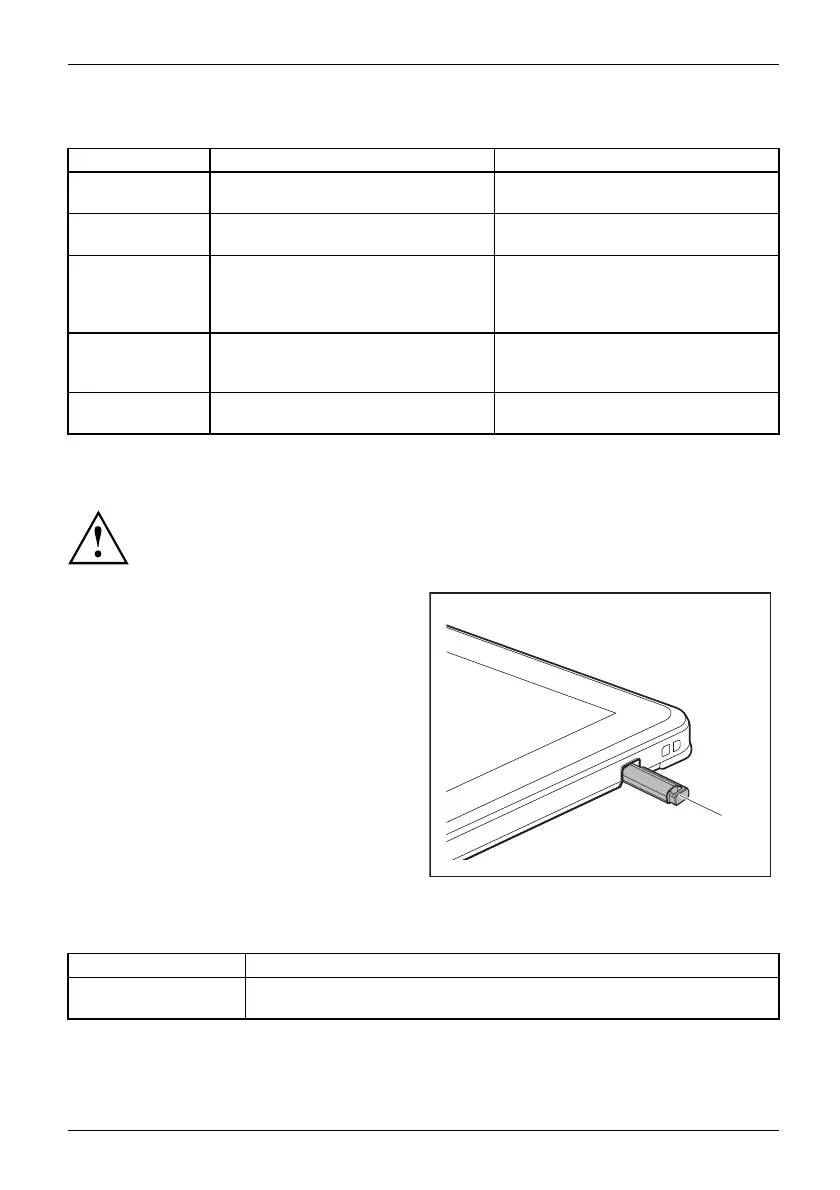
Stylus location
To prevent the stylus from jamming in its garage, always make sure that
you insert the stylus correctly into its garage (the wide side of the stylus
should be parallel to the screen of the Tablet PC).
On delivery, the stylus is located in the stylus
garage:
1
Adjusting t he stylus
Operating system Menu
Windows 10 Under System Control - Hardware and Sound - Pen and Touch you can m a k e
various settings for the stylus.
Fujitsu 29



 To Next Page
 Loading...









