Tro ubl eshooting and tips
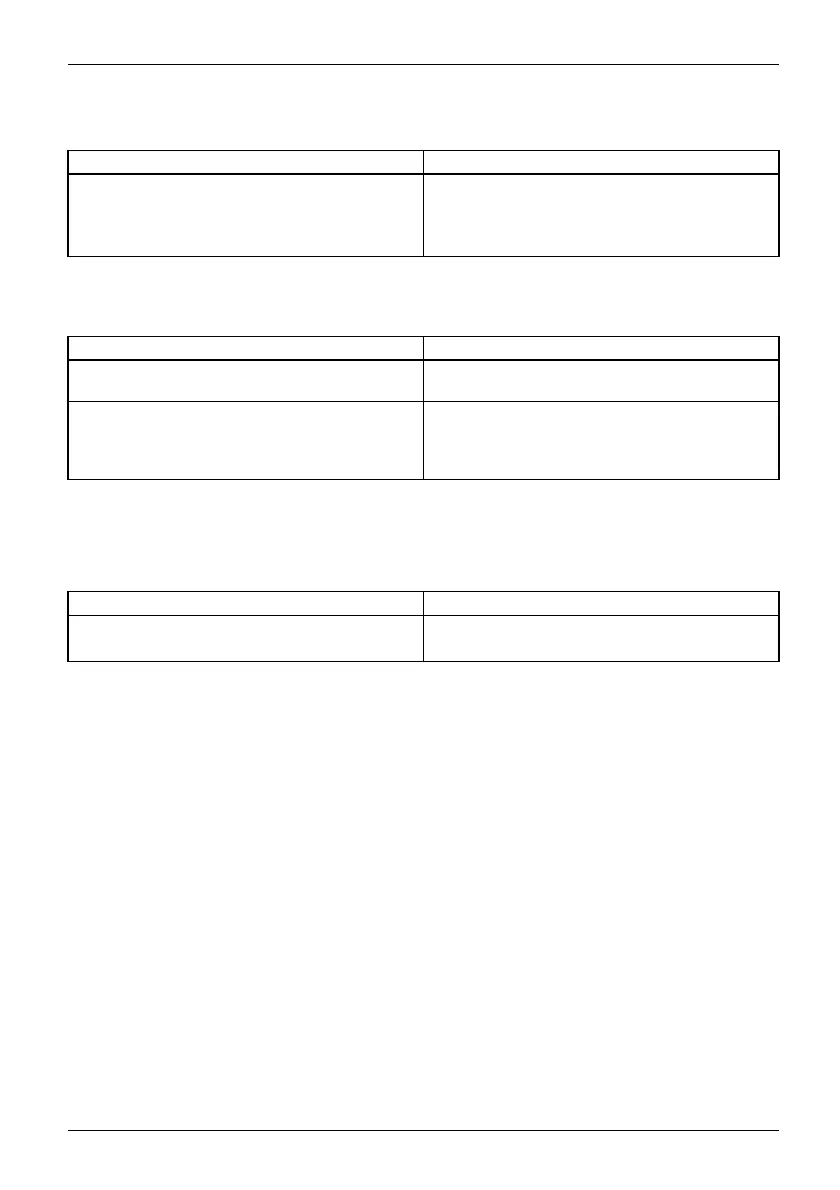
Battery charging indicator not
lit
Cause
Troubleshooting
The battery is not being charge
d.
► Connect the Tablet PC to a power outlet
using the AC adapter.
Note: The battery will only be charged again
when the battery capacity is less than 90%.
The Tablet PC’s touchscreen remains dark
Tou chs cr eendarktouchscreen
Cause Troubleshooting
Touchscreen is switched
off.
► Press a key (external key
board) or tap on
the touchscreen.
External monito r or t
elevision s et connected.
► Check whether the graphics driver settings
are correct or whether an external monitor
has been detected in "Intel Graphics Media
Accelerator Driver for mobile".
The display on the Tablet PC’s touchscreen
is difficult to read.
Tou chs cr eenTouch sc re en
Cause Troubleshooting
Reflected glare ► M ove the Tablet PC into a different position.
► Increase the brightness of the screen.
Fujitsu 77



 To Next Page
 Loading...









