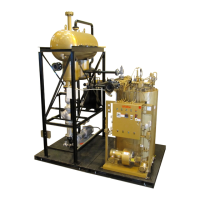
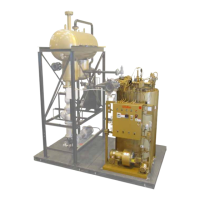
FT-C Vertical Electric Thermal Fluid Heater Manual 12 2013 ISSUE 1
1) Remember it is only necessary to approximate the setting through the modulation range until
high re conditions are established.
2) Press Enter once more to have access to the point number eld. Increase the point number
by one and press Enter. Select ChangePoint and press Enter. The servos will now move to that
point.
3) Verify combustion is satisfactory.
4) Measure input or monitor last elbow pressure. Verify that these points are in general
correspondence with the test re sheet. Repeat step 2 until the point position has a load value
of 100%.
5) You are now at high re. Verify combustion is per test re sheet.
6) Once at high re, adjust the incoming gas pressure at the main gas regulator to match the test
re report. Adjust the gas servo motor to change the last elbow pressure to match the test re
report.
7) Adjust the air servo motor to adjust the emissions as needed.
8) Repeat step 2 but start at the high re point number. Continually decrease the point number
after combustion has been veried at each point.
9) Once all the points have been veried, press Escape until you are back to the main menu.
10) You can observe the status of the burner by going to OperationalStat>NormalOperation.
11) Turn the main ON/OFF switch to OFF. The control will now postpurge. Verify ignition using steps
from Setting Main Burner Ignition with the new gas pressures.
12) Turn the main burner switch to OFF. The control will now post purge.
13) Under Manual Operation > Auto/Manual/OFF , change the operation to Automatic and press
Enter and conrm Automatic is entered in the current eld.
14) Press Escape twice to get back to the main menu.
15) Under Updating >ParamBackup, select LMV51 – AZL. This will store all of the adjustments that
have been made in the LMV base module to the display. If the base module fails in the future,
the display can be used to download all of the parameters into a new base module.
16) The heater is now ready to run. Adjust your setpoint on the temperature control to the desired
temperature and turn the main ON/OFF switch to ON for the burner to operate.



 To Next Page