Questions? Call (315) 298-5121, or visit us online at www.fulton.com
SECTION 3 PHW-IOM-2013-0214 OPERATION
3-9
SOLA Control Screen Example Screen Shot
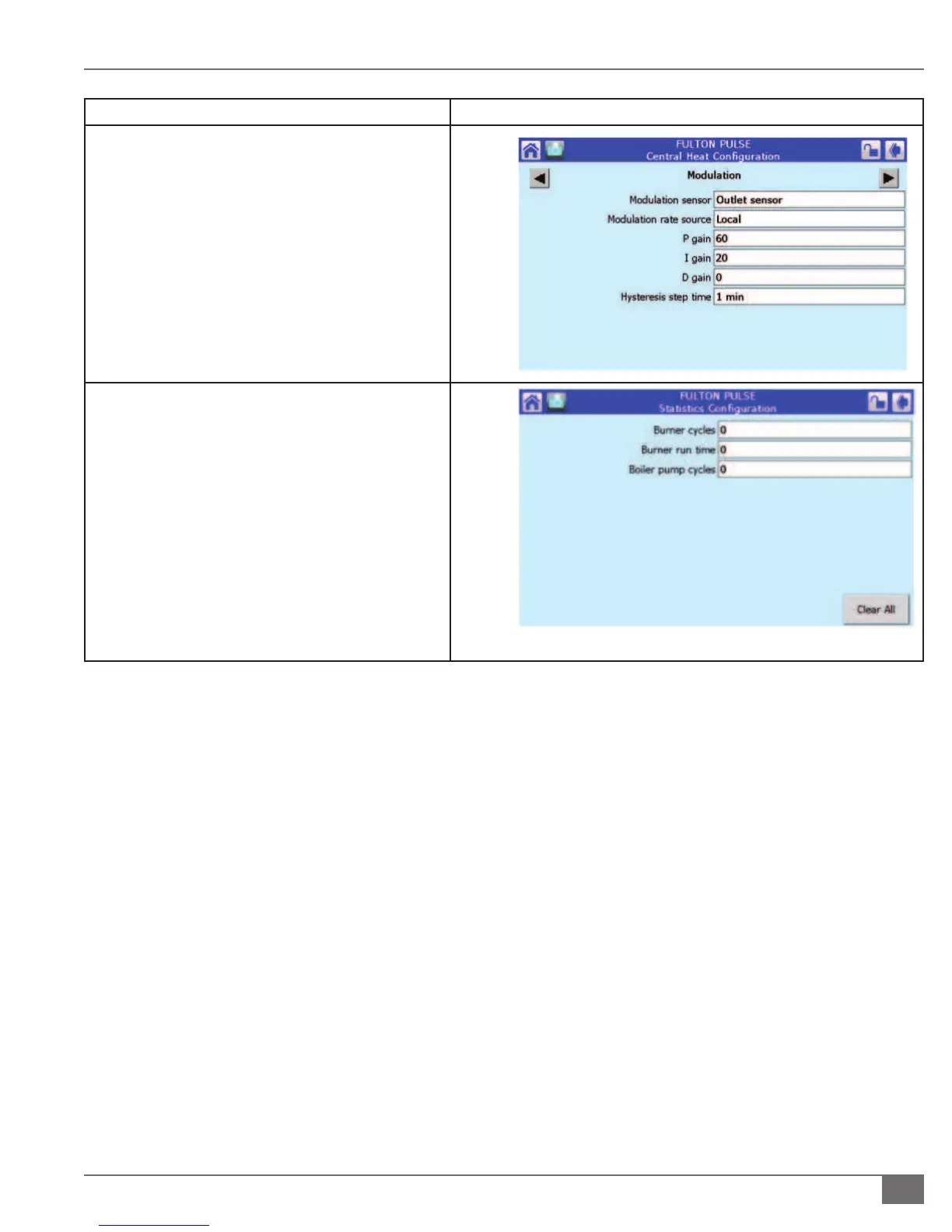
Central Heat Con guration – Modulation Screen
By pressing the black arrow on the top of the page
you will be able to move from the previous Setpoint
screen to the Modulation Screen, In this screen you
will have access to the PID (Proportional, Integral
and Derivative) of the control. The sola password is
required to change these parameters.
Statistics Screen
From this screen you can view cycles and hours of the
boiler. It is accessed from the Con guration Menu
Screen. Please note that they can be cleared by
pressing Clear All. This is not recommended.




 To Next Page