3 OPERATION
© Fulton 2018
3-6
VSRT_IOM_2018-1213
7. Make changes to the fuel prole. Three changes
will need to be made: fan output, fuel and air
settings. To make changes:
» Safely drive the unit to the high-re position,
P9, by pressing the “+” button to proceed from
P0 through P9.
» Check the O2 level in the stack outlet.
» Once the desired O2 level and input (last elbow
pressure) is reached, proceed to the next
combustion point until all points have been set.
8. Back out to the front screen by pressing the “–”
and “+” buttons together.
ADJUSTING THE PROFILE
! WARNING
This information is for reference purposes only. Fulton
Companies is not responsible for this product, including
(but not limited to) its accuracy, reliability, and safety.
No Fulton document should substitute for full review of
documentation available from the product manufacturer.
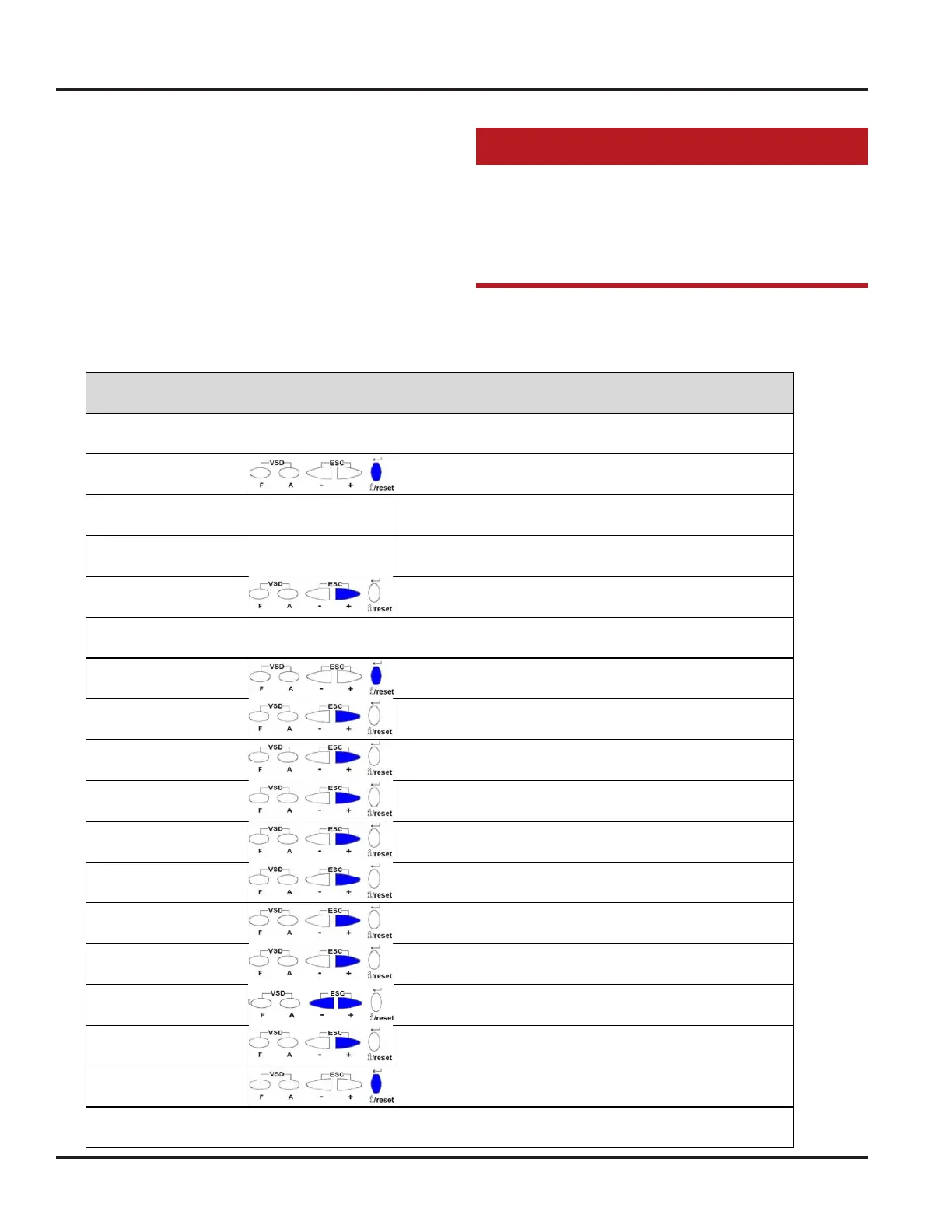
See the table, below, for a Siemens LMV3 fault history
listing. Refer to Table 7 at the end of this section of this
manual for Siemens LMV3 parameter information.
O f f U P r
Hold until Ser is displayed, and release
S E r
(Momentarily displayed)
9 5 4 : 0
1st parameter shown is flame signal
(parameter 954)
7 0 1 :0 1: 6 2
+ until parameter 701 is displayed
(701 is the most recent fault, 725 is the oldest)
7 0 1 :0 1: 6 2
Each fault has "indexes" for more information
In this example, "62" is the Error code
7 0 1: 0 1 : 6 2
Hold Return, until index "01" flashes,
and release
7 0 1: 02 : 0
+ to display parameter 701, index "02"
In this example "0" is the Diagnostic code
7 0 1: 03 : 0
+ to display parameter 701, index "03"
In this example "0" is the Class (UK use ONLY)
7 0 1: 04 : 10
+ to display parameter 701, index "04"
In this example "10" is the Phase
7 0 1: 05 : 22
+ to display parameter 701, index "05"
In this example "22" is the Startup number
7 0 1: 06 : ._._
+ to display parameter 701, index "06"
In this example "._._"indicates no Load (firing rate)
Fault History
Key: Red indicates "Flashing"
7 0 1: 07 : 0
+ to display parameter 701, index "07"
In this example "0" is the Fuel (Fuel 0, or Fuel 1)
- E n d -
+ at this point displays - End - ,
to indicate that there are no more "indexes"
7 0 1 :0 1: 6 2
Esc to go back to parameter 701:01
7 0 2 :0 1: 8 7
+ to display parameter 702
7 0 2: 0 1 : 8 7
Hold Return, until index "01" flashes,
and release
7 0 2: 0 2 : 1
+ to display parameter 702, index "02"
In this example "1" is the Diagnostic code







 To Next Page