–
18
–
EN
DVD FUNCTIONS
C
Audio Setting
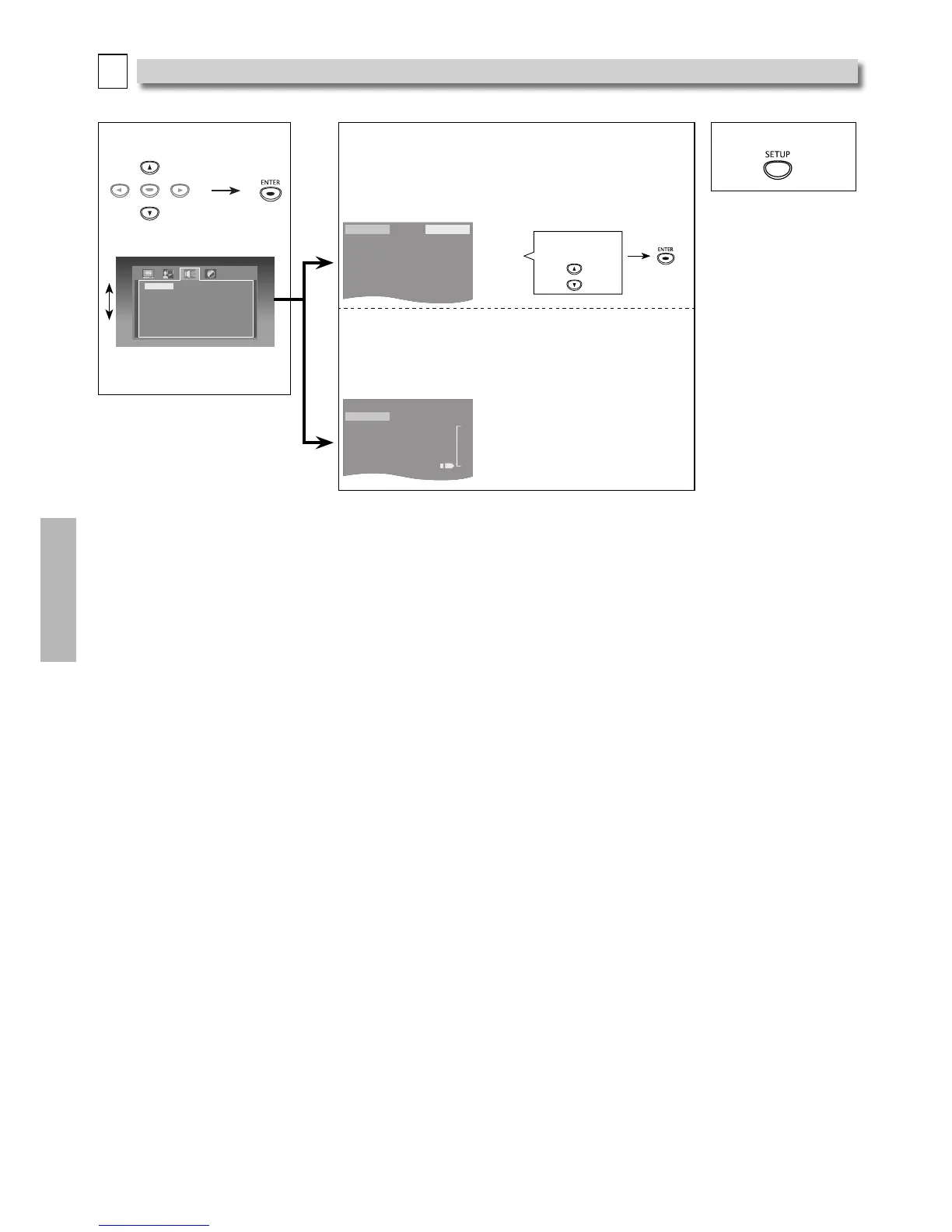
Choose the appropriate Audio Settings for your device. It only affects the Sound during DVD Playback. Follow steps 1 and 2 on page
15.
3 Select the desired item.
Audio Out
Dynamic Range
Bitstreem
PCM
<AUDIO menu>
4
Audio Out: (Default: Bitstream)
Set to “Bitstream” when the unit is connected to a Dolby
Digital decoder.
– Bitstream: outputs a Dolby Digital signals.
– PCM: convert the Dolby Digital into PCM (2 channel).
5 To Exit the Menu
Audio Out
Dynamic Range
Bitstreem
PCM
Select the Desired
Setting.
Dynamic Range (Default: 0)
Adjusts for Clarity even when the Volume is Low, by
Compressing the Range of the lowest sound level and the
highest sound level.
Audio Out
Dynamic Range
8
- 6
- 4
- 2
0
Note(s):
Audio Out:
– Bitstream:
Connecting to a Dolby Digital decoder for Dolby Digital Audio output.
– PCM:
Connecting to another device (an MD deck or DAT deck etc.) without a Dolby Digital Decoder.
Convert the Dolby Digital into LPCM (2 channel).
• This unit does not support DTS audio. This is not a malfunction.
You need to set this unit to “Bitstream” in the “Audio Out“ Menu and also need to Connect to a TV or Ampli er that supports
DTS, then the audio will be output as DTS.
It is only available when connected via the Coaxial jack.



 To Next Page