–
6
–
EN
SETUP
Connections
SETUP
DIGITAL
AUDIO OUT
COAXIAL
COMPONENT
VIDEO OUT
VIDEO
OUT
AUDIO
OUT
YC
B
/P
B
C
R
/P
R
L
R
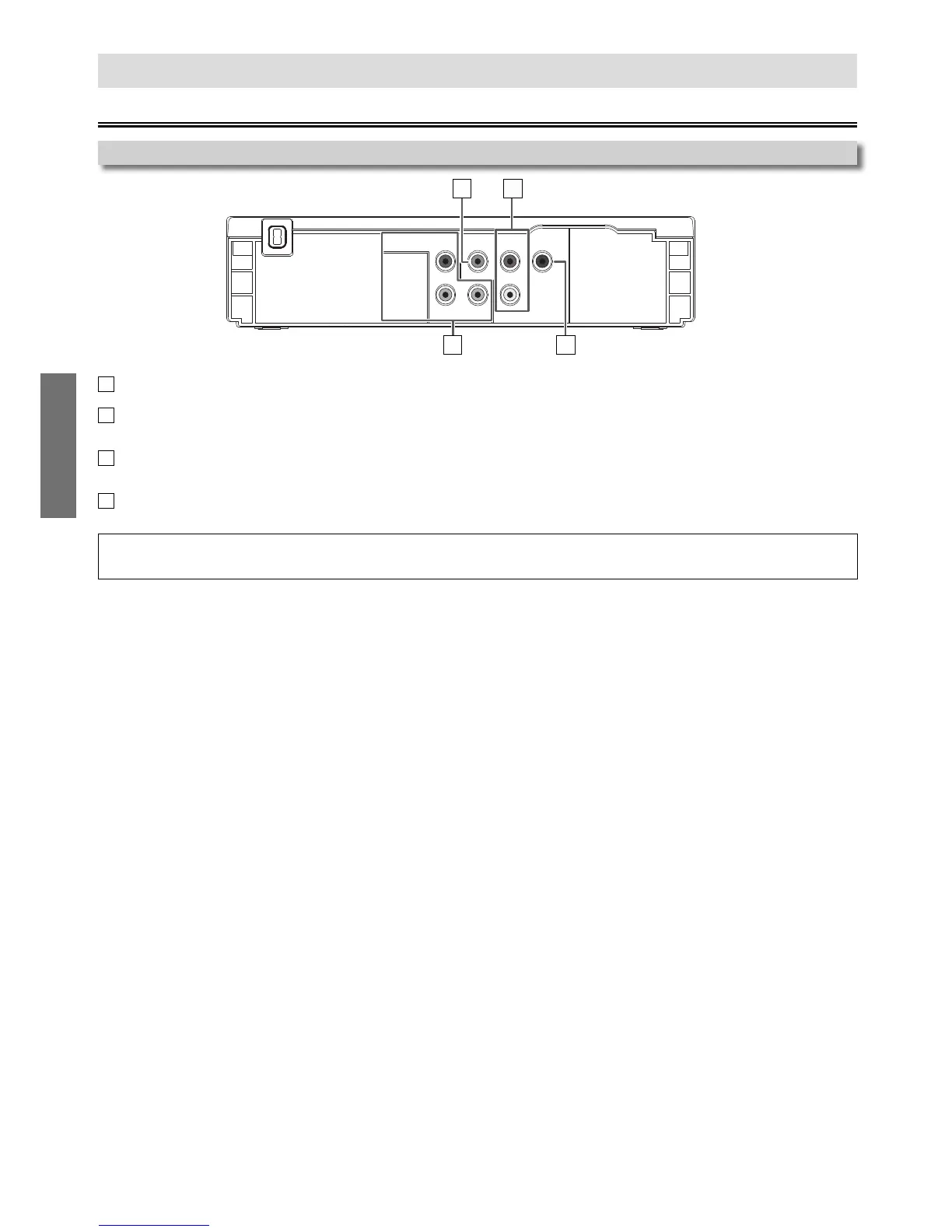
Rear Terminals
1 2
4
3
1
VIDEO OUT jack
Connect a Video cable here through the Video Input jack on a Television.
2
AUDIO OUT jacks
Connect an Audio cable here through the Audio Input jacks on a Television or another
Audio device.
3
COMPONENT VIDEO OUT jacks
Connect a Component Video cable here through the Component Video Input jacks on a
Television.
4
COAXIAL DIGITAL AUDIO OUT jack
Connect a Digital Audio Coaxial cable here through the Digital Audio Coaxial Input jack
on a decoder or audio receiver.
Note(s):
• Please purchase the necessary cables at your local store. (Refer to pages 6 - 8.)



 To Next Page