LR
Audio
This unit
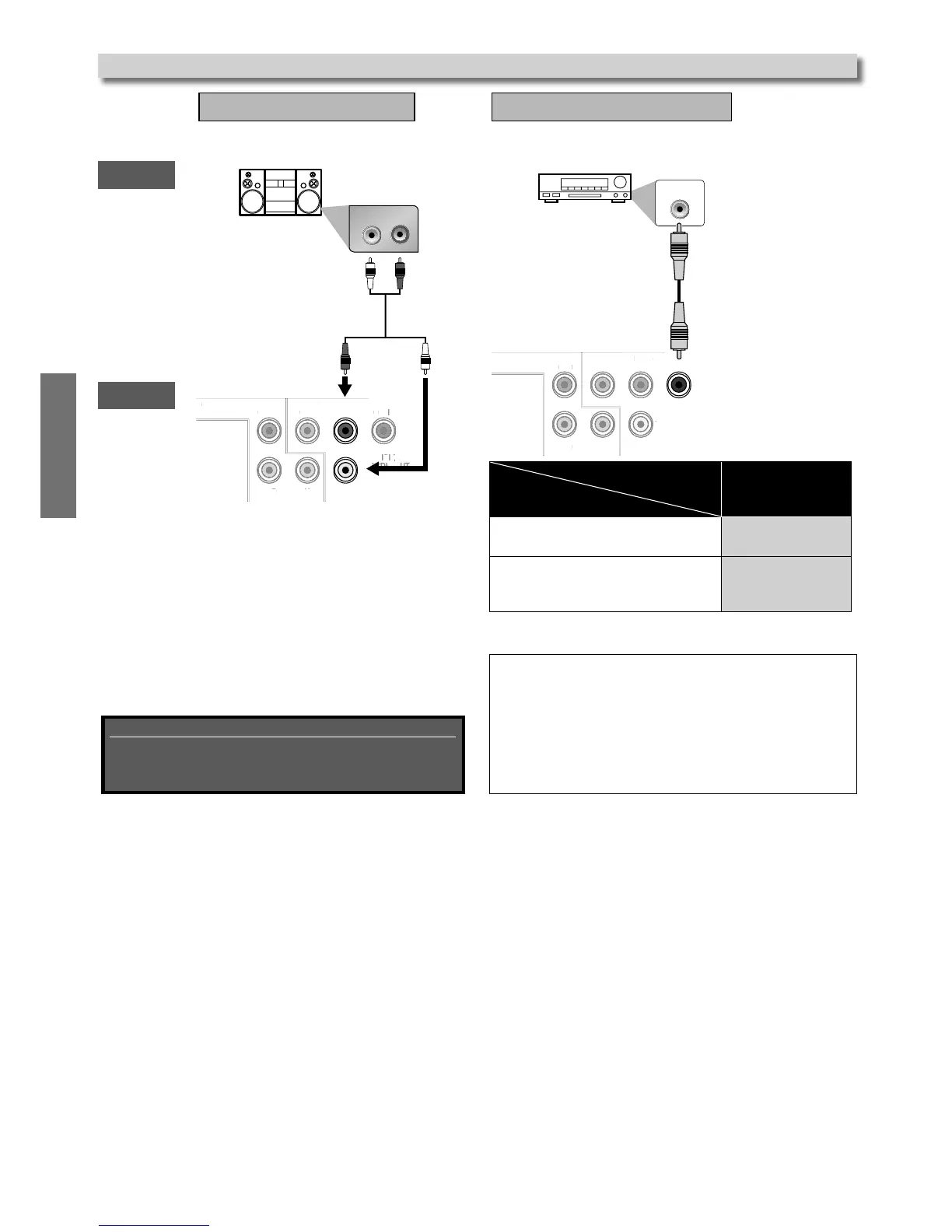
Analog Audio Connection
AUDIO OUT
Audio cable (supplied)
Connection to an Audio System
Supplied cables used in this connection are as follows:
• Audio cable (L/R) × 1
Please purchase the rest of the necessary cables at
your local store.
DIGITAL
AUDIO OUT
COAXIAL
COMPONENT
VIDEO OUT
VIDEO
OUT
AUDIO
OUT
YC
B
/P
B
C
R
/P
R
L
R
COMPONEN
COAXIAL
DIGITAL IN
COAXIAL DIGITAL
AUDIO OUT
Digital Audio Connection
Coaxial cable (not supplied)
Note(s):
• The audio source on a disc in a Dolby Digital multi-channel
surround format cannot be recorded as digital sound by an
MD deck.
• By hooking this unit up to a Dolby Digital decoder, you can
enjoy high-quality Dolby Digital multi-channel surround
sound as heard in the movie theaters.
• Playing back a DVD using incorrect settings may generate
noise distortion and may also damage the speakers.
* To complete these settings, refer to pages 15-18.
SETUP > AUDIO >
Audio out
Connecting to a Dolby Digital decoder
for Dolby Digital audio output.
BITSTREAM
Connecting to the other device
(an MD deck etc.)
without Dolby Digital decoder.
PCM
Connection
Setting
Stereo system with Analog Audio Input
jacks
Analog Audio
Input jacks
AV Receiver / Amplifier with a Coaxial Digital In Audio
jack
Coaxial Digital In Audio
jack



 To Next Page