Press OK button or to play or pause the
video.
Press or EXIT to stop playing.
Press
to return back to previous page.
You can see the information of the current
playing media at the first flew second or after
press INFO button.
APPLICATIONS
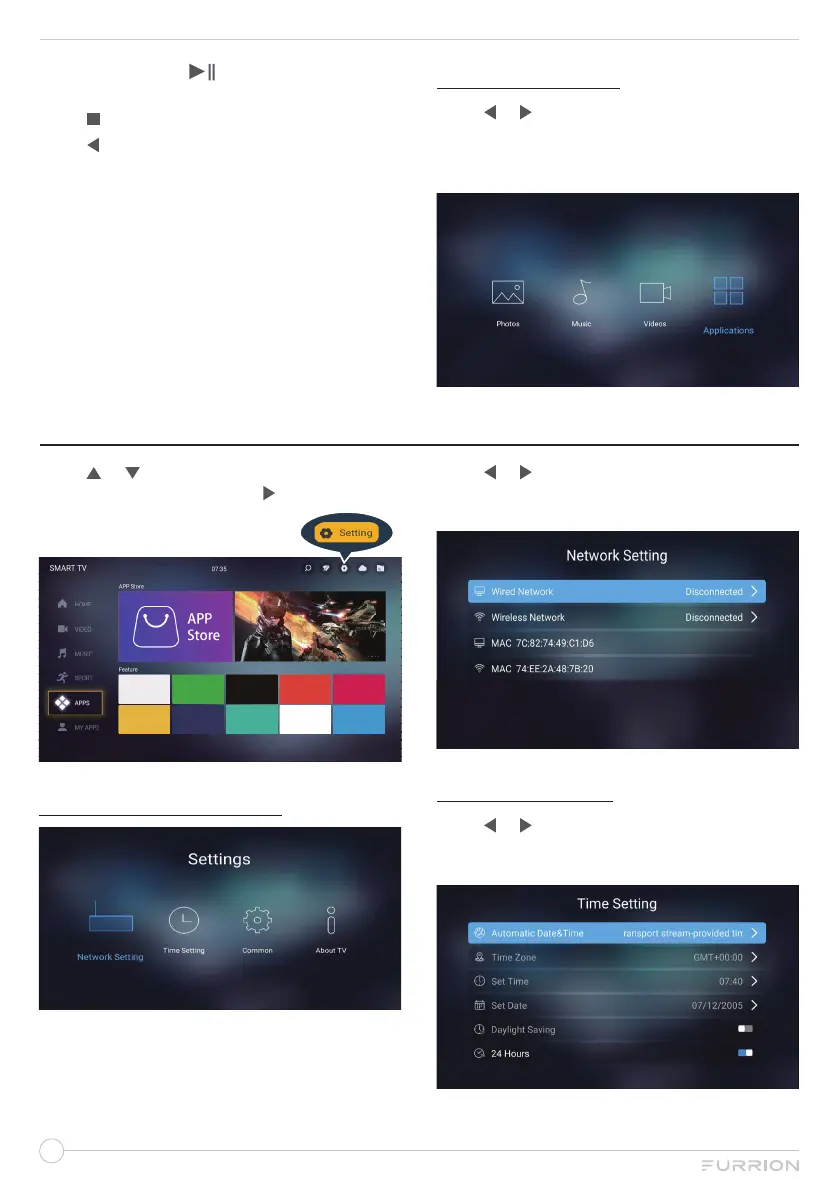
Press
or
to select Applications in the
main menu, and then press OK to enter. Press
EXIT button to return back to the previous
menu.
SETTING
Press
or
to select Setting in the Source
Menu, and then press OK or
to enter.
NETWORK SETTING
Press
or
to select Network Setting, then
press OK to confirm your selection, you can
open the window as the figure shows.
TIME SETTING
Press
or
to select Time Setting, then
press OK to confirm your selection, you can
open the window as the figure shows.


 To Next Page