25
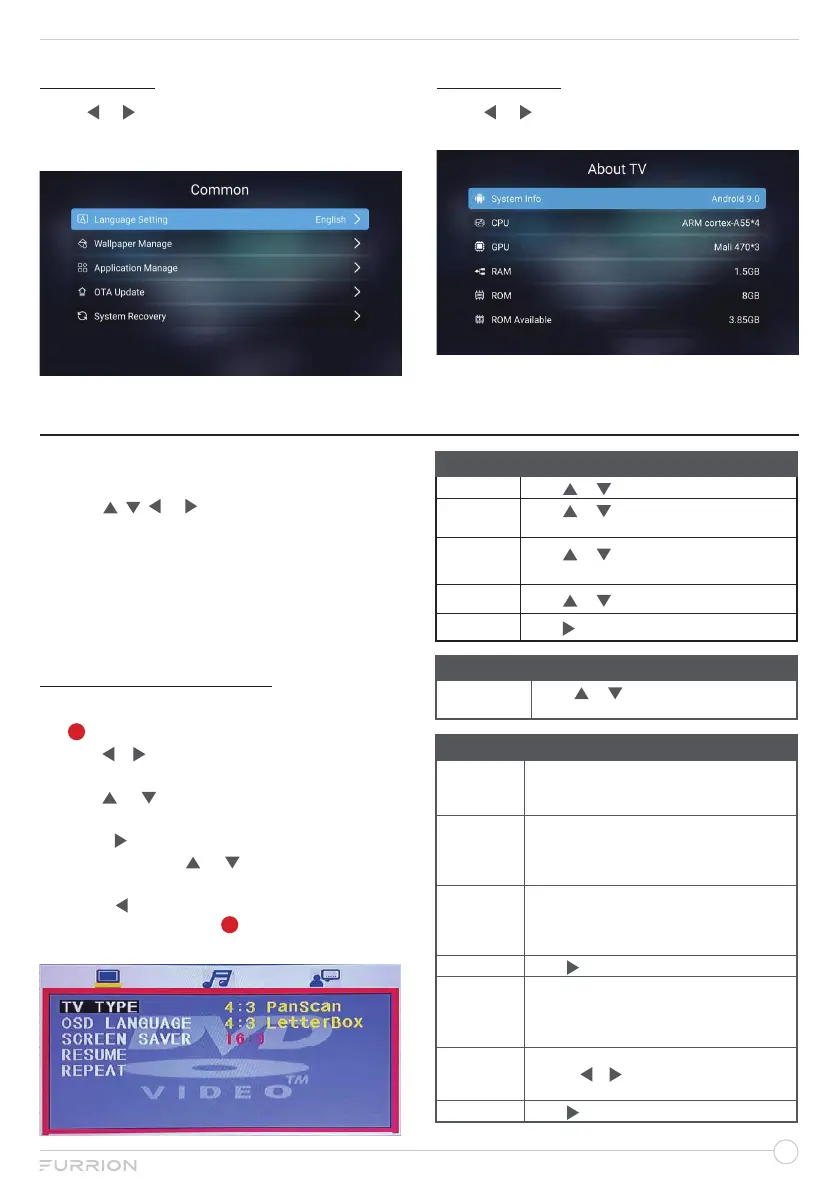
COMMON
Press
or
to select Common, then press
OK to confirm your selection, you can open
the window as the figure shows.
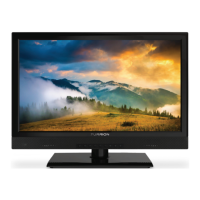
ABOUT TV
Press
or to select About TV, you can find
the information about TV as the figure shows:
1. Press SOURCE button to display the main
menu.
2. Use , , or to highlight DVD mode.
3. Press OK button to confirm your
selection.
4. Press MENU button to return to the
previous menu or press EXIT at any time
to exit the setting.
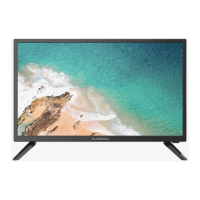
DVD PLAYER SETUP
1. During disc playback, press DVD SETUP
button to go to setting page.
2. Use or to switch among General page,
Audio Setup page and Preference page.
3. Use or to highlight the item you would
like to set.
4. Press to select the switch to the
sub-menu, use or to select your
desired setting.
5. Press to return to the previous menu or
press DVD SETUP button at any time to
exit the setting.
DVD OPERATION
General Setup
TV TYPE
Press or to select desired picture ratio.
OSD
LANGUAGE
Press or to select the desired
language.
SCREEN
SAVER
Press or to set the screen saver ON
or OFF.
RESUME
Press or to set ON or OFF.
REPEAT
Press to set CHANGE MODE.
Audio Setup
Audio set
Press or to select STEREO/
MONO L/ MONO R.
Preference Setup
AUDIO
LANGUAGE
If a language listed below is recorded on the disc,
you can play the sound in such language. If not,
the language recorded will be used.
SUB TITLE
If a language listed below is recorded on the
disc, you can set the subtitle to be displayed in
such language. If not, the language recorded will
be used.
DISC MENU
If a language listed below is recorded on the
disc, you can set the Menu to be displayed in
such language. If not, the language recorded will
be used.
DISC TITLE
Press to display the Title.
PASSWORD
● Set a password for the parental lock.
● Use the numerical buttons to enter a
password.
NOTE: The password default is 0000.
PARENTAL
● Set a parental lock on compatible DVD discs.
● Press or to select KID SAF, G, PG, PG
13, PG-R, R, NC17 or ADULT.
DEFAULT
Press to select Reset.


 To Next Page