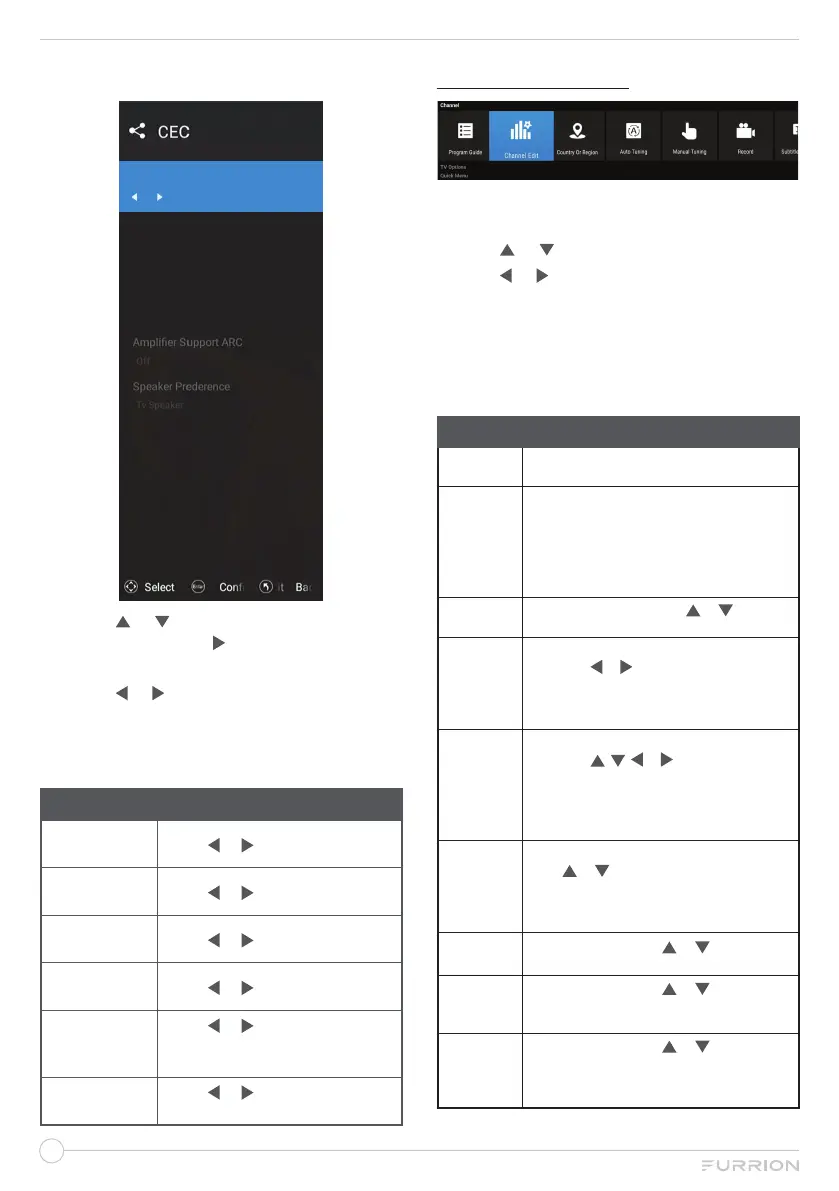
CEC Menu
HDMI CEC Setup
On
Device Auto Power O
TV Auto Power On
CEC device list
On
On
1. Press or to highlight your desired
setting, then press or OK to enter the
sub-menu setting.
2. Press or to adjust the setting.
3. Press MENU button to return to the
previous menu.
4. Press EXIT at any time to exit the setting.
CEC
HDMI CEC
Setup
Press or to select
On
or Off.
Device Auto
Power Off
Press or to select
On
or Off.
TV Auto
Power on
Press or to select
On
or Off.
CEC device
list
Press or to select
On
or Off.
Amplifier
Support ARC
Press or to select
On
or Off.
(*Only adjustable when ARC
device connected.)
Speaker
Prederence
Press or to select
Tv
Speaker
or Amplifier.
CHANNEL MENU
1. Press MENU button to display the main
menu.
2. Use or to select Channel.
3. Use or to highlight your desired mode.
4. Press OK button to confirm your
selection.
5. Press MENU button to return to the
previous menu or press EXIT at any time
to exit the setting.
Channel
Program
Guide
Use OK to enter to play the Program Guide
Channel
Edit
Use OK to enter, input the password to play.
Channel edit function includes “Delete/Skip/
Swap/Favorite”. Favorite/Skip mark will appear
only after the users have some setting on
the channel (Favorite and Skip can’t be set
together).
Country Or
Region
Use OK to enter, then press or to select
your country or region.
Auto
Tuning
Use OK to enter, input the password to play,
then press or to select OK or Cancel.
Press OK to execute.
*When searching, if you want to directly exit
from searching, press EXIT to exit.
Manual
Tuning
Use OK to enter, input the password to play,
then press , , or to set the Channel,
Frequency(MHz) or Bandwidth(M), select
Start Scan and press OK to execute.
*When searching, if you want to directly exit
from searching, press EXIT to exit.
Record
Press OK to enter the Record menu settings,
press or to select Record Disk Select,
Timeshift Config, Start Recording,
Schedule List or Recording List.
NOTE: It is available when USB is inserted.
Subtitle
Language
Use OK to enter, press or to select Off
or English TXT. Press OK to confirm.
Multi Audio
Use OK to enter, press or to select
Audio1 (MPEG1) or Audio2 (DOLBY)
(mono). Press OK to confirm.
DTV
Setting
Use OK to enter, press or to set
LCN, Subtitle Type, Primary Subtitle,
Secondary Subtitle, Audio Type, Primary
Audio, Secondary Audio or Antenna 5V.



 To Next Page