MENU SETTINGS
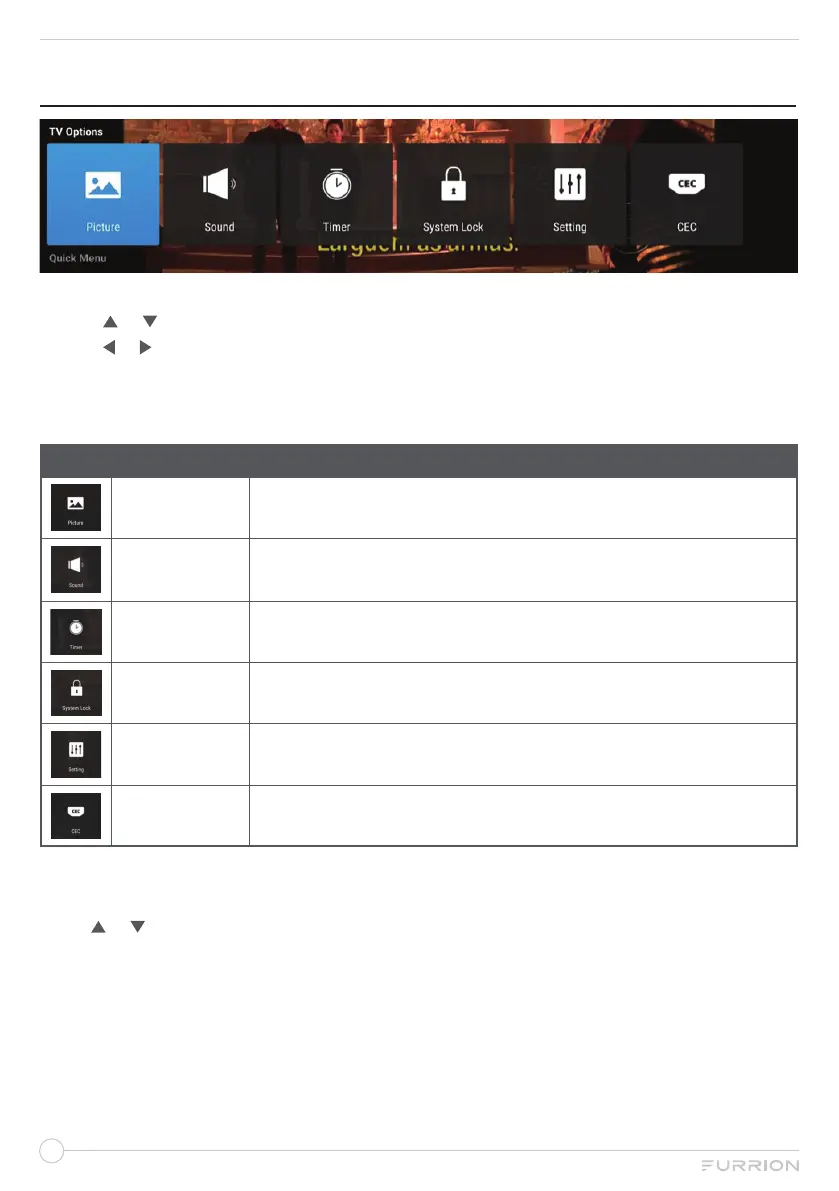
1. Press MENU button to display the main menu.
2. Use or to select TV Options.
3. Use or to highlight your desired mode.
4. Press OK button to confirm your selection.
5. Press MENU button to return to the previous menu or press EXIT at any time to exit the
setting.
MAIN MENU
Picture
Icon for Picture. Enter to have operations on Picture.
Sound
Icon for Sound. Enter to have operations on Sound.
Timer
Icon for Timer. Enter to have operations on Time.
System Lock
Icon for System Lock. Enter to have operations on Lock.
Setting
Icon for Setting. Enter to have operations on Setting.
CEC
Icon for CEC. Enter to have operations on CEC.
The picture is for a reference only; the actual item is the standard.
Press TV MENU button to display the main menu.
Press or to select the channel you desired, and then press OK button to enter.


 To Next Page