10
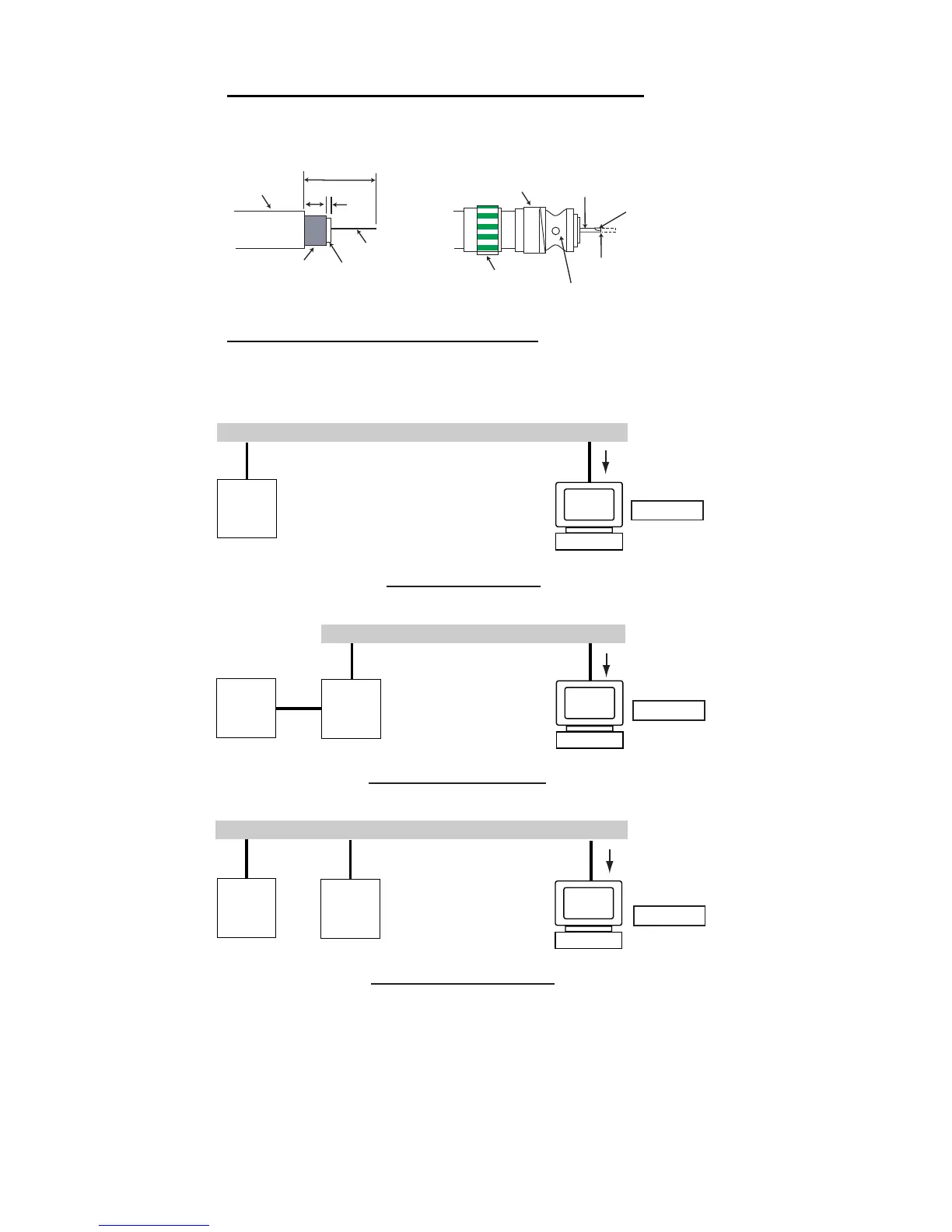
Attaching coaxial connector (M-P-5) to coaxial cable
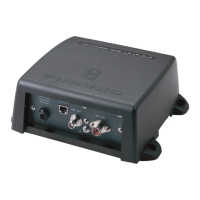
The antenna cable (coaxial cable, type 5D-2V) is terminated at the FA-50 with an
M-P-5 coaxial connector. Attach the connector to the cable as shown below.
Connection of AIS viewer (FAISPC-MX)
The AIS viewer may be connected to the FA-50 directly, or to both FA-50 and NavNet
vx2. See the figure below for connection examples.
Sheath
30 mm
7 mm
2
mm
Conductor
Insulator
Braided
shield
Fasten tightly.
Contact sleeve
Cut conductor here.
Coupling
ring
Solder here.
Solder here.
DIRECT CONNECTION
PC
FAISPC-MX
FA-50
NavNet
VX2*
LAN
Data sentences
VDM, VDO, L/L,
SOG, COG, HDT
NavNet VX2 CONNECTION
PC
FAISPC-MX
FA-50
NavNet
VX2
LAN
Data sentences
VDM, VDO,
L/L, SOG, COG, HDT
NavNet vx2 CONNECTION
PC
FAISPC-MX
FA-50
LAN
Data sentences
VDM, VDO
*Required updating software.



 To Next Page