17
2.2 Messages
2.2.1 Sending a message
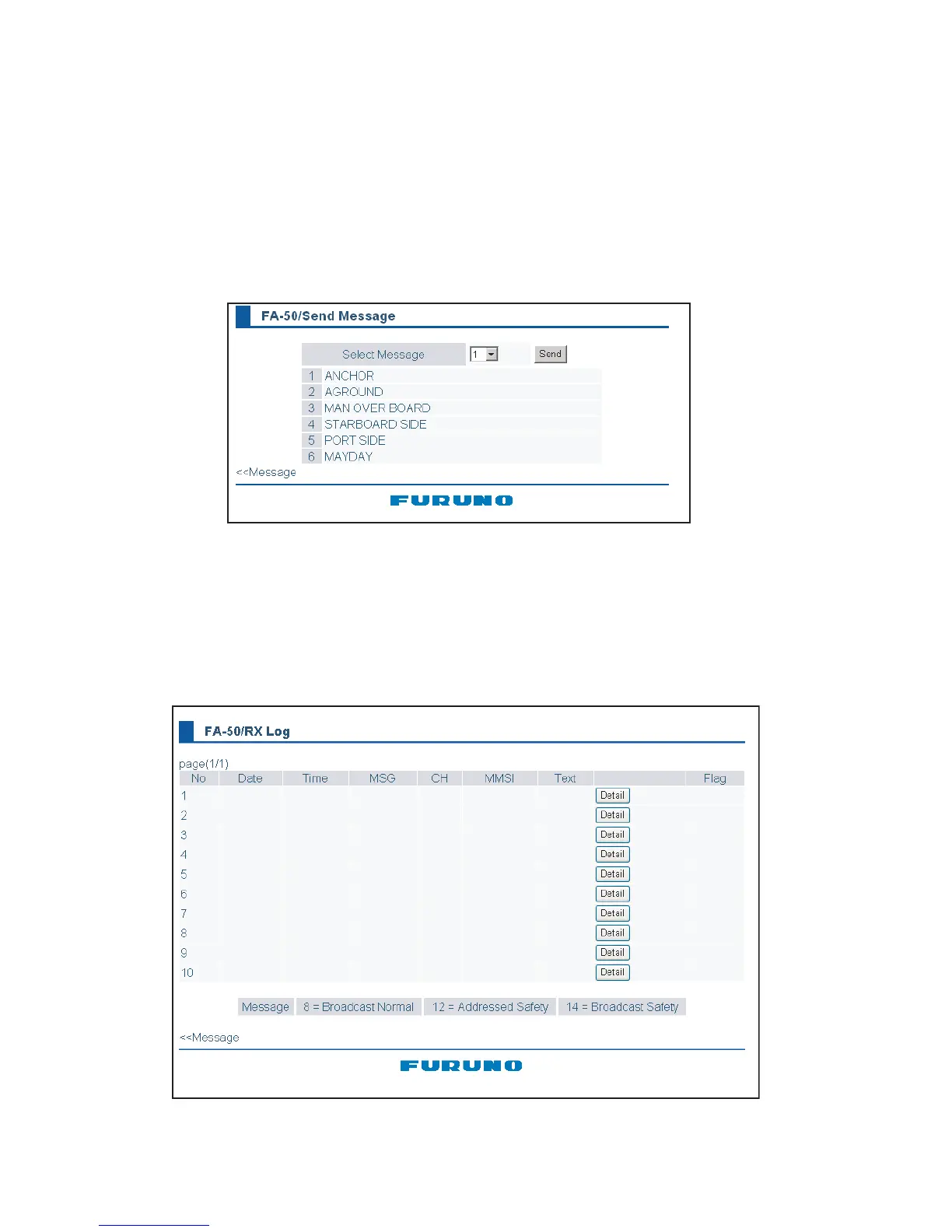
14 pre-difined messages (maximum 16 characters for each message) are stored in the Send Mes-
sage screen. You can send a message among from these once in a minute.
1. Click Message on the main menu.
2. Click the Send Message.
3. Choose the message to be sent, among from No.1 to 10 pre-set.
4. Click the Send button.
2.2.2 Confirming receiving messages
You can confirm the received messsages on the RX Log screen. Click “RX Log” on
the main menu.



 To Next Page