19
Description of own vessel data
MMSI: MMSI number (nine-digit number).
Ship Name: Ship’s name (20 characters)
Call Sign: Call signe (7 characters)
Internal/External Antenna Position: Shows antenna posiiton.
Ship Type: The ship type is shown by a digit number.
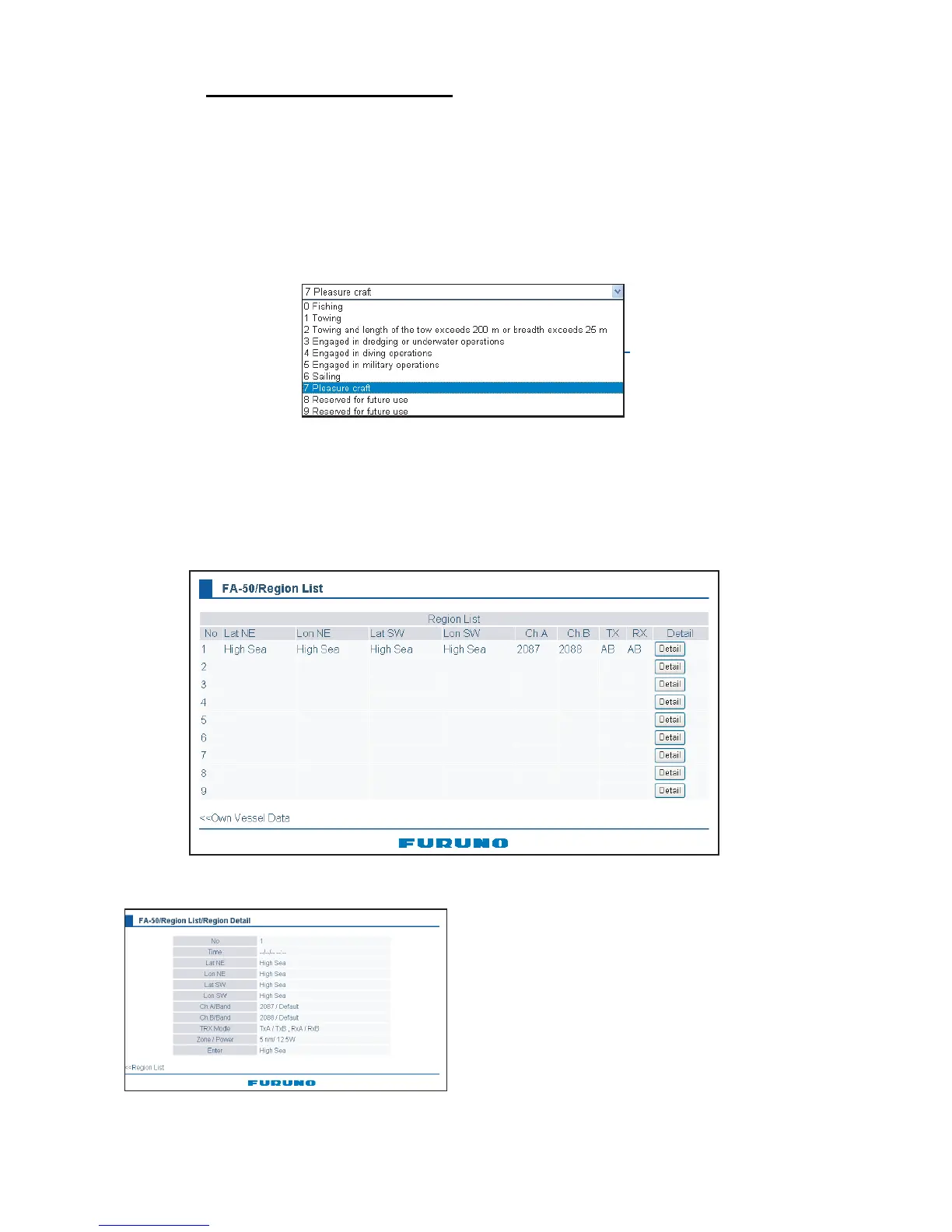
Cargo Type: Choose the cargo type as below.
1) Click the Cargo Type Edit button to show the Cargo Type screen.
2) Choose a type, and then click the OK button.
RX1: Channel (four digits) received over RX1. Channel type (International, Local) is
shown in parentheses.
RX2: Channel (four digits) received over RX2. Channel type (International, Local) is
shown in parentheses.
Power: Shows the power (2W).
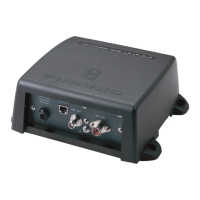
Region List: Click this button to shwo the region list
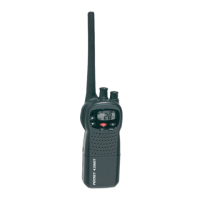
“Detail” button shows the detailed information of the desired region.
Time: Time to enter the region
Lat NE: Latitude for the right-upper corner (North-East) of the region
Lon NE: Longitude for the right-upper corner (North-East) of the region
Lat SW: Latitude for the left-lower corner (Soutgh-West) of the region
Lon SW: Longitude for the left-lower corner (North-East) of the region
Ch A/Band, Ch B/Band: Channel No./Band
TRX Mode: TRX mode
Zone/Power: Trans zone/Power
Enter: Registered route;
High Sea (Default), MSG22 (Adr) (Message 22 for individual),
MSG 22 (Message 22 for all ships), DSC (DSC)



 To Next Page