2. SHIP INFORMATION INPUT
2-2
2.2 How to Install the AIS Setting Tool
Note: Install the AIS setting tool with administration rights.
1. Set the supplied CD-ROM in the CD drive.
2. Click [AIS_Setting_Tool].
3. Click [setup.exe].
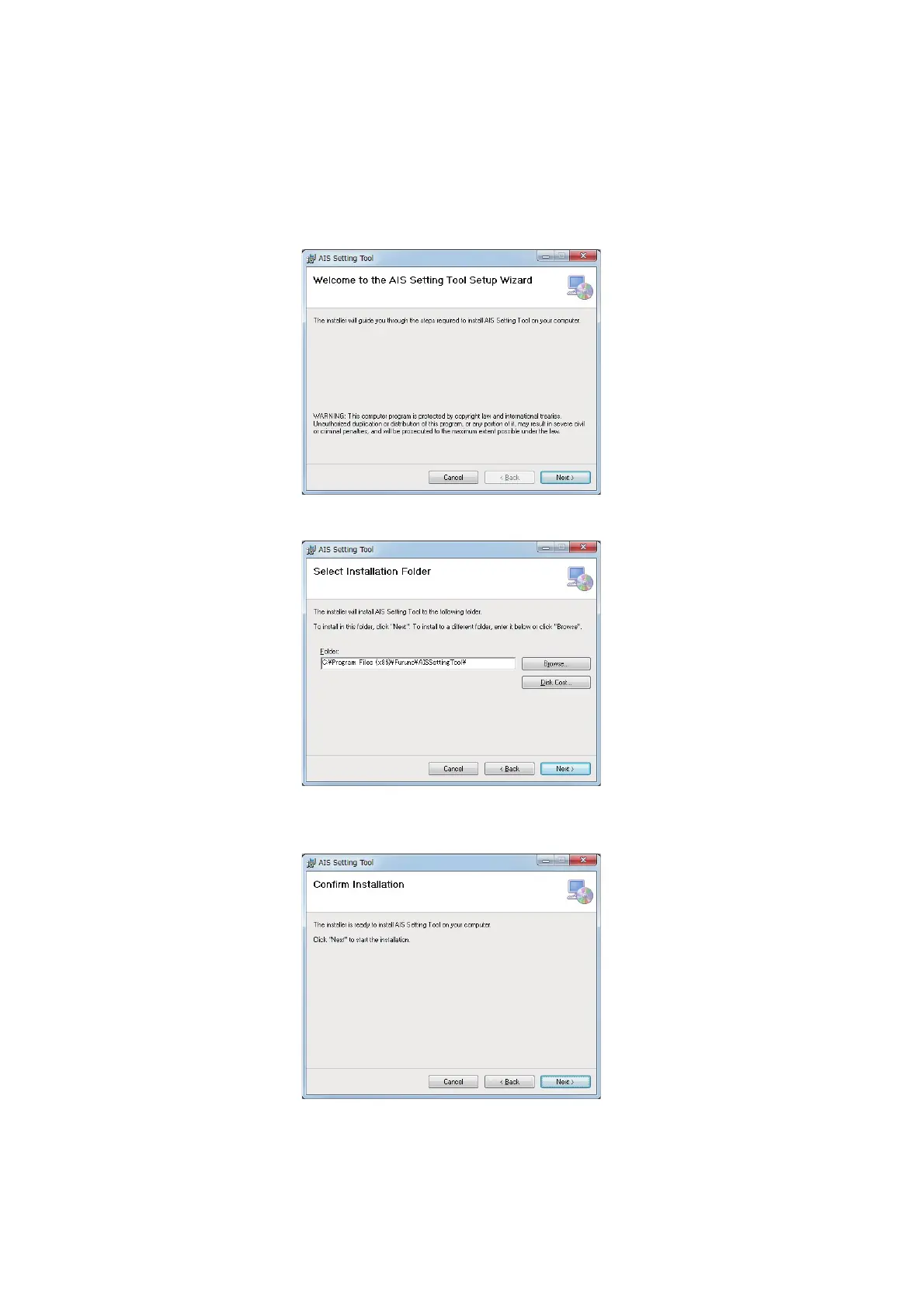
4. Click [Next].
5. Click [Next]. To change the installation folder, click [Browse] and select the folder
before clicking [Next].



 To Next Page