3. SETTINGS AND STATUS
3-3
3.3 Alert Status
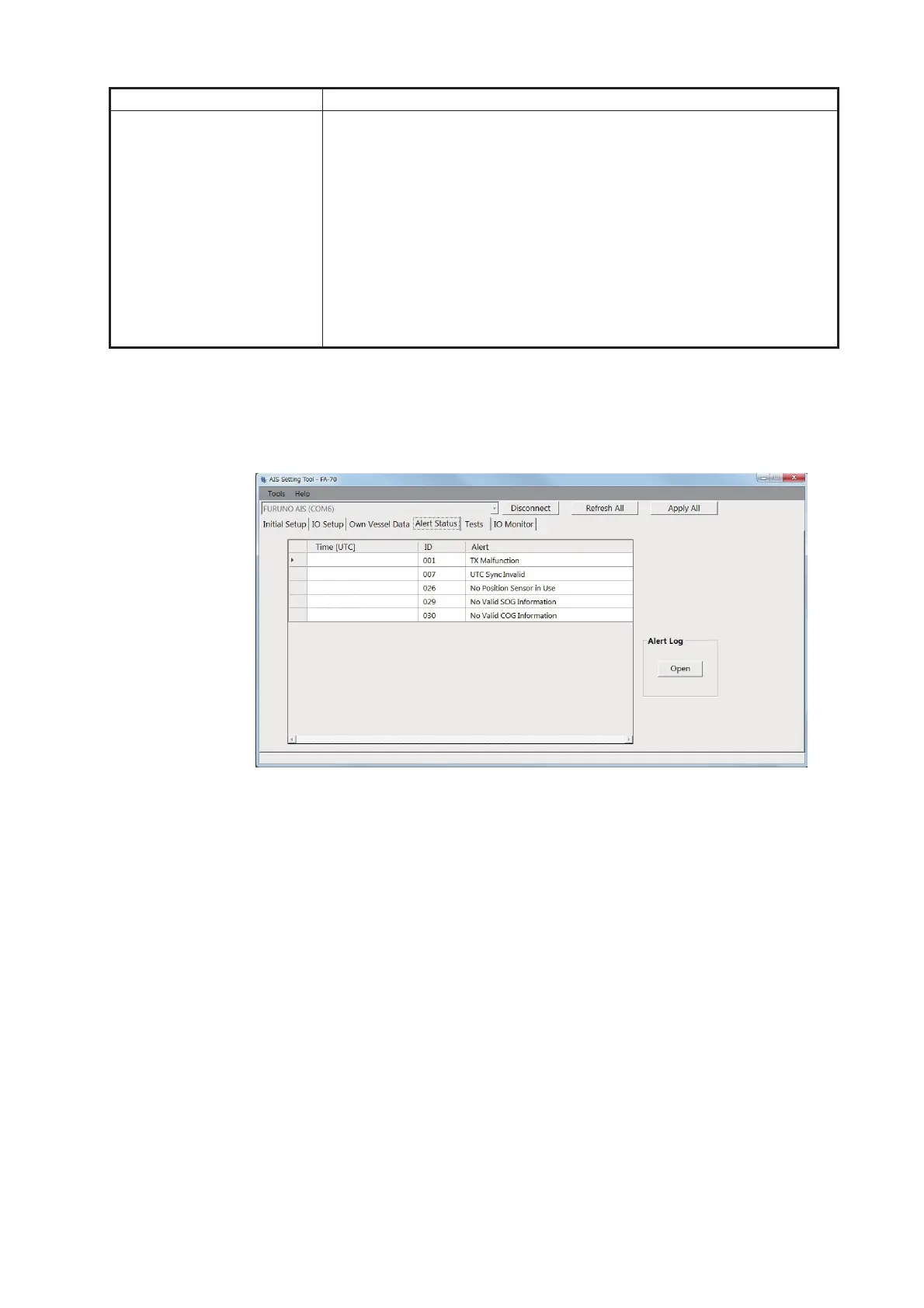
The [Alert Status] screen shows the alerts currently occurred.
[Alert Status] screen for PC
• [Time [UTC]]: Shows the time and date when the alert occurred.
• [ID]: Shows the alert number.
• [Alert]: Shows the alert message*.
*: For the external display, select the alert ID to display the alert message on the bot-
tom of the screen.
[GNSS Status] (for the PC) Shows the GNSS information.
• [UTC]: Universal Time Coordinated
• [LAT]: Latitude
• [LON]: Longitude
• [SOG]: Speed over ground
• [COG]: Course over ground
• [PA]: Positioning accuracy
• [RAIM] (Receiver autonomous integrity monitoring): Whether to use
RAIM or not.
• [Mode]: Positioning mode
• [Status]: Positioning status
• [Satellites in View]: The number of satellites in view.
Menu item Description
01/JAN/2020 18:30
01/JAN/2020 18:31
01/JAN/2020 18:32
01/JAN/2020 18:35
01/JAN/2020 18:37



 To Next Page