2. SHIP INFORMATION INPUT
2-3
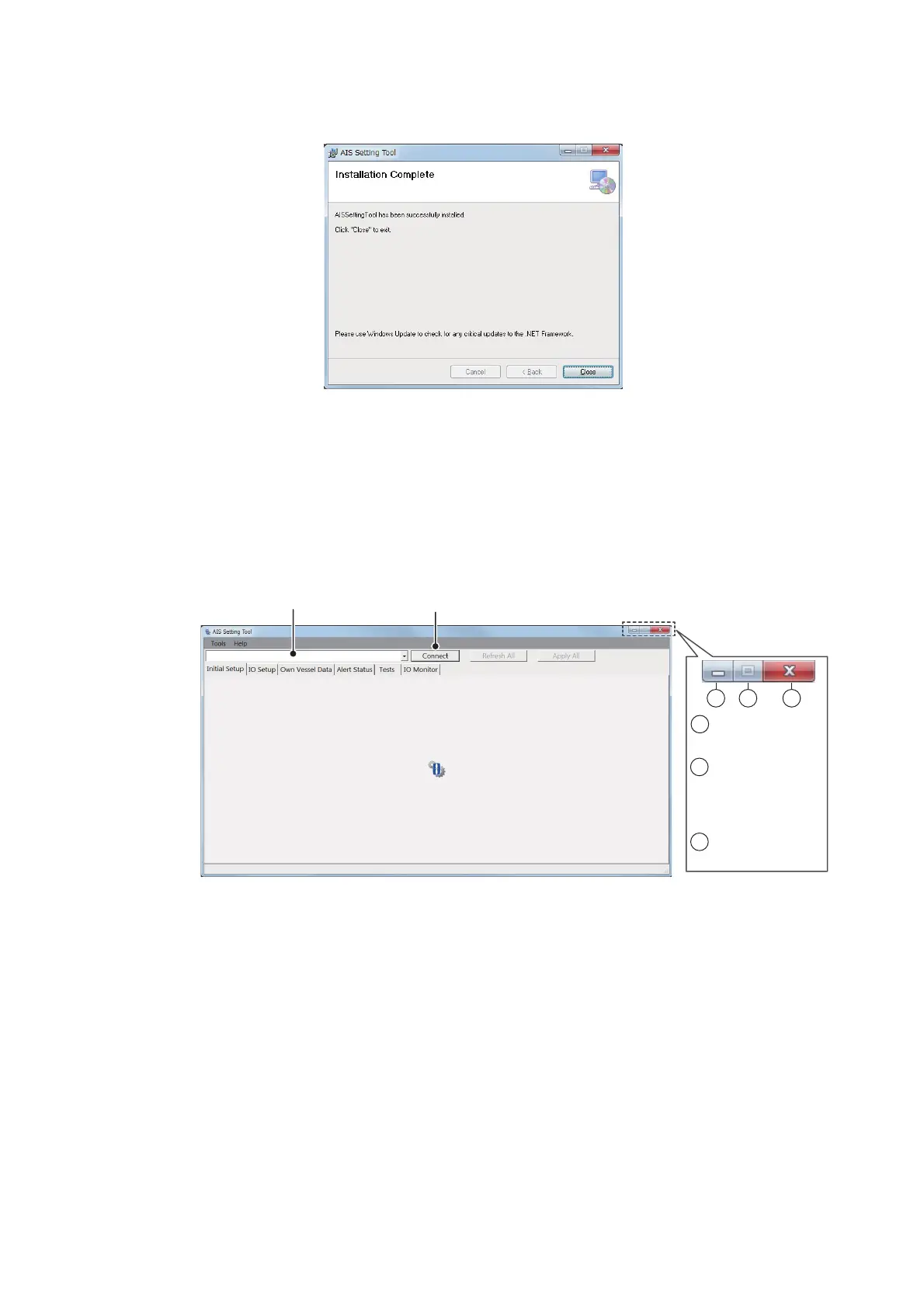
6. Click [Next] to start the installation. When the installation is completed, the dialog
box shown below appears.
7. Click [Close] to finish. The shortcut icon for [AIS_Setting_Tool.exe] is created on
your desktop.
8. Remove the CD-ROM from the CD drive.
2.3 How to Start and Quit the AIS Setting Tool
1. Double-click the shortcut icon for [AIS_Setting_Tool.exe].
2. Click the down-allow button at the top left of the screen, and then select the COM
port to connect.
3. Click [Connect].
4. To quit the software, click [Disconnect], and then click the close button (x) at the
upper right-hand corner of the screen.
3
1
2
1
: Minimize the
window.
2
: Maximize the
window.
(Operation is
not available.)
3
: Close the
window.
Select the COM port to connect.
Connect/Disconnect



 To Next Page