EasyManua.ls Logo

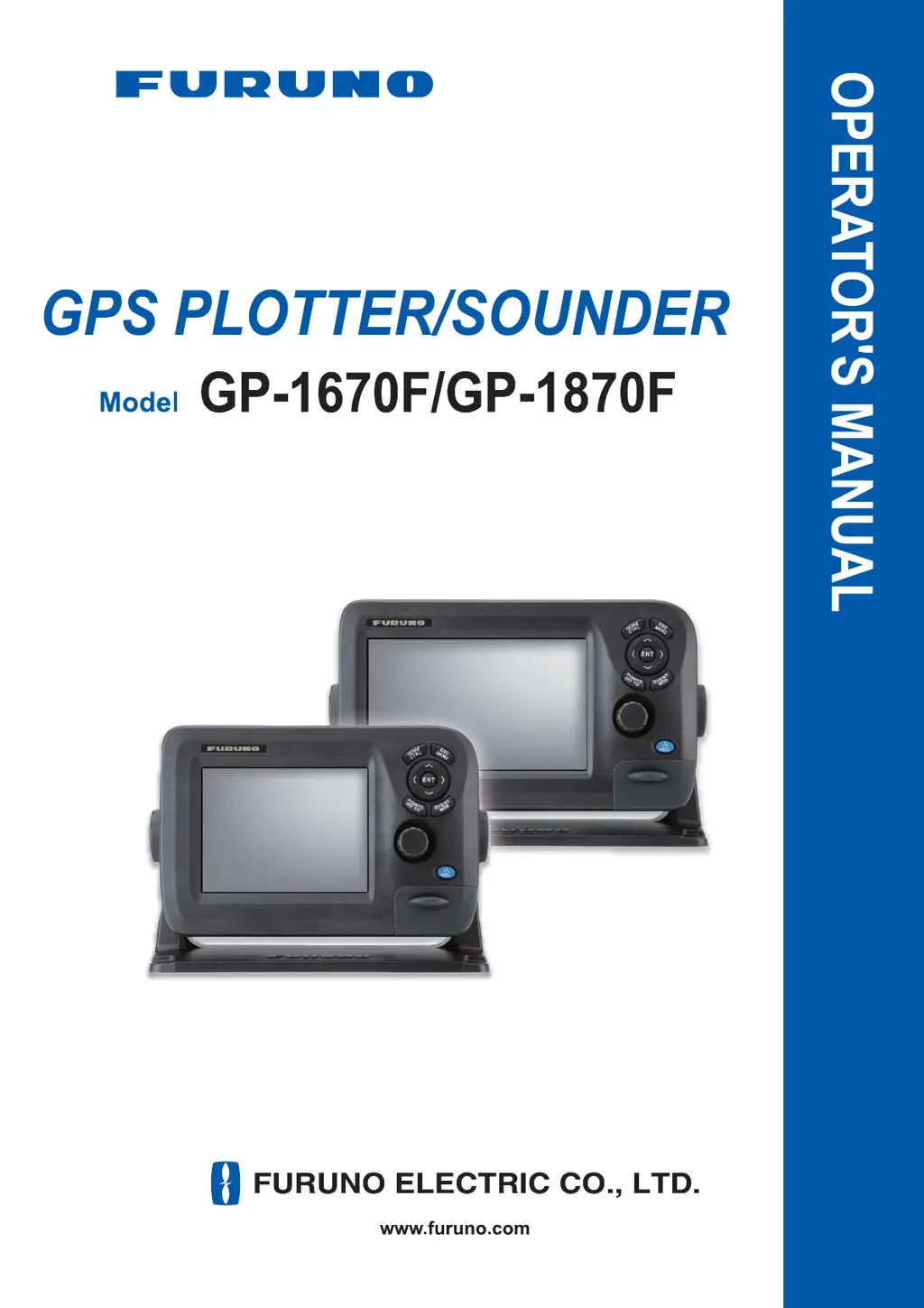
Furuno GP-1670F - User Manual

Furuno GP-1670F
209 pages
Print Icon
To Next Page IconTo Next Page
Loading...

Table of Contents

Other manuals for Furuno GP-1670F

Questions and Answers

  • L
    Laurie BrownSep 23, 2025
    How to display depth indication on Furuno Marine GPS System?
    • J
      Joseph UnderwoodSep 23, 2025
      If the depth indication is not appearing on your Furuno Marine GPS System: * In manual operation, adjust the gain and range to display the bottom echo (in reddish-brown). * Adjust the bottom level. * Verify that [DEPTH] in the [SELECT INPUT DEVICE] menu within the [INTERFACE] menu is set to [Fish Finder].
  • M
    Mr. Ian OwenAug 25, 2025
    Why is there no picture on my Furuno Plotter screen, even though the power is on?
    • K
      Kevin ObrienAug 25, 2025
      If your Furuno Plotter has power but no picture, press the POWER/BRILL key and rotate the RotoKeyTM clockwise to increase the brilliance.
  • J
    Joseph KellyAug 25, 2025
    What to do if the depth indication does not appear on Furuno Plotter?
    • E
      Elizabeth SparksAug 26, 2025
      If the depth indication isn't showing on your Furuno Plotter, try the following: for manual operation, adjust gain and range to display the bottom echo (in reddish-brown). Adjust the bottom level. Check if [DEPTH] in the [SELECT INPUT DEVICE] menu in the [INTERFACE] menu is set to [Fish Finder].
  • S
    Shannon FrazierAug 26, 2025
    How to fix noise or interference on my Furuno Plotter display?
    • C
      Christopher RichmondAug 27, 2025
      To address noise or interference on your Furuno Plotter display: Ensure the transducer cable is not near the engine. Check the ground connection. Determine if another fish finder nearby operates at the same frequency. Try adjusting the interference rejector.
  • M
    masonstevenAug 27, 2025
    What to do if my Furuno Plotter keys are not responding?
    • M
      maryevansAug 27, 2025
      If your Furuno Plotter keys aren't responding, turn the power off and on. If the issue persists, the key may be damaged. Contact your dealer for further instructions.
  • P
    Patricia SanchezSep 14, 2025
    How to fix Furuno Marine GPS System speed indication when it's not zero after stopping?
    • J
      Joseph WhiteSep 14, 2025
      If your Furuno Marine GPS System continues to show a speed indication after the vessel has stopped, set [NAVIGATION SPEED] to [Low] in the [INTERNAL GPS SETUP] within the [SYSTEM] menu.
  • N
    Nicole FordSep 12, 2025
    How to correct wrong bearing on Furuno Marine GPS System?
    • B
      burtonwilliamSep 12, 2025
      If the bearing is incorrect on your Furuno Marine GPS System, check the magnetic variation setting at [COMPASS SETUP] in the [SYSTEM] menu.
  • G
    Glenn BurgessSep 13, 2025
    What to do if the fish finder display shows no picture on Furuno Marine GPS System?
    • M
      Melissa DuncanSep 13, 2025
      If you've selected the fish finder display on your Furuno Marine GPS System but no picture is visible: * Check that the transducer cable is securely fastened. * Verify that the correct fish finder source is selected.
  • C
    Christian MartinSep 4, 2025
    How to improve picture sensitivity on Furuno Plotter?
    • S
      Sarah DonaldsonSep 4, 2025
      If the picture sensitivity is too low on your Furuno Plotter: Check the gain setting in manual operation. Inspect the transducer for marine life or air bubbles. Consider that the bottom might be too soft to return an acceptable echo.
  • S
    susan31Sep 2, 2025
    Why do marks appear but no picture on my Furuno Plotter?
    • B
      Bradley OliverSep 2, 2025
      If marks and characters appear on your Furuno Plotter but there's no picture, check that the transducer cable is connected.

Summary

Safety Instructions

Important Notices and General Precautions

General safety advice, handling instructions, and product disposal guidelines.

Critical Safety Warnings

Essential warnings and cautions for preventing injury or equipment damage.

Operational Overview

Controls

Detailed description of the unit's controls and buttons for operation.

RotoKeyTM and Soft Controls

Explanation of the RotoKeyTM and soft control functions and operation.

Power On;Off Operation

Step-by-step guide for powering the unit on and off.

2 D Plotter Displays

Overview of the plotter's capabilities and map display features.

Home Screen Customization

Guide to selecting and customizing the home screen displays.

Menu Operation

How to navigate and operate the unit's menus.

Man Overboard (MOB) Function

Procedure for marking a man overboard position and related functions.

Track Operations

Track Display Management

How to show, hide, and manage the boat's recorded track.

Track Recording Settings

Instructions for starting, stopping, and configuring track recording parameters.

Points Management

Entering Points

Methods for marking and saving points on the plotter display.

Managing Points

How to move points, select visibility, search, sort, and filter points.

Route Operations

Creating Routes

Step-by-step guide to creating routes using menus and features.

Navigation Functions

Navigating to Points

How to navigate to quick points and saved points.

Navigating via Routes

How to select and start navigation along a chosen route.

Fish Finder Operations

Other Functions

AIS and DSC Operations

Understanding AIS target symbols and DSC message information.

Maintenance and Troubleshooting

Routine Maintenance Procedures

Regular checks and cleaning procedures for optimal equipment performance.

Fuse Replacement and Troubleshooting Guide

Instructions for replacing fuses and resolving common operational issues.

Installation

Display Unit Installation

Guidelines for mounting the main display unit on a tabletop or flush.

Antenna Unit Installation

Instructions for selecting a suitable location and mounting the GPS antenna unit.

Transducer Installation Methods

Methods for installing thru-hull, transom, and inside-hull transducers.

Wiring and Connections

Guide to connecting power cables, GPS antenna, and transducers.

Initial Settings and CAN Bus Configuration

Performing initial system setup and configuring CAN bus data.

Furuno GP-1670F Specifications

General IconGeneral
BrandFuruno
ModelGP-1670F
CategoryGPS
LanguageEnglish

Related product manuals