168
Multicopter
0(18岜岜岜岜
㌣0'/6(/
㌣0'/1$0(
㌣)$,/6$)(
㌣5(9(56(
㌣7,0(5
㌣6(592
㌣(1'32,17
㌣75,0
㌣68%75,0
㌣30,;
㌣$8;&+$1
㌣3$5$0(7(5
0(18岜岜岜岜
㌣7(/(0(75<
㌣6(1625
㌣6%86/,1.
㌣0'/75$16
㌣75$,1(5
㌣&175$/50
㌣'5(;32
㌣*<526(16
(1second)
+
END
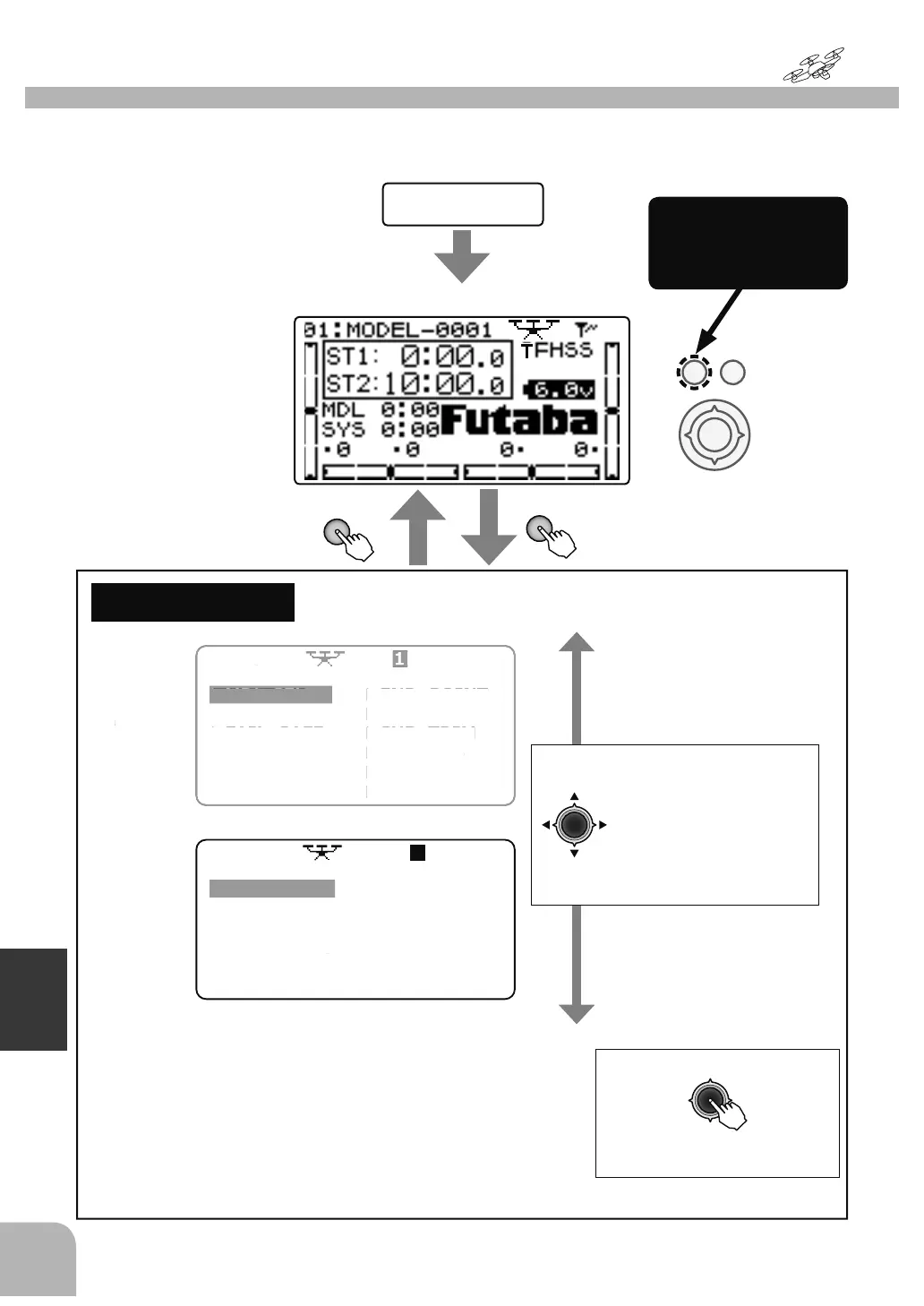
MulticopterFunction
MENU
● Whenthe+keyispressedfor
1second,themenuscreenis
displayed.
● WhentheENDkeyis
pressed,thedisplayreturns
tothehomescreen.
MENU
1/2
MENU
2/2
(Homescreen)
PowerON
(Selection)
● Movethecursor
(highlighted)upanddown
andtotheleftandright
withtheJogkeyandselect
thefunction.
Thecursorcanbemoved
overseveralpages.
(Callingthesettingscreen)
● PresstheJogkeytoopenthe
settingscreen.
Tomenuscreen
byholdingdown
the+key
Thesettingscreenofeachfunctioniscalledfromthefollowingmenu.Thefunctionwhen
themodeltypewassettomulticopter(MULTICOPT)isdisplayedhere.
0'/6(
0'/1$0
㌣)$,/
$)
㌣5(9(5
7,0(
㌣6(59
(1'32,1
75,
㌣6
%75,
30,;
$8;&+$1
3$5$0(7(
MEN
1
7(/(0(75
㌣6(16
㌣6%86/,1
㌣0'/75$16
75$,1(5



 To Next Page