108
< Linkagemenu >
ŤƏƗƌƗƘƇƈ
ŹƄƕƌƒƐƈƗƈƕ
ƓƒƖƌƗƌƒƑ
Telemetry:GPS[Altitude,Variometer,Position]
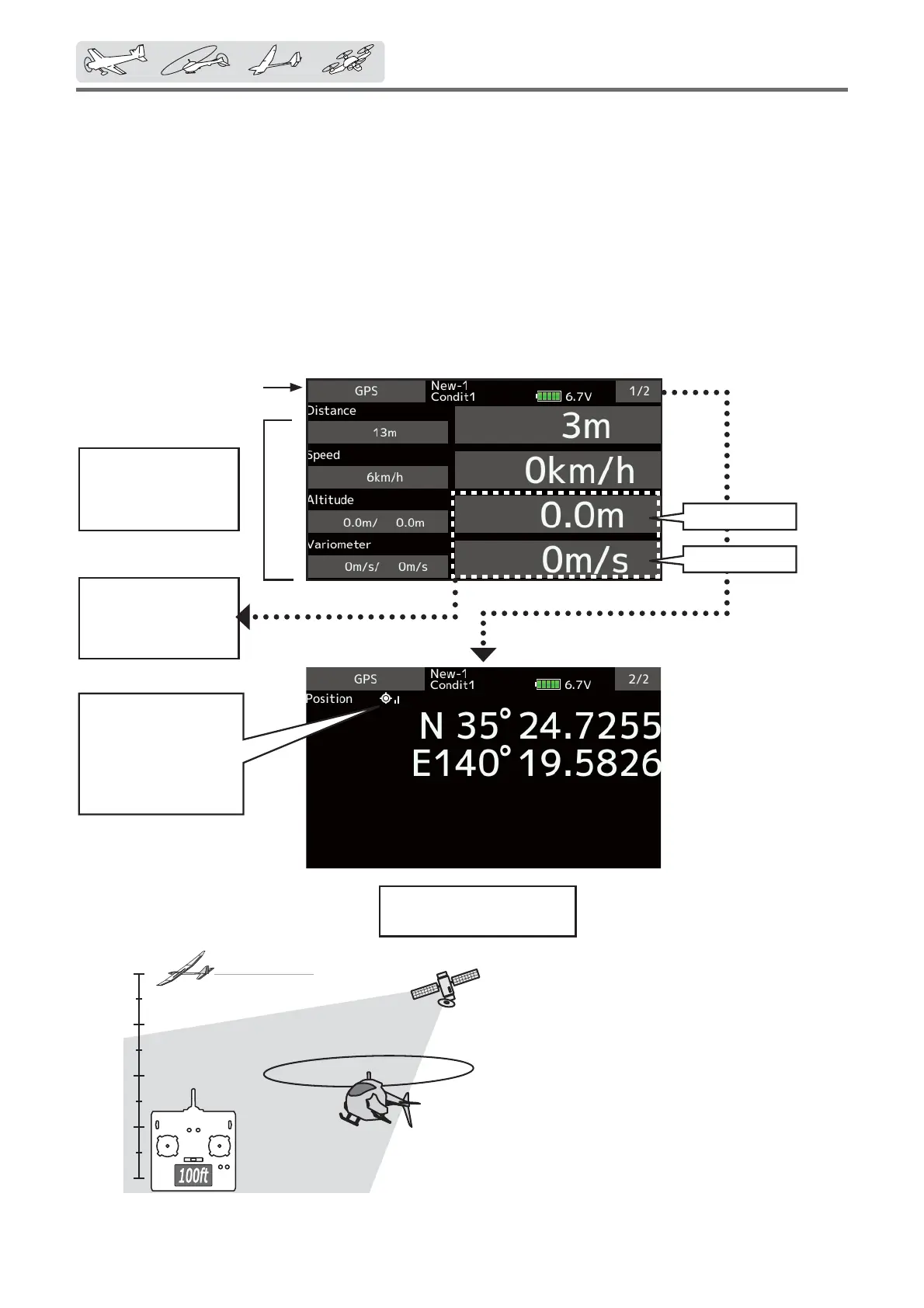
The Altitude, Variometer, Position screen
displays and sets the data from an SBS-01/02G
(GPS sensor) sold separately.
*AGPSsensormustbeinstalledintheaircraft.
ŏ Select [GPS] in the Telemetry screen and
access the setup screen shown below.
Refertotheformer
pageforasetup
aboutAltitudeand
Variometer.
*The GPS sensor is necessary, and is sold separately. Mount
and connect the sensor in accordance with the sensor
instruction manual.
*It cannot be used in FASST mode and S-FHSS mode.
*Only receiver voltage and EXT voltage can be used in
FASSTest12CH mode.
*The FASSTest18CH /T-FHSS mode can use all the telemetry
functions.
Max.andmin.values
sincethepower
wasturnedONwill
display.
Altitude
Variometer
Thisindicatesthe
receivingaccuracy
fromaGPSSatellite.
Whenthreebarsare
displayed,theGPSis
readyforuse.
Thepositionofthepresent
modelisdisplayed.
ŏReturn to
Linkage menu



 To Next Page