36
LAMP - Switch on / off the lamp
Use the [Up] and [Down] keys to select "On" if you wish the switch on the lamp or "Off" if you wish switch off the
lamp and press [Enter] to confirm or [Mode] to cancel and return to the main menu.
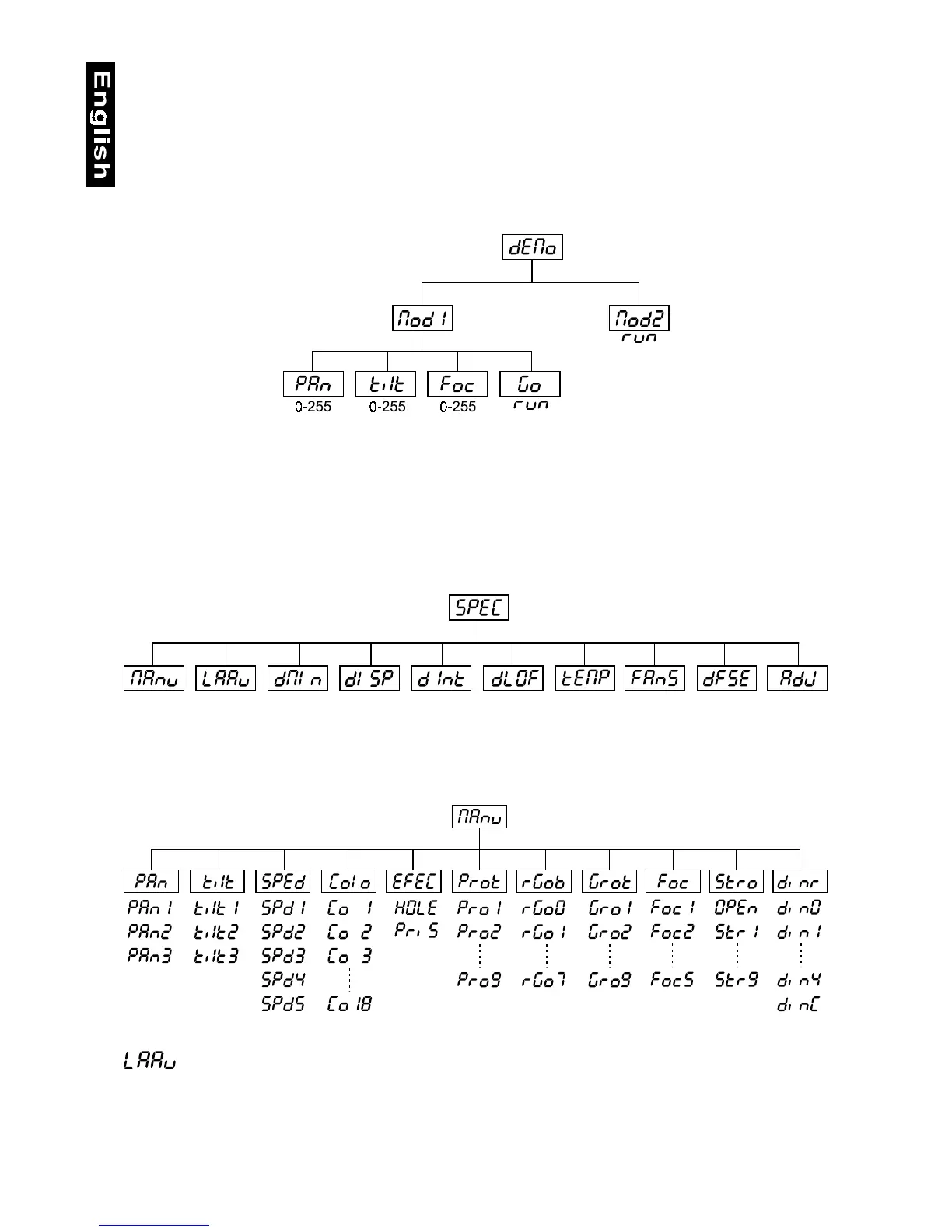
dEMo - Demo sequences
This function allows you to run a special demo-test sequences without an external controller, which will show you
some possibilities of using MH - 660. Press [Up] and [Down] keys to select the "Mod1" or "Mod2" sequences.
The "Mod1" is suitable for projections on the wall, ceilling or ground without any head-movement, the "Mod2"
uses all MH - 660 functions and therefore is good for a complete introduction of the fixture.
rESE -Reset Function
Press [Enter] key to run reset. This option enables the MH-660 to index all effects (functions) and return to their
standard positions.
7.2 SPEC -Special functions
Use the [Up] and [Down] keys to browse through the special functions and select the one by pressing [Enter].
MAnu - Manual control of effects
This function allows you to control manually the channel functions of the fixture. Use the [Up] and [Down] keys to
select desired function and press [Enter] to adjust the effect or [Mode] to cancel and return to the menu.
- Lamp On automatically
This function enables to switch on the lamp automatically after switching on the fixture. Use the [Up] and [Down]
keys to select „On” if you wish to switch on the lamp automatically after switching on the fixture or „Off” if you
wish the lamp off after switching on the fixture and press [Enter] to confirm or [Mode] to cancel and return to the
menu.


 To Next Page