33
4.1.11 Channel 11 - Rotating gobos, cont. rotation
0 - 31 Open
32 - 63 Rot. gobo 1 (multicolor dichroic)
64 - 95 Rot. gobo 2 (glass)
96 - 127 Rot. gobo 3 (metal)
128 - 159 Rot. gobo 4 (metal)
160 - 191 Rot. gobo 5 (metal)
192 - 223 Rot. gobo 6 (metal)
224 - 255 Rot. gobo wheel cont. rotation slow to fast
4.1.12 Channel 12 - Rotating gobo index, rotating gobo rotation
0 - 127 Gobo indexing
128 - 191 Forwards gobo rotation from fast to slow
192 No rotation
193 - 255 Backwards gobo rotation from slow to fast
4.1.13 Channel 13 - No function
4.1.14 Channel 14 - Focus
0 - 255 Continuous adjustment from far to near
4.1.15 Channel 15 - Shutter, Strobe
0 - 31 Shutter closed
32 - 63 No function (Shutter open)
64 - 95 Strobe-effect from slow to fast (max. 10 flashes/second)
96 - 127 No function (Shutter open)
128 - 159 Pulse-effect in sequences
160 - 191 No function (Shutter open)
192 - 223 Random strobe-effect from slow to fast
224 - 255 No function (Shutter open)
4.1.16 Channel 16 - Dimmer intensity
0 - 255 Gradual adjustment of the dimmer intensity from 0 to 100 %
4.2 Function of the control channels - 8 bit protocol:
5. Addressing
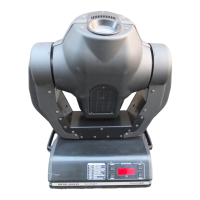
The Control Board on the top side of the MH-660 allows you to assign the DMX fixture address, which is defined
as the first channel from which the MH-660 will respond to the controller.
If you set, for example, the address to channel 5, the MH-660 will use the channel 5 to 20 for control.
Please, be sure that you don’t have any overlapping channels in order to control each MH-660 correctly and
independently from any other fixture on the DMX data link.
If two, three or more MH-660 are addressed similarly, they will work similarly.
DMX
Channel
1234567 8 91011121314
Function
PAN TILT
PAN/TILT
SPEED
FAN
ON/OFF
LAMP
COLOURS - PRISM
PRISM
ROTATION
ROTATING
GOBOS
GOBO
ROTATION
- FOCUS STROBO DIMMER


 To Next Page