Profession Laser Manufacturer more than 15 Years.
38
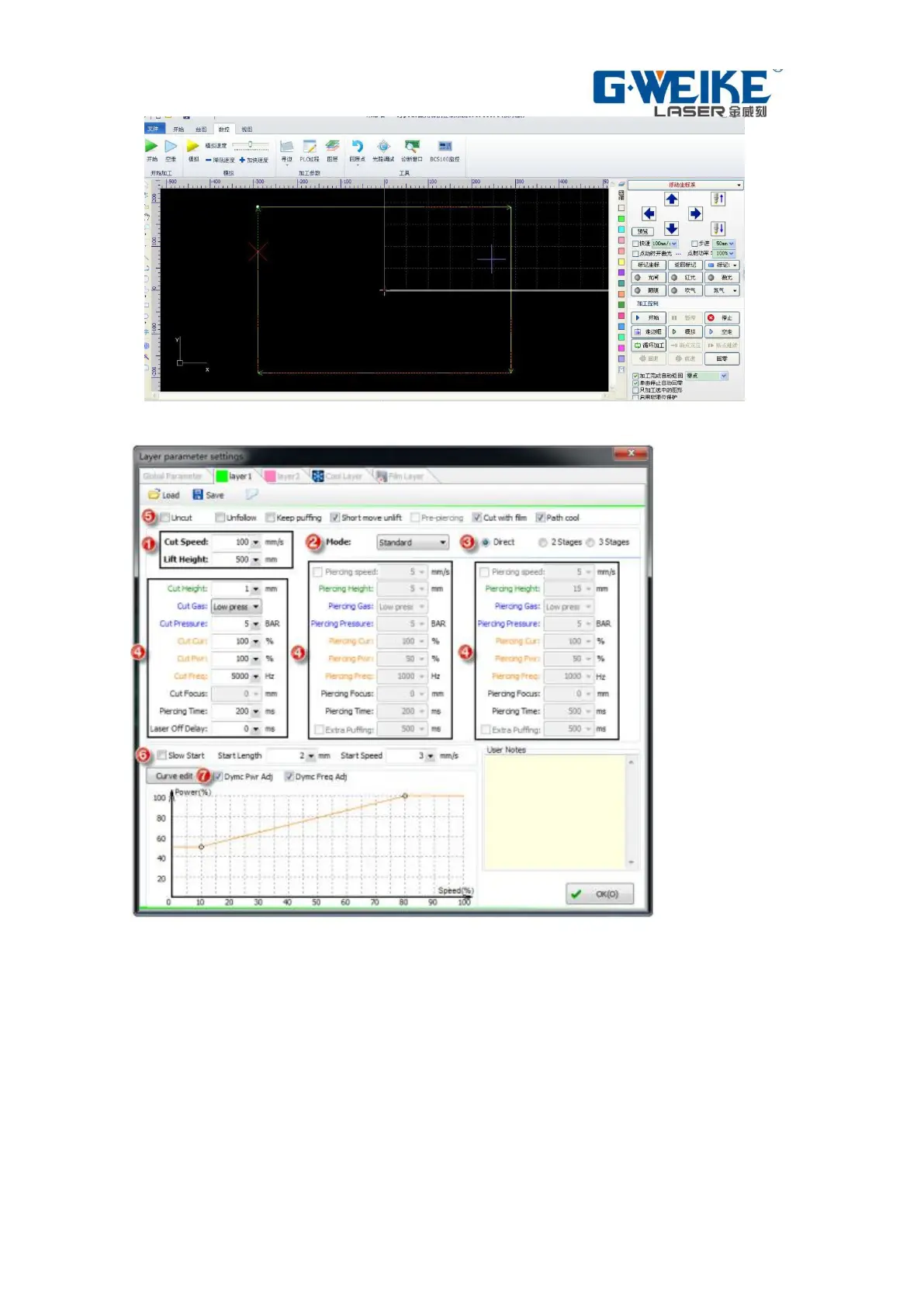
Picture 5-13
Picture 5-14
Adjust the focal length and cutting parameters
According to the plate and the thickness of the adjusting the cutting parameters
(click on the software right "craft" icon, input parameters); regulation of laser and
nozzle concentricity; adjust the focal length, click on the software interface of the
lower right side of the "simulated" icon to observe cutting sequence is correct,
all the correct go border cutting.
5.3.2.1 Take the border and cutting
Through the arrow keys on the handle will be laser head moves to the sheet
cutting position, click the operating handle "walking frame, determine the
processing location, click the handle on the" start "button to start processing,
processing, when the hand is strictly prohibited to let go of the handle, so that an


 To Next Page