4. Operating System and Equipment
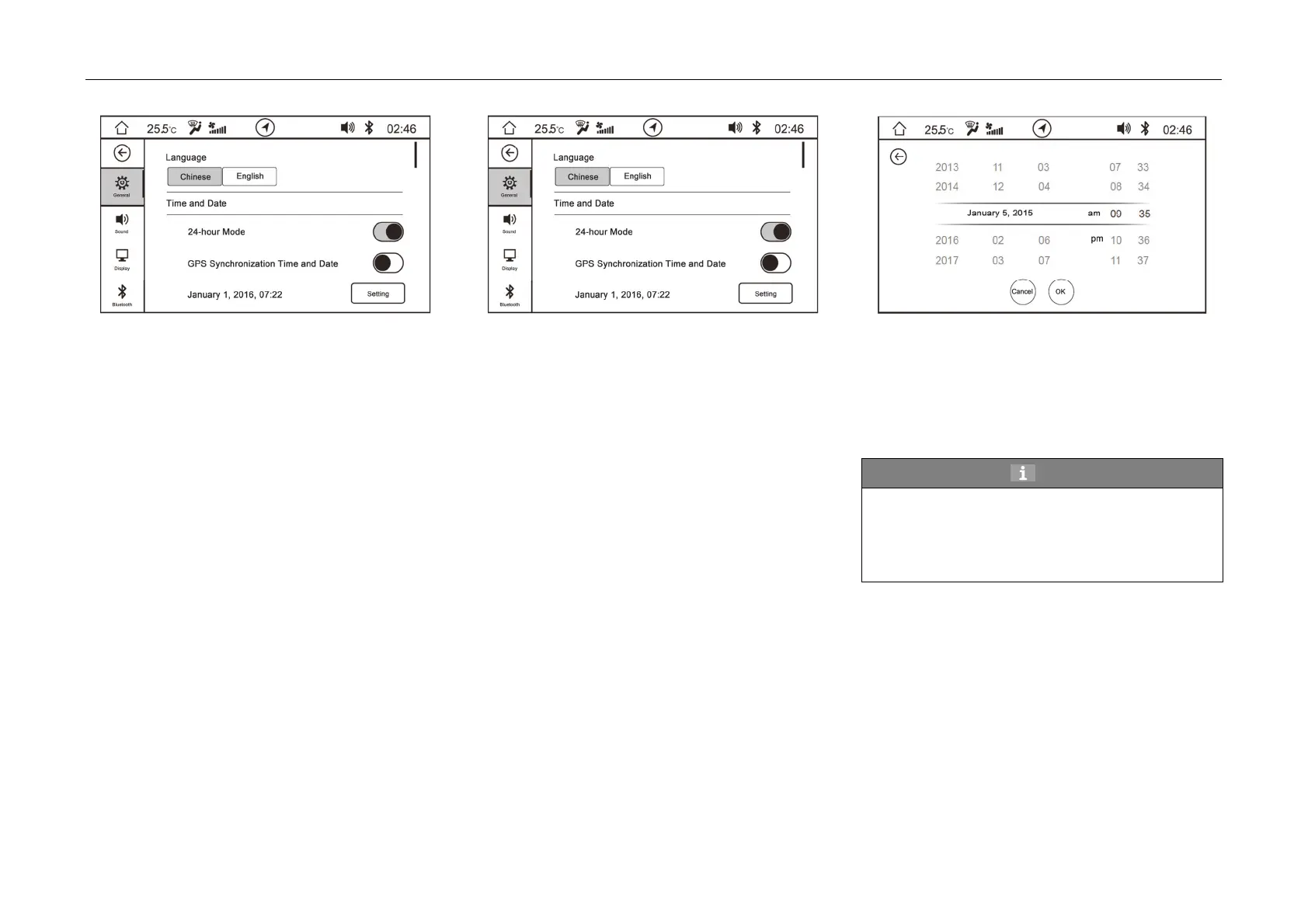
Language
-Language setting can select Chinese or English.
After restoring factory settings, it defaults to
be Chinese.
Time and Date
24-hour system: After being enabled, the
system time will be displayed in 24-hour
system; after being closed, the system time
will be displayed in 12-hour system; after
restoring factory settings, it defaults to be
24-hour system.
– GPS time and date synchronizing: After
being enabled, the system will automatically
synchronize GPS time and date; after
restoring factory settings, it defaults to be
enabled.
Manual setting of time and date
-Cli
ck “SET” soft button the right of time and date to
enter manual setting interface.
-Scroll year/month/date/hour/minute to adjust the
date and time, which will be saved when
clicking “confirm” soft button.
Hint
When GPS time and date synchronizing
function is enabled, manual setting of time and date
cannot be performed. If manual setting is required,
GPS time and date synchronizing function shall be
disabled.
–



 To Next Page