GALaxy eHydro Elevator Controller Section 2 –Installation
2-14
2.7.2 APS Selector Floor Position Setup (Hoistway Learn)
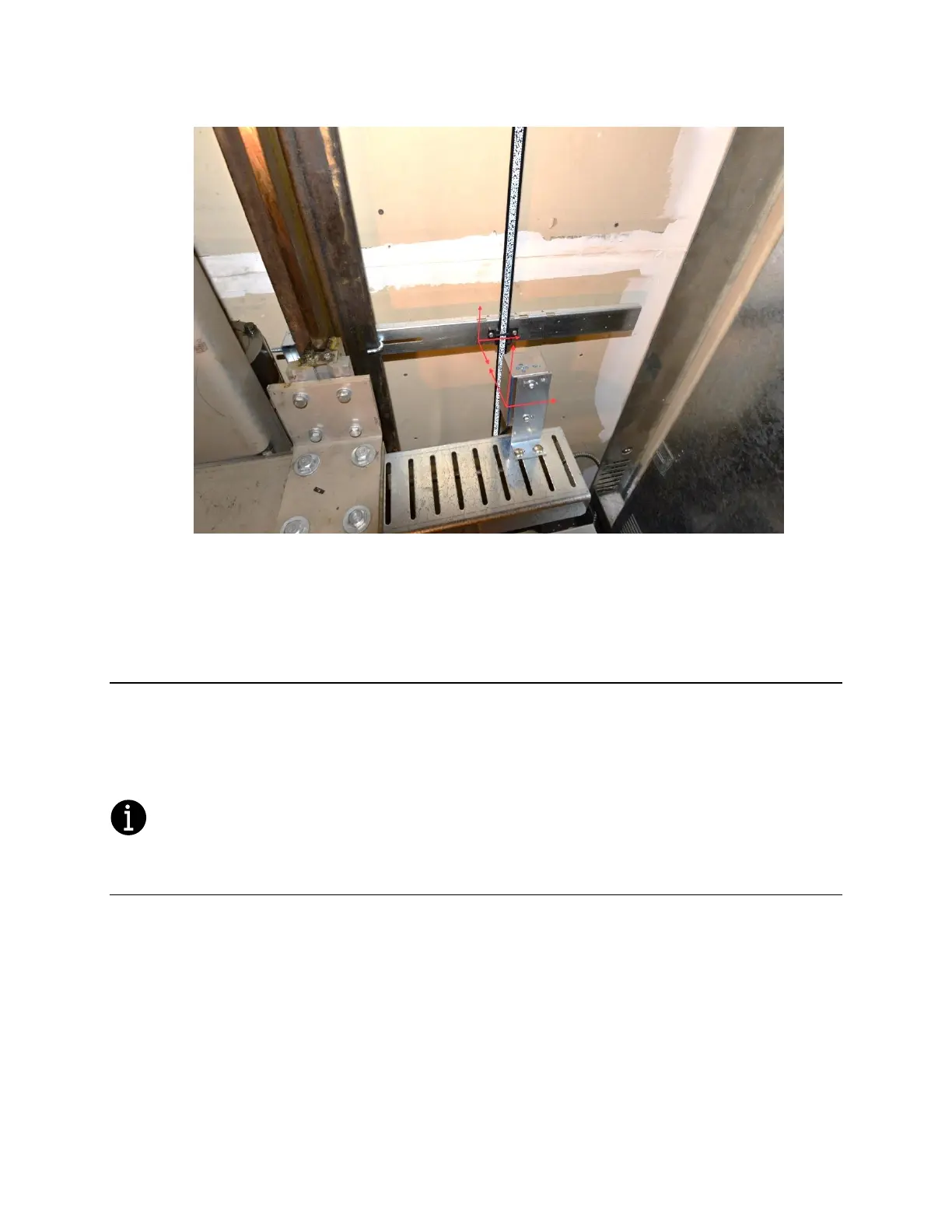
The hoistway learn procedure requires that the selector camera communicates properly with the Main
CPU and the NTS processor. The hoistway learn procedure also requires that the APS camera module
communicates properly with both CPUs on the selector interface board and with the main CPU in the
controller.
Proceed to Section 3 of this manual, and, once the “Prepare the Car for Hoistway Learn” section
is reached in section 3.3.3, return to section 2.7.2.1.
2.7.2.1 Verify that the APS Selector Camera is Installed Correctly and Communicating.
From the Diagnostic menu on the LCD Interface, select the Sel CAN Com Status. Verify that the CPU
to Selector Rx Error Cnt is zero, that the Rx Data Cnt is counting and that the On-line status equals 1.
Verify that the CNT A is not zero, that there are no Errors or Warnings and that the alignment is
centered and contrast shows OK. Also verify that the NTS to Selector status shows that the Rx Error
Cnt is zero, that the Rx Data Cnt is counting and that the On-line status equals 1. Continue to verify
that the CNT B value for NTS Processor is not zero, that there are no Errors or Warnings and that the
alignment is centered and contrast shows OK.


 To Next Page