
EasyManua.ls Logo

GAL GALaxy eHydro User Manual

GAL GALaxy eHydro
248 pages
To Next Page IconTo Next Page
Page #1 background imageLoading...
Page #1 background image
i
GALaxy eHydro
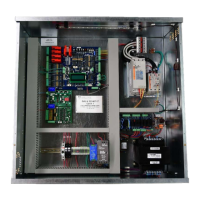
Elevator Controller Manual
GAL Manufacturing Corporation LLC
50 East 153rd Street
Bronx, NY 10451
Technical Support: 18774257778

Table of Contents

Questions and Answers:

GAL GALaxy eHydro Specifications

General IconGeneral
BrandGAL
ModelGALaxy eHydro
CategoryController
LanguageEnglish

Summary

GALaxy eHydro Elevator Controller Manual

Foreword and Safety Information

Introduction, safety precautions, and symbols used in the manual.

Product Description and Specifications

Overview of the controller, its features, compliance, and layout.

Selector System and Operation Modes

Details on the APS selector, sequences, and various operating modes.

Section 2 - Installation

General Installation Guidelines

Site selection, environmental factors, and wiring instructions.

Selector Installation Procedures

Step-by-step guide for installing the APS selector and associated components.

Hoistway Wiring and Terminal Limits

Procedures for hoistway wiring, field wiring, ground wiring, and terminal limits.

APS Selector Setup and Adjustment

Steps for setting up the APS selector, zeroing the hoistway, and configuring floor levels.

Section 3 - GALaxy Startup and Adjustment

Initial Power-Up and Voltage Checks

Procedures for checking main line and controller voltages before startup.

Startup, Installation Completion, and Adjustments

Steps for completing installation, setting switches, and making initial adjustments.

Elevator Verification and Testing

Procedures for verifying hoistway operation and performing automatic runs and slowdown adjustments.

Section 4 - Troubleshooting

Troubleshooting Basics and I/O Boards

General troubleshooting, CPU, and I/O board information.

Safety PAL and System Faults

Safety PAL functions and how to manage system and processor faults.

I/O Relocation and Trace Functions

Procedures for relocating I/Os and using the car trace screen.

Section 5 - LCD Interface

LCD Interface Operation and Menus

Guide to operating the LCD, navigating menus, and viewing elevator status.

Specific LCD Menu Functions

Details on car call popup, trace popup, and trace display functions.

Section 6 - Main CPU Faults & Detailed Faults

Main CPU Faults and Descriptions

Comprehensive list of Main CPU faults, their causes, and suggested fixes.

Device Faults and I/O Data Interpretation

Faults from serial ports and how to interpret detailed I/O data for troubleshooting.

Section 7 - Main CPU Adjustable Variables

Car Motion, Timers, and Options

Configurable parameters for car motion, timers, car options, and services.

Group Dispatch and System Settings

Configuration settings for group dispatch, emergency services, and system options.

NTS Processor and Color Light Settings

Adjustable variables for NTS processor and color light configurations.

Section 8 - Appendix A

Testing Stall Mode and Low Oil Operations

Procedures for testing stall mode and low oil conditions.

Specialized System and Phase Testing

Guides for NTSD, terminal speed, load weighing, and phase operations testing.