GALaxy eHydro Elevator Controller Section 4 - Troubleshooting
4-13
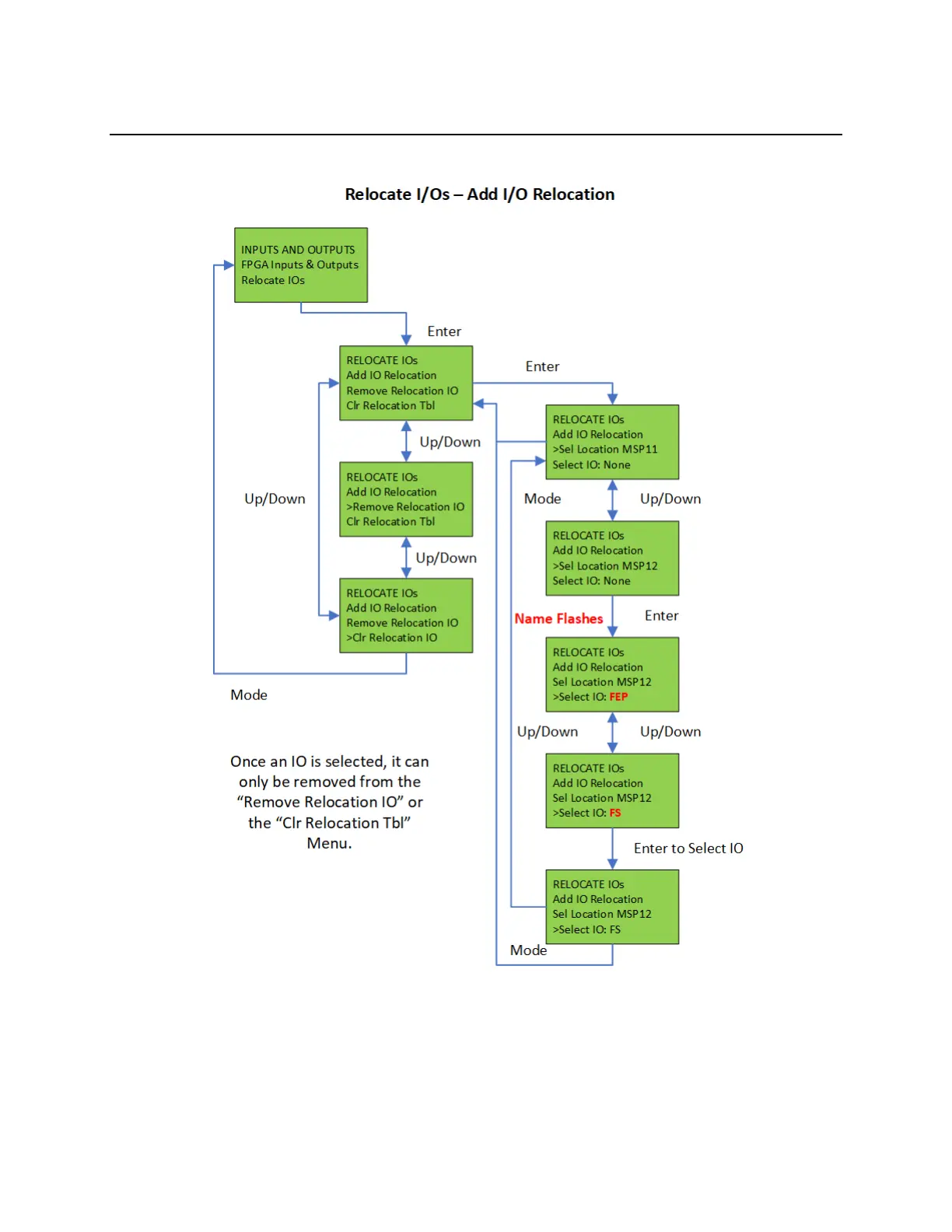
4.10.1 Relocate I/Os – Add IO Relocation
Figure 4-3:
To relocate the I/O, select the “Relocate IOs” menu from the “Inputs and Outputs” menu. Then select
the “Add I/O Relocation”. Use the Up or Down button to select the input type and location such as
CSPI1, (CTCAN car spare input 1). The type is an input and CSPI1 is located where the desired Input
will be relocated. Hit the Enter button and then the Up or Down to select the I/O to be relocated. Only
I/O’s allowed on the selected bus will be displayed. When you reach the I/O to be relocated, then hit


 To Next Page