GALaxy eHydro Elevator Controller Section 4 - Troubleshooting
4-14
the Enter button again. Once an I/O has been selected, power must be cycled on the controller for the
relocation to take place.
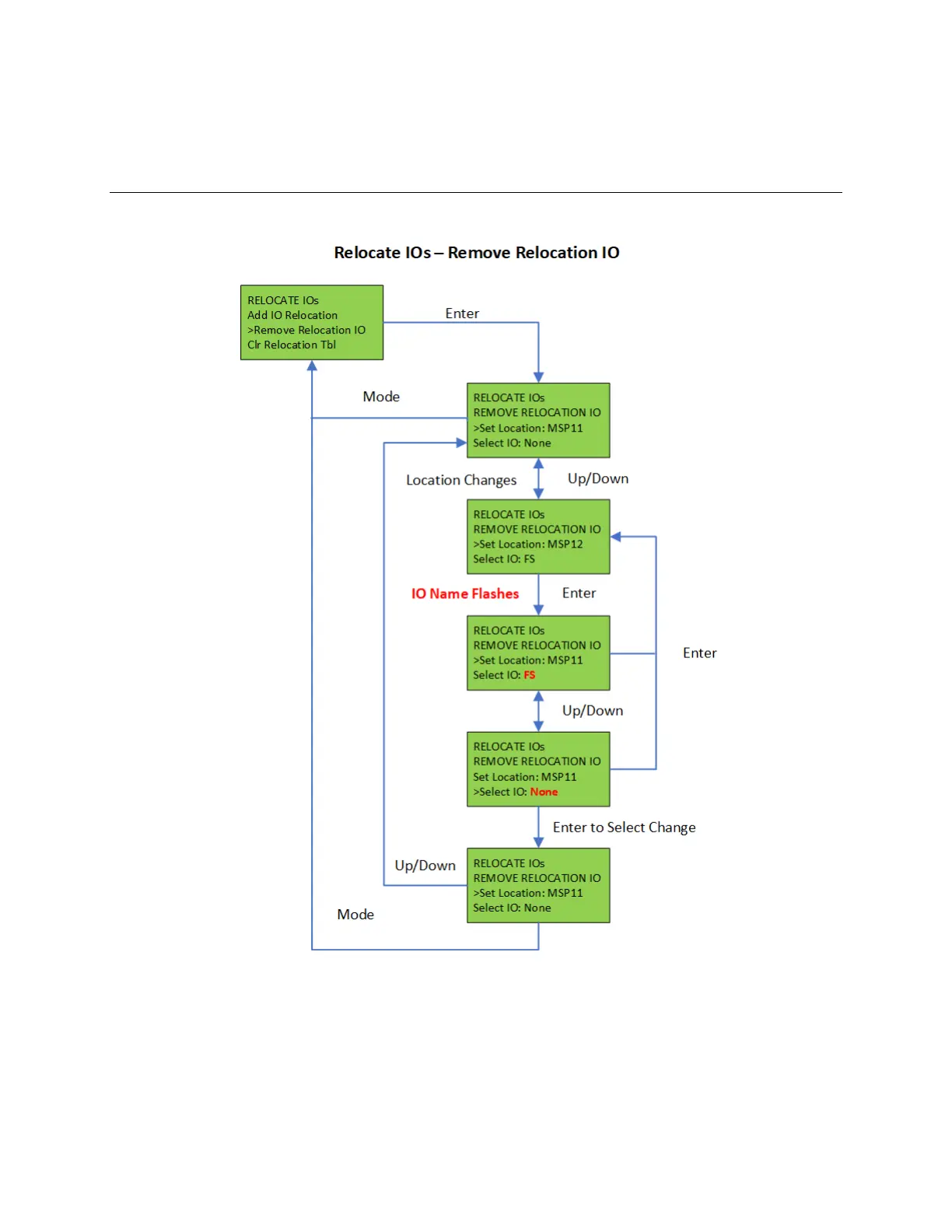
4.10.2 Relocate I/Os – Remove Relocation IO
Figure 4-4:
To remove an individual I/O from the relocation table, select the “Remove Relocation IO” menu and
then hit the Up/Down buttons to select the I/O location (Machine Room Spare Input 2 – MSPI2) and
then hit the Enter Button. Use the Up/Down buttons change the IO selection to None (Select I/O: None)
and then hit enter. Again, power must be cycled for the IO change to take place. To remove all I/O
relocations, select the “Clear Relocation Table” menu and hit enter.


 To Next Page