Monitoring the Controller
During the regular operation of the controller, you can:
l Monitor the current status of the controller
l Read information on past activities of the system
l Perform manual operation and intervene in the flushing process
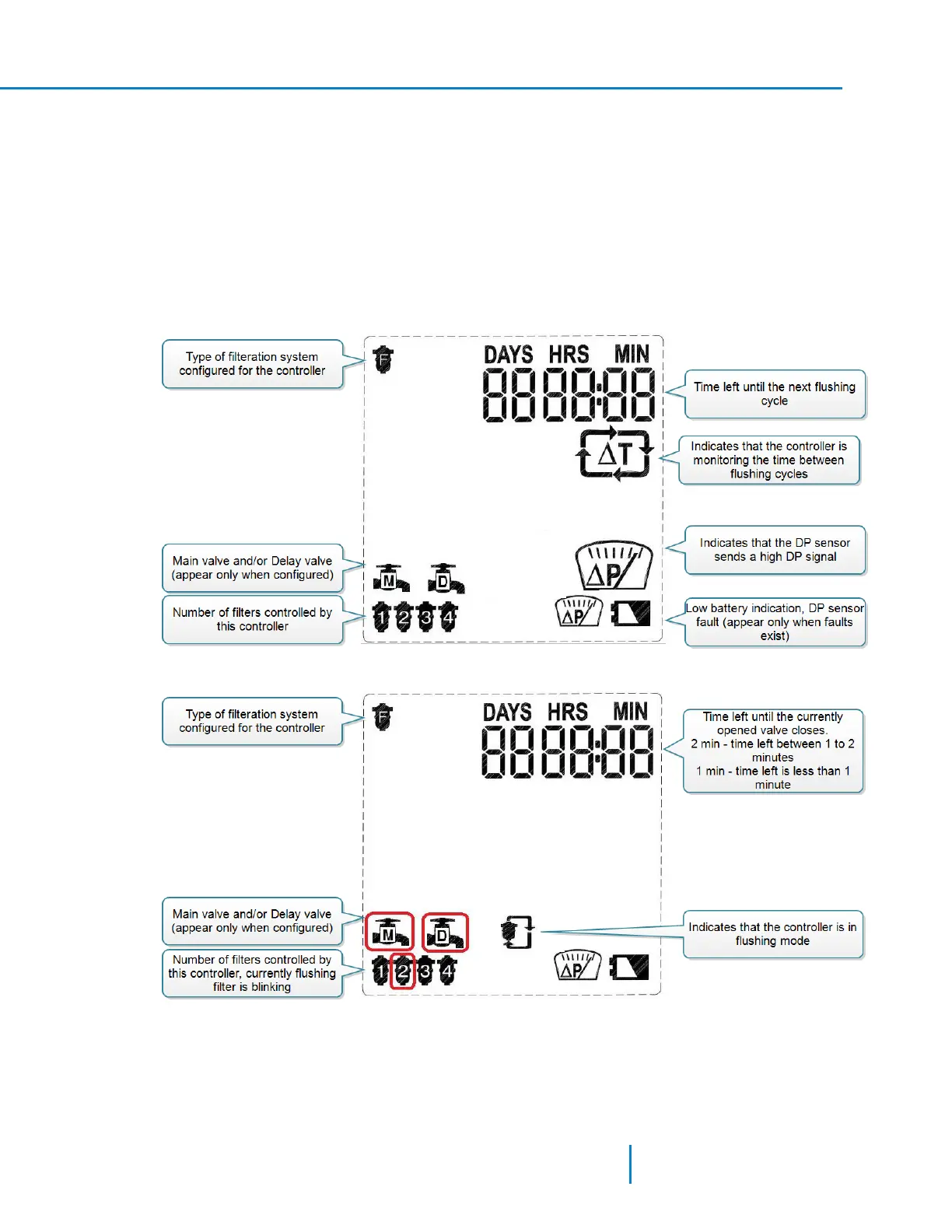
The Main Screen
This screen shows the current status of the controller.
When the system is in filtering mode (not flushing) the main screen shows the following parameters:
When the system is flushing, the main screen shows the following parameters:
Displayi ng the Flush C ounter Screens
Press the forward key until the screen appears.
41 AMCFlushing Controller User Guide
Monitoring the Controller



 To Next Page