Chapter 3 -- Installation--Power Up Test
3 - 4
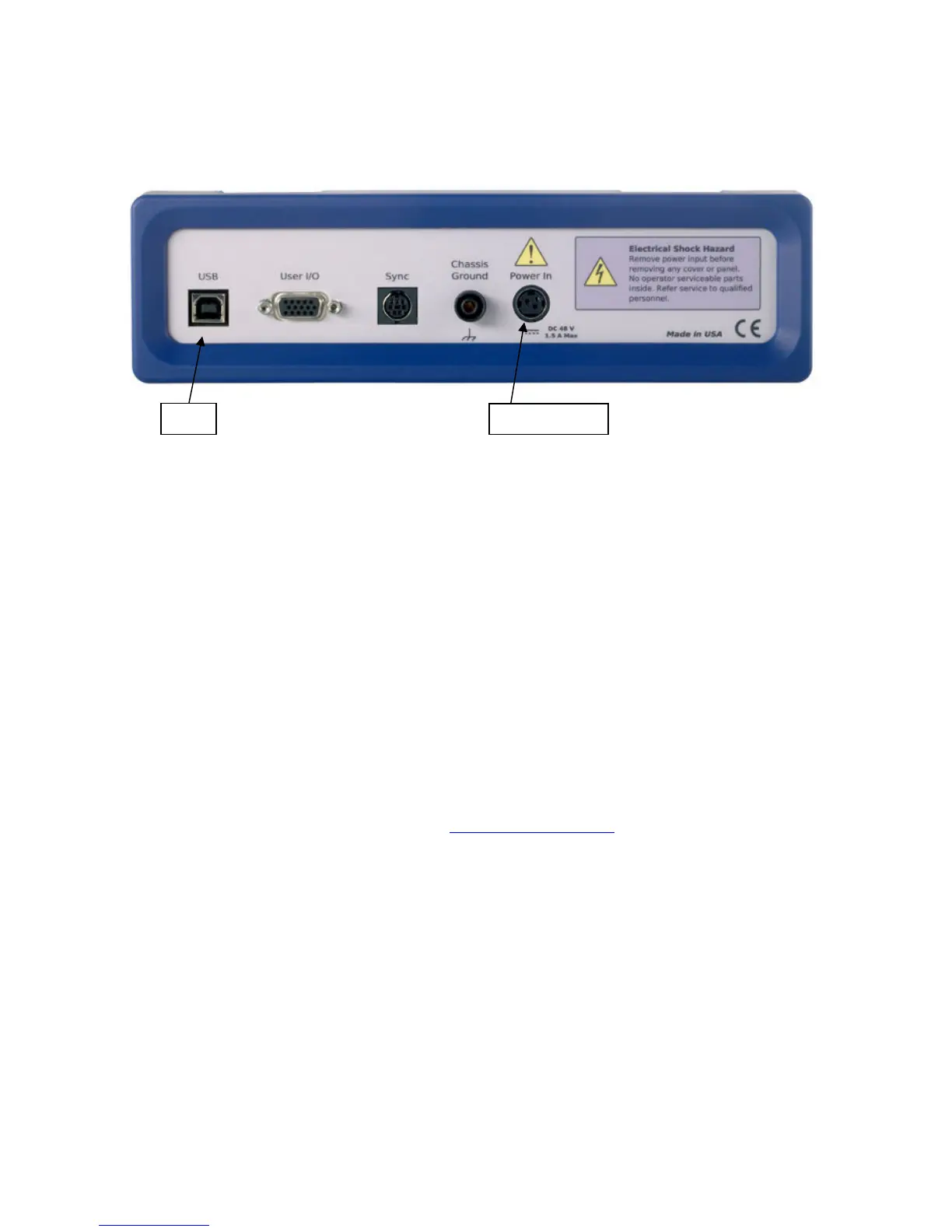
Figure 3 - 2
Rear Panel of the Interface 1000
Power Up Test
Before you make any other connections to your Interface 1000 you should check that the Interface 1000 is at
least nominally functional.
After connecting DC power to the Interface 1000, turn on the Power switch on the front panel of the Interface
1000 (see Figure 3 - 1).
Watch the Power LED as the Interface 1000 powers up. It will flash slowly a few times, then glow a steady
blue. This process could take as long as 15 seconds. The Interface 1000 fan will run at low speed once the
power light stops flashing.
The status of the other LED indicators is not important at this time.
If the power LED goes on, then turns off and stays off, the Interface 1000 is not working properly! If this
power up test fails contact Gamry Instruments or your local Gamry Instruments representative as soon as
possible.
If the Power LED continues to flash after 30 seconds, the instrument could be malfunctioning or the
instrument could be over-heated. Make sure the Framework Instrument Manager is not causing the flashing
(see below). Check that the air-flow through the chassis is not restricted. If airflow looks Ok and the Power
LED continues to flash, contact Gamry Instruments (techsupport@gamry.com) or your local Gamry Instruments
representative as soon as possible,
USB Cabling
The Interface 1000 connects to the computer using a filtered High Speed USB A/B cable. A suitable cable
was shipped with your Interface 1000. The replacement cable is Gamry Part Number 985-131.
An A/B USB cable has different connectors on each end. The end with a wider, rectangular shaped connector
plugs into a USB port on your computer (or a similar port on a USB hub). The end with a nearly square
connector plugs into the USB port on the Interface 1000 (see Figure 3 - 2).
The USB connection can be “hot-plugged”. This means both the computer and the Interface 1000 can be
powered-up before the USB cable is plugged in. Unlike many other instrument system connections, you need
not power down the system before plugging in the USB.


 To Next Page