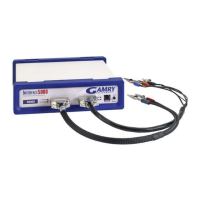
Chapter 5 -- Panel Indicators and Connectors--Front Panel
5 - 2
When the Power LED is off, either:
• The Front Panel power switch is off.
• There is no DC +48 volt supply connected to the rear panel DC Power In connector.
• The external DC power supply has no input power or is malfunctioning.
• One part of the Power PC’s power-up self-test has failed.
An Interface 1000's Power LED blinks when that instrument is selected in the Framework's Instrument Manager.
This allows easy identification of a specific instrument in a MultEchem system without looking at the instrument
Serial Label on the bottom of the instrument chassis.
Finally, the Power LED will continuously blink if the instrument has been subject to an over-temperature
condition. In this case, the instrument will not be usable until it has been powered down, allowed to cool, and
been re-powered.
Caution
The Power LED is used to indicate power status, to indicate that power-up tests have
passed, to identify instruments, and to indicate latch-up due to an over-temperature
event. It cannot be relied on as a true power status indicator. Always unplug the DC
Power In connection if you suspect your Interface 1000 is malfunctioning.
The USB LED
The USB LED is located just below the Power LED. It is a tri-color LED, capable of glowing green, orange, or
red.
The USB LED will be unlighted when:
• The Interface 1000 is not powered.
• The Interface 1000 does not have a USB cable plugged into its rear panel USB port.
• The computer end of the USB cable is not plugged into a USB port on a computer or hub.
• The USB cable is not supplying USB power to the Interface 1000.
• The computer has disabled the USB port going to the Interface 1000.
The USB LED will glow a steady green if a valid USB connection has been made and the Interface 1000’s
communication processor is receiving power down the USB cable.
The USB LED will flash orange whenever the Interface 1000 is receiving or transmitting valid USB messages to
or from the host computer. It will not flash if there is USB traffic addressed to other devices on the USB bus,
including messages aimed at a different Interface 1000.
The USB LED will indicate a solid RED in one special condition. It will be red when a firmware update is taking
place. Interrupting a firmware update can cause a catastrophic failure of your system. Do not turn off the
Interface 1000, do not unplug the USB cable, and do not stop the host computer operation when the USB LED
is a steady red color.
Caution
Do not interrupt a firmware update while it is in progress. An incomplete update can
render an Interface 1000 inoperable until it is returned to Gamry for reprogramming.
Cell LED
The Cell LED is located to the left of the Front Panel Cell connector.
The Cell LED glows yellow whenever the Interface 1000 is actively applying voltage or current to the
electrochemical cell attached to the Cell Cable. You should avoid touching the cell cable leads whenever the
Cell LED is lighted, because the quality of the data being collected in your experiment may be compromised.


 To Next Page