Chapter 4 -- Cell Connections--Normal Cell Connections
4 - 1
Chapter 4 -- Cell Connections
Normal Cell Connections
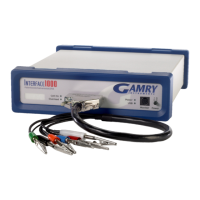
Each Interface 1000 in your system was shipped with a standard, shielded cell cable. The Gamry part number
for this cable is 985-00071. It is a 60 cm complex cable with a 25-pin D type connector on one end and four
banana plugs and two pin jacks on the other end.
In some cases, your system may also include a special purpose cell cable. The special purpose cell cable will
include documentation describing its use.
The 25-pin male end of the standard cell cable connects to the Interface 1000’s front panel Cell Connector.
You should always screw the cell cable into place since this cable can fall off the unit. This can be disastrous if
it occurs during an experiment.
The other end of the cell cable terminates in a number of banana plugs and two pin jacks. Each termination
comes with a removable alligator clip. Table 4-1 identifies each terminal of the cable.
Table 4-1
Cell Cable Terminations - Potentiostat and Galvanostat Modes
Color Type Name Normal Connection
Blue Banana Plug Working Sense Connect to working electrode
Green Banana Plug Working Electrode Connect to working electrode
White Pin Jack Reference Connect to reference electrode
Red Banana Plug Counter Electrode Connect to counter electrode
Orange Banana Plug Counter Sense Used in ZRA mode - connect to counter electrode
Black Pin Jack Floating Ground Leave open or connect to a Faraday shield
Connect both the blue and green cell leads to the working electrode. The working electrode is the specimen
being tested. The blue banana plug connection senses the voltage of the working electrode. The green working
electrode connection carries the cell current. The working electrode may be as much as 150 mV above the
circuitry ground (Floating Ground).
Connect the white pin jack to the cell's reference electrode, such as an SCE or Ag/AgCl reference electrode.
The measured cell potential is the potential difference between the blue and white cell connectors.
Connect the red banana plug to the counter or auxiliary electrode. The counter electrode is usually a large
inert metal or graphite electrode. The counter electrode terminal is the output of the Interface 1000 power
amplifier.
The orange lead is only used in ZRA mode where it senses the counter electrode potential (see following
section). Automatic switching to ZRA mode is possible if this lead is connected to the counter electrode. If you
will not be using ZRA mode, this lead can be left open as long as you insure that it will not short against any
other electrode.
The black pin jack is connected on the Interface 1000 end to Floating Ground. This is the circuitry ground for
the analog circuits in the Interface 1000. In most cases, this terminal should be left disconnected at the cell
end. When you do so, take care that its metal contact does not touch any of the other cell connections.


 To Next Page